 It’s no surprise that there is a lot of hype around Apple’s iPad 2. I’ve been reading lots of great reviews about everything from the upgraded processor to the innovative new cover. Of course, any time something popular is released there are those who find something negative to say, and the iPad 2 is not immune to this phenomenon. Roughly 12 hours after it was released, reports started to pop up over on DZONE and Mac Rumors that the iPad 2 has ‘massive screen bleeding’ problems. If you’re anything like me, you’re probably sitting there trying to figure our what “screen bleeding” is (likely with some pretty horrific images in your head). Let me clear this up:
“Screen bleeding” can occur when the entire surface of an LCD is backlit by a light source (CCFL light). The LCD should block out light not currently being used to display non-black colors. Backlight “bleeding” occurs when this light is not 100% blocked, allowing some light to “bleed” through the LCD. This “bleeding” causes spots of lighter areas on dark or black backgrounds. On modern televisions this is sometimes referred to as ‘washed out black’. Unfortunately, almost all LCDs suffer at least a small amount of backlight bleed, though arguably it only causes problems if it can be easily detected by the human eye.
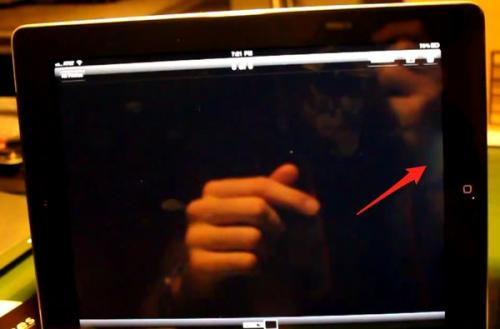
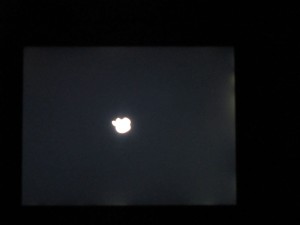
So with that said, lets go to the videotape. One person (whose post I found through the DZONE link above) had to take pictures in the dark to show the problem. Below, we can see that someone caught a pretty good example of this “bleeding” in full light. As the saying goes, “who are you going to believe – me, or your own eyes?” In my opinion this photo evidence of the “bleeding” problem shows that this isn’t really the big deal that some would make it out to be.
So: do you think that this is a major misstep by the folks in Cupertino? Or are fanboys just screaming ‘bloody’ murder?