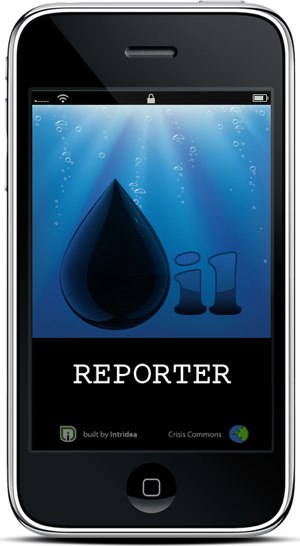
Techies to the rescue with Oil Reporter mobile app!

Until recently, when a disaster happened you would typically think about physical actions and volunteerism that would be necessary, in other words on-the-ground human capital resources. That traditional thought process is rapidly changing due to organizations like Crisis Commons and the many, many software developers who are lending their expertise to assist in creating very critical technology tools to assist individuals and organizations dealing with disasters. Recently, that display of rapid techie involvement for a common solution was demonstrated in the development of a new mobile application called Oil Reporter.

SEE VIDEO OF my CNN report:
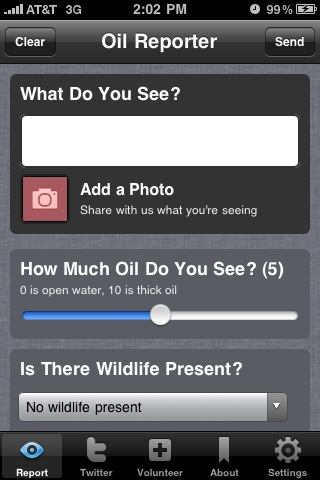
What can the app do?
The app enables you to use your phone to report what you are seeing on the ground. For example you can upload video, photos and text, documenting areas and wildlife affected by the oil spill. The app asks you questions like, How much oil do you see?, Is there widlife present?, What’s the impact to wetlands? In the app you can also follow all the tweets taking place about the spill so you can stay informed and there are links to volunteer organizations. The app is a free download!
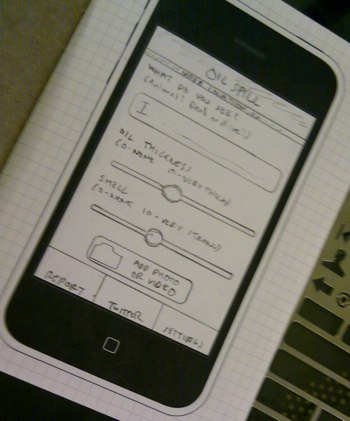
To the Batmobile-let’s go!
The Oil Reporter mobile app was developed in a lightning-fast 3 days and made available on not one but 2 different mobile platforms, the iPhone and Android phones. To get this created and out the door so fast there were 3 main partners in the effort–1) the app was created by developers from Intridea 2) they used a mobile software platform called Titanium from Appcelerator & 3) Crisis Commons an international volunteer network of technical and biz professionals with major, major tech skillz :-) drawn together by a call to service.

How can you get involved?

1) Attend the Tuesday June 1 Webcast “How Intridea Built Oil Reporter and How You Can Extend Oil Tracker”
Tues June 1st, 9:00 AM – 10:00 AM PDT

2) Attend the Washington DC, Crisis Camp Saturday June 5th!

3) GO here for more ideas on how you can help NOW

4) GET the WORD OUT! If you know developers or individuals working for relief organizations they could also be using the free and open-source data to create their own custom apps to help with documentation and recovery. So please tell as many people as possible about this free resource!

Mario (Ur Digital Lifestyle Expert®) on the Rachael Ray show

Tune in this Friday to catch Mario’s Rachael Ray interview! Check Show Times for your area For my Baltimore peeps, Ill be on WMAR-TV from 9-10a then on Rachael Ray from 10am EDT. We are having an informal “viewing party” at One World Cafe in Baltimore near Johns Hopkins University. They’ll have the tv’s on full blast, so come have breakfast & mimosas from 10a-11a! :-)

It was awesome being a guest on the Rachael Ray show! She was a gracious, professional and savvy host and her production team is incredible! The behind-the-scenes perspective really shows how hard these folks work! From booking to going on-air they made sure everything was completely smooth, even though it looked like complete chaos! The producers J & A were really great peeps! Thanks, ladies!
iPhone, Rachael Ray, Mario Armstrong, Facebook, iPad

On the show Rachael & I talk about some online safety tips. This episode was taped before the FaceBook privacy changes so keep that in mind when you watch. I honestly feel that many people should pay more attention to what they are revealing about themselves online. Some of the sites I mentioned like; FourSquare, Gowalla & Loopt! I love to use these sites BUT many people are NOT using these sites safely and they need to be educated and made aware to enjoy the services more and be safe while doing so!

Tune in this Friday 10-11a EDT on ABC OR hit me on twitter or FaceBook for the Baltimore viewing party :-)

A few rules to buying your big screen tv

untitled2.bmpTIPS to think about before buying:

  • Turn down the bright screen – when shopping check the brightness of the tv, have the salesperson lower the settings, they usually have the brightness up really high. When comparing 2 or more tv’s try and lower the brightness of all tv’s til they look equal.
  • #2 More bright lights- our homes, basements & club rooms are never as bright as the show floor. So see if you can block the lighting that may be shooting on the tv screen you are interested in or ask them to turn down the house lights in that area so you can get a better sense of the screen in your real environment.
  • Don’t watch their programs- The best way to test the quality of the picture is to bring your own DVD (PG or G pleaseeee!!!) movie and play it on the screens you are comparing. Most stores will have tv programs on them and some tv sets may be running off of a dvd while others are running off of a TV signal. Make sure you ask about the programs and make sure you know, so they don’t try and fool you by selling you a lesser-quality TV that was showing a DVD movie on it.
  • View the varying modes- Make sure the tv’s you are comparing also are set to the same picture mode. One tv could be on Sports while the other is on Movie. This can change how they look and it’s not an apples to apples comparison.
  • Lastly, view from all angles- only you know, if the room where the tv is going is bright, dark small room or large space. So measure the distance from where the tv will be placed and where viewers will be seated and take that measurement with you to the store. Also, be sure to notice at home if viewers will have to watch your tv from an angle or if they will be viewing dead-on center. Be sure to look at the tv from at least the 45-degree angle and see if the picture is still viewable and clear-this exercise alone will rule out some tv’s for you.