SignMyPad App for iPad: eSign and Send PDF’s – No Printing Required

by on March 31, 2011 | 8 Comments » | 591 Views

Normally when I do app reviews, I try to stay unbiased, cite the facts and point out how it can help you and your business. I will have to break character and say if you breathe air through your lungs, and get tired of downloading, signing, scanning, uploading and emailing (or faxing, if you live in the 90′s) PDF documents, and of course own an iPad

You need to download the SignMyPad app for iPad now.

Simply put, the SignMyPad app will enable you to load a PDF though iTunes document sharing, from an email, or on the web by entering its url. You can simply sign and date the PDF then upload it back to iTunes to share with your computer, or send it via email… All without touching a single piece of paper!
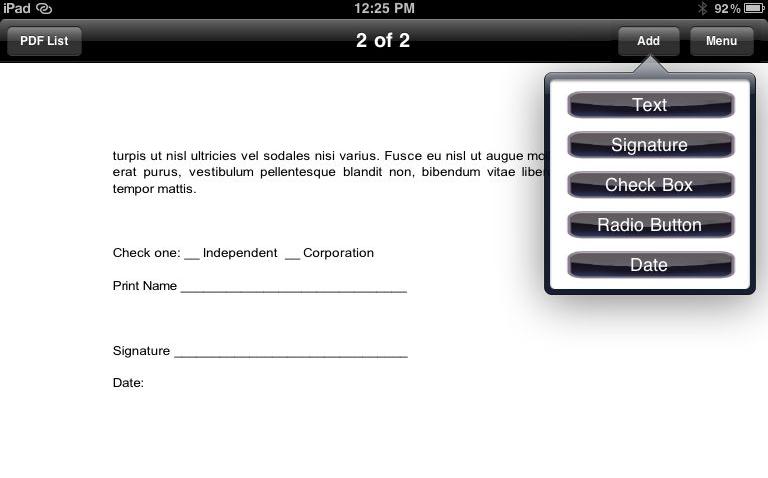
Once you load the PDF (which displays very cleanly in the viewer), you can navigate to the “sign here” page, add text or a signature, and move your entry in the right position, just with your finger. Additional features include black or blue “ink” options, and resizing entries using a slider to make objects bigger.

Entry options include:

  • Text
  • Signature
  • Check Box
  • Radio Button
  • Date

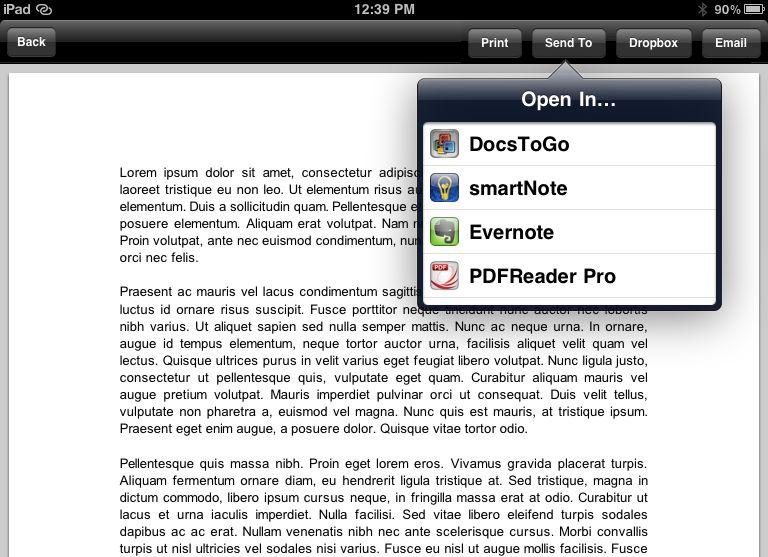
With these options, it is possible to fill out an entire PDF document on your iPad. When you’re done, you can print your document if you absolutely MUST have paper copy (and have mobile to printer capabilities), or open the PDF in one of the supported apps.

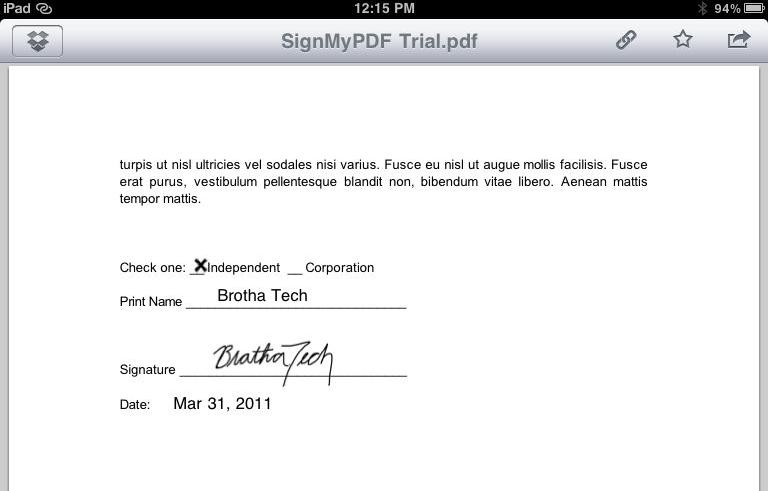
If you have a keen eye, you will notice that Dropbox support is included as well.

Yep, my number #1 app of all time is supported by SignMyPad too. In other words, you can load documents from Dropbox, sign them, and send them back to Dropbox for the ultimate in cloud document management/storage.

Some extra cool features that can (hopefully) be added to SignMyPad in later updates would be to allow users to use finger gestures to “flip” through PDF pages in addition to tapping the “next” or “previous” page buttons at the bottom; and the ability to upload a PDF to the Dropbox folder of my choice, versus only saving it to the root directory. I’m no developer, but I would pay a couple extra dollars for those features alone.

Speaking of price, SignMyPad is only $3.99 in iTunes. Honestly, that’s more than a fair price to pay if you sign dozens of PDF’s per month or just one.

SignMyPad not only should increase your mobile productivity by giving you the ability to load, sign, and send PDF documents, sans a printer, fax, or a Kinko’s nearby; it might possibly be the catalyst to actually consider the benefits of tablet devices enough to fit one into this year’s fiscal budget.

Check out the video below to see SignMyPad in action!

Tags: , , , ,

  • http://twitter.com/justinesgar Justin Esgar

    Wow, thanks for such a great write up Terrance. To answer your questions about DropBox and the flipping of the pages:
    1. Page flipping – if we enable that it would be impossible for the iPad to know when you are turn the page or trying to move an element (such as your signature). We chose to use the Previous/Next Page buttons to work around that and give an easier time to the user
    2. Dropbox – Unfortunately Dropbox gives us a very simple API to use (the code used to integrate) – we have no control on what they give us, it just is. I’d love to be able to choose which folder it goes to, but unless Dropbox changes there code we are stuck.

    Just wanted to mention SignMyPadPro – which was just released yesterday. It has Geo-locational tagging – which means when you save your PDF it will tag the location of your iPad (need internet for that to work) and note the date and time in the metadata of the PDF.

    Again thanks for such a wonderful write up.

    Justin
    CEO
    Autriv, Inc.

  • http://brothatech.com Terrance Gaines

    No problem on the review and thanks for answering my concerns. Those aren’t major concerns at all. I diggin’ SMP so much that I HAD to throw a “con” or two in there just to show that I did some actual digging, lol!

    I will definitely have to check out SMP Pro.

  • Jeff Boston

    Hi Justin, Great App! Is there a service you are aware of that would allow me to have these PDF files mailed through an email attachment? Reason I ask is, there are certain documents that will not accept electronic copies via email or faxing. I have a fax to email service that charges me .10 per page for each page sent, and would love the convenience to be able to have my document mailed. If that could be a service added to your app, I can’t imagine how/why that would not be featured on an apple commercial. I am in the insurance business, and I have to imagine there are many other professional organizations that would love this feature as well. Better yet, to have an option to email, fax or snail mail would be home run application for businesses.

  • http://twitter.com/justinesgar Justin Esgar

    Jeff – You mean you email the document to some company, that company prints it and literally snail mails it to the recipient? I have never heard of such a company, and think that it might be a security issue involved with that – but that’s just my opinion.

    Sorry I couldn’t be more helpful.

    Justin

  • Pingback: BrothaTech Around the Interwebz | BrothaTech

  • http://twitter.com/knoxtnhometoday Jason Chandler

    Very cool app for the Ipad.

  • http://www.globalkidsoz.com.au Global Kids Oz

    Great article, but when I DL the pfd it doesn’t show in my pdf list in signmypad app? Any help would be most grateful? Tx JJ

  • Anil

    Hi Justin, 

    Not sure if you are still active here but  heres the background for our needs. My dad is a Doctor and needs to sign plenty of PDF documents. I set up the fax documents he needs to sign to be automatically be uploaded into a dropbox account as a PDF file. What we need now is a way to interface with the dropbox, sign the document, and e-mail the document (not re-save in the dropbox location – although modifying the original document doesn’t hurt). 

    So, my question, is does this application interface with the dropbox so you can get PDFs? I know the workaround solution is to open a PDF in dropbox and then open in this app, but that seems somewhat clunky. 

    A second question is that about 50 of these faxes need to be signed daily. Is there a way to copy a signature and post it in each PDF or does my dad need to sign each document?

    Thanks for checking into this,

    Anil