 I purchased an Amazon Kindle Fire for my wife for her upcoming birthday (be sure to keep that on the low). I thought the Fire would be cool for her because she can consume content from the Amazon ecosystem, the web, and play some games on the few apps that will be available from the Amazon App Store.
While trying to setup her Fire, I stumbled upon the Documents To Go App that lets users create, edit, and share Microsoft Office files (Word, Excel, PowerPoint) as well as view PDF’s.
Hold the phone! – Does this mean that with Docs To Go installed, the Kindle Fire can also be a productivity tablet?
I use the Documents To Go app exclusively on my iPhone and iPad. So if I get an Office or PDF document in an email, I can open it with Docs To Go and if need be, make some changes and send the new version in a reply email. I can also create an Office document from scratch and save it locally on my device, sync with the free Desktop version for Mac/PC, or link one of my cloud services to save space on my device.
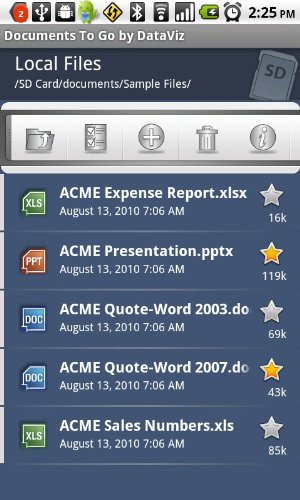 Those same features are also available on Docs To Go for the Kindle Fire as well. Right now, the only cloud service you can link is Google Docs, but even that will come in handy since the Fire only has 8gigs of storage space.
The full version of Docs To Go for iOS is around $17 bucks. For the Kindle Fire, you get two flavors: The free 3.0 Main app that gives you viewing and sharing capabilities; and the Full Version that unlocks creation an editing options for $14.99 – Still pricey for mobile apps, but a couple bucks cheaper than the iOS version. Like I said, I personally vouch for Docs To Go, and would suggest it for anybody looking for a solid Microsoft Office document app for their device. Check out the DataViz website for all of the platforms that can install Docs to Go.
Long story short, with the help of the cloud and the free or paid Documents To Go app, your Amazon Kindle Fire can be put to use in your office or on the go, in addition to just downloading books & music for your next trip or buying your Cyber Monday gifts from Amazon.com.