ProntoForms – great app to help you capture data in the field!

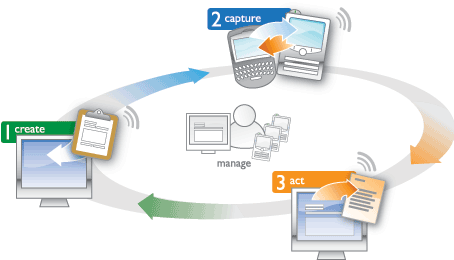
ProntoForms is a useful app for those of you who have to submit paperwork while out in the field. It’s perfect for small businesses that use inspections, audits, timesheets, surveys or basically any paper that you use can now be digitized. ProntoForms can be customized and match up to the processes of your Mobile Workforce – in areas like selling, inspecting, tracking, ordering, reporting, etc. ProntoForms gives you a much more efficient way to mobilize that paper data collection. The app can be used on more than 200 devices from 20 different brands, including but not limited to: Windows Mobile Devices, BlackBerry’s, iPhones, web browsers and tablets.

Three immediate benefits from using an app like this are: 1. Accuracy 2. Eliminate unnecessary revisits 3. Eliminate the need for all the transcription of paper data. ProntoForms enables you to view and extract metrics from the field, create reports in pdf and export data for reporting in realt-time while in the field, which tremendously increases productivity and accuracy.
More on the app…

GetContact.Info: Add Analytics To Business Cards with QR Code

Adding a QR Code to your business card that allows people to scan the code with their smartphone camera and a QR Code reader app is genius. The ability to track actual scans and manage multiple QR Code contacts is on a another level entirely.

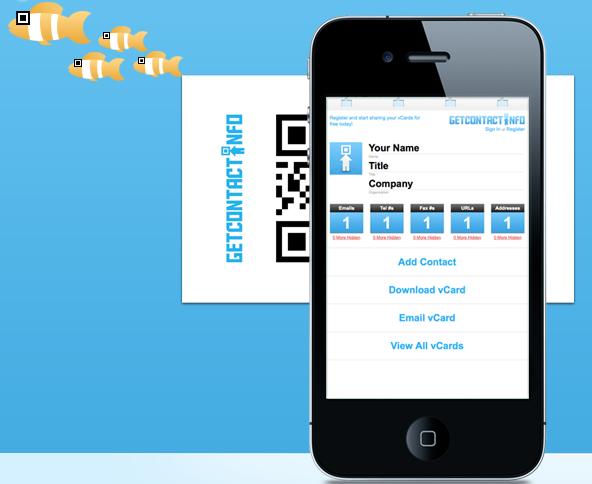
This free service from GetContact.Info allows users to create an online profile using their contact information. That profile is then embedded onto a QR Code that you can either download and add to a business card design, or use the free business card template, complete with your contact info and code, to create your own business card. You’re just not limited to business cards either. You can add the code to stickers, t-shirts…anything.

Embedded in your code from GetContact.Info are analytics that display data on when and where your card/code was scanned, in addition to receiving email notifications when your cards are scanned.

When a user scans your code, they are taken to mobile-friendly site where they have the option to add their contact info to your account, or download your vcard directly into their phone’s address book. Note: iPhone users don’t quite have this ability yet, but you can opt to send the vcard via email, then add the vcard from the message once it’s received.

Since GetContact.Info is a free web application, any gadget with a web browser can create and edit contact profiles, while any mobile device with a QR Code Reader app can get your contact info by just scanning your code.

People are still mentally trained to ask for a business card, but with your info embedded onto a QR code, they can get your contact info right into their phone just by scanning your code, instead of the normal “throw your business card in the junk drawer of their office along with the other poor [business card] souls.”

LinkedIn Today

It’s always exciting to see launches of big new products from well-known and trusted companies. Yesterday LinkedIn did just that  with their announcement of LinkedIn Today.  LinkedIn Today is their shiny new social news offering for business folks. This product is not positioned to compete with Twitter, Facebook, or Flipboard; instead, LinkedIn sees it as the “Wall Street Journal of social news”.

It sounds like a great idea, but how is the execution? In short, not bad. The top stories we see on the site right now are topical and fresh.  Many of these topics are covered in other places, but this product delivers real value when you drill down into industry-specific news.

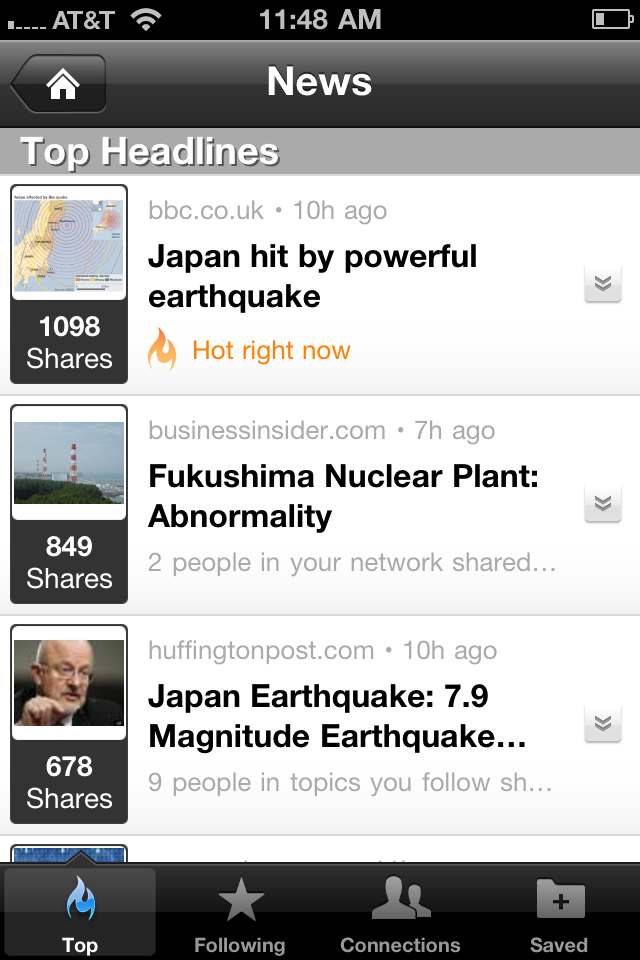
Here’s a quick walkthrough: First, fire up your LinkedIn app (available on iOS and Android). Once you are logged in, tap the “News” icon (if using a browser, just go directly to LinkedIn Today). When you first use this feature, it prompts you to choose industries to follow. However, if you do not choose any you’ll see a customized feed based on the industries in which you and your connections work. For example, I see articles about the Internet, Computer Software, Online Media, and Design. You can add industries to follow, like Venture Capital, or you can follow specific news sources.

The articles are organized based on how many times each story has been shared by your network either on LinkedIn or Twitter, giving you an idea of what’s important to your social network today. One nice (and necessary, and fairly standard in these times) feature is that you can share or save stories directly from LinkedIn Today. If LinkedIn made this into an iPad specific app, rather than this current one designed for iPhone, it would likely be the best news consumption app on the market. Flipboard for fun, LinkedIn for business.

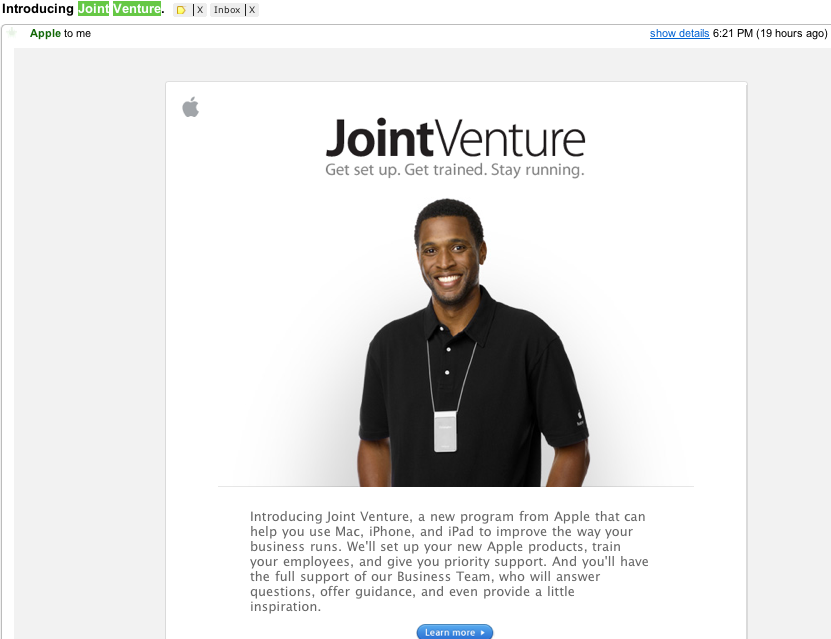
Apple & iPad get serious about small business with new Joint Venture!

This just hit my email inbox. Coming off of the iPad2 announcement yesterday it was interesting to see this email from Apple. Apple is introducing “Joint Venture”, which apparently is a new program geared to small business owners to help them with Apple products ranging from their Mac to iPhone, and iPad. This is a smart move from Apple as we all have witnessed the growth of entrepreneurship and small business, especially in these economic times. The email from Apple also states “we’ll set up your new Apple products, train your employees, and give you priority support. And you’ll have the full support of our Business Team”.

What are your thoughts on this? Will this help more small businesses purchase Apple products?

Oscars live streams behind scenes video feeds

The Oscars has launched a new website and new app in hopes of getting younger, more tech savvy audiences to watch the show and to share their viewing experience. The 2 screen experience is becoming much more prevalent in households. These days people watch and tweet at the same time and the proliferation of bedside gadgets like netbooks and tablets make it easy to watch tv and be social. Here’s the info on this years new live video streaming at the Oscars:

Oscars don’t happen without techies!

When you think of the Oscars we tend to think of the actors that are the face of the movies BUT the movies that we see dont happen without some technical geniuses. What you may not know is that each year those hollywood techies are given their own shot at an Oscar.

The Academy’s Science and Technology Council was created in 2003 in response to the explosion in digital motion picture technology, which continues to transform the production, post-production and exhibition of movies.

Recognizing the crucial role of science and technology in the moviemaking process, the Academy has, almost since its inception, honored the achievements of pioneers whose work has advanced the motion picture industry. The first Scientific and Technical Awards were handed out at the 1930–31 Academy Awards ceremony, held on November 10, 1931 at the Biltmore Hotel in Los Angeles.

There are only 10 winners chosen each year and they do their celebration about 2 weeks before the Oscars for the actors etc…

2 winners that stood out to me this year are:

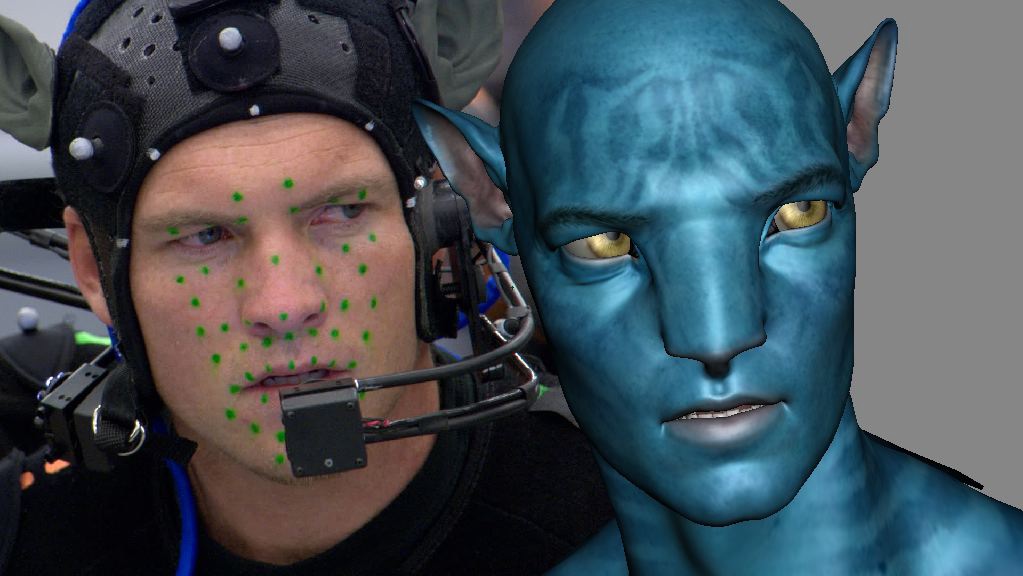
1. Dr. Mark Sagar for his early and continuing development of influential facial motion retargeting solutions. Dr. Sagar’s work led to a method for transforming facial motion capture data into an expression-based, editable character animation system that has been used in motion pictures with a high volume of digital characters.

2. Mark Noel for the design, engineering, and development, and to John Frazier for his contributions to the design and safety features, of the NAC Servo Winch System. The NAC System allows full-size cars, aircraft and other heavy props to be flown on wires with unprecedented freedom of motion and a high degree of safety, on-set and in real time.  The intuitive control system responds to the motion of the operator’s hand, permitting the recording and playback of all axes of motion simultaneously, which may be edited and refined for playback in subsequent takes.