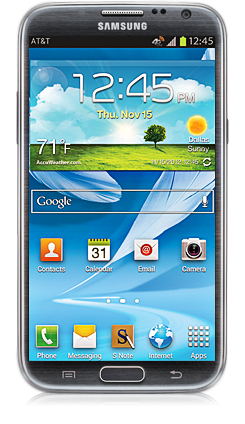
Samsung Galaxy Note II Now Available for Pre-Order from AT&T

The latest Superphone is almost here—starting today, AT&T is taking pre-orders for the Galaxy Note II, the latest high-end superphone from Samsung. A step up in every conceivable way from the Galaxy S3, the Note II is a powerhouse. 1.6GHz Quad core processors. 5.5″ Super AMOLED HD display. Next-gen S-Pen stylus technology.

Pre-order the Galaxy Note II at AT&T today by visiting: att.com/galaxy-note-ii.

We’ve talked about the previous generation Galaxy Note on our site quite a bit, and if you’re new to the Giant-Smartphone-Meets-Tablet hybrid that is the Galaxy Note, I’d encourage you to check out some of our earlier coverage:

Is bigger better? Samsung’s betting on it with the Galaxy Note 5.3″ Phone
iPad Still King: Why Artists Can’t Take Samsung’s S-Pen and the Galaxy Note Seriously
Samsung Galaxy Note & Intuit GoPayment Bring Mobile Payments Everywhere

Later this week, we’ll be bringing you videos of the new device, showing off the features and figuring out if the improved S-Pen is good enough to risk embarrassing yourself using a Stylus on your smartphone in 2012. But if you already know you want it, why not pre-order today?
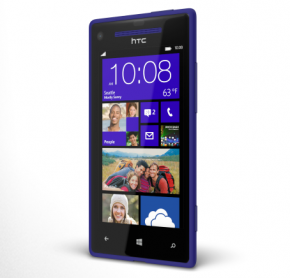
First Look: The HTC Windows Phone 8X on AT&T

HTC Windows Phone 8X

Despite the East Coast being completely shut down by Hurricane Sandy, Microsoft is going full steam ahead with their Windows Phone 8 announcement today in San Francisco. One of the phones that we’re finally allowed to show off, and the Windows Phone 8 device I’m most excited about, is the HTC Windows Phone 8X. Check out the video above to see my quick look at the phone.

We’re still waiting to hear about pricing and availability, so we’ll be updating this post later today if those are announced at the Microsoft event.

Lighter, thinner, sleeker, and softer than the Nokia Lumia 920, this is the Windows Phone I’m declaring the early winner in the race between manufacturers to bring out exciting new phones this holiday season. I’ve gotten a couple of chances to play with the phone now, first at the the AT&T Unveiled event last month and, last week, in-person and hands-on with Mario. For my thoughts, be sure to check out the video above.

UPDATE: 2:03 PM EDT:

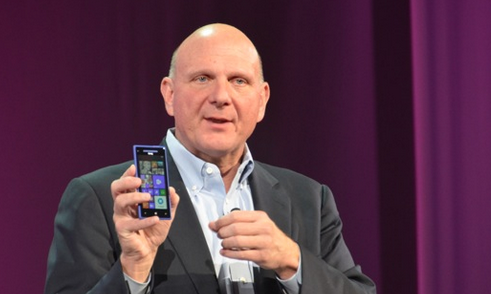
Steve Ballmer is on stage now in San Francisco hyping up the Windows Phone 8X. Pricing and availability are not being announced at this time, but this phone will be available in November.

[This] is a remarkable phone. HTC’s designers saw our Live Tiles and were inspired to build Windows Phones from the ground up… Both the Windows Phone 8X and its little brother the 8S have killer sound thanks to beats audio and built in amps… Movies and music really sound incredible on these phones
– Microsoft CEO, Steve Ballmer

In the meantime, the AT&T Press Release has some of the tech specs for this phone:

The stunning Windows Phone 8X boasts an iconic design, immersive studio-quality sound and incredible camera capabilities. The first-ever Windows Phone 8 device with built-in Beats Audio™ technology, Windows Phone 8X offers authentic, studio-quality sound that delivers the spirit of the original recording. The 4.3-inch 720p HD (1280 x 720) display comes to life in the phone’s slim, sculpted design and improvements to the rear-facing camera let you capture great photos and record video in 1080p HD.

The HTC 8X isn’t the only Windows Phone hitting AT&T stores this fall. Sign up for news alerts from AT&T to be the first to find out when they launch.

A quick look at the Google Nexus 7: How does it compare with the Kindle Fire and iPad mini?

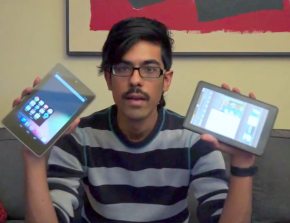
With the Google Nexus 7 tablet by Asus, you get an amazing combination of software and hardware. While I don’t recommend the $199 version (go for 16GB at $249 instead!) I do have to say that you can get what amounts to an iPad Mini for $80-130 cheaper. For our full look at the Nexus 7, check out the video above and leave a comment in the section below letting us know what YOU think!!

Giving away 10 AT&T smartphone and tablet accessories!

We’re giving away a ton of products this month here on Small Biz Go Mobile! Thanks to our sponsors, AT&T, we’ve got a whole grab bag of goodies. Watch the video above to find out more about what we’re giving away, and then hit the contest links below to enter! It’s super easy—each product just has ONE TASK you have to complete, and they’re all simple social actions. Leave a comment or follow us to win!  Read More

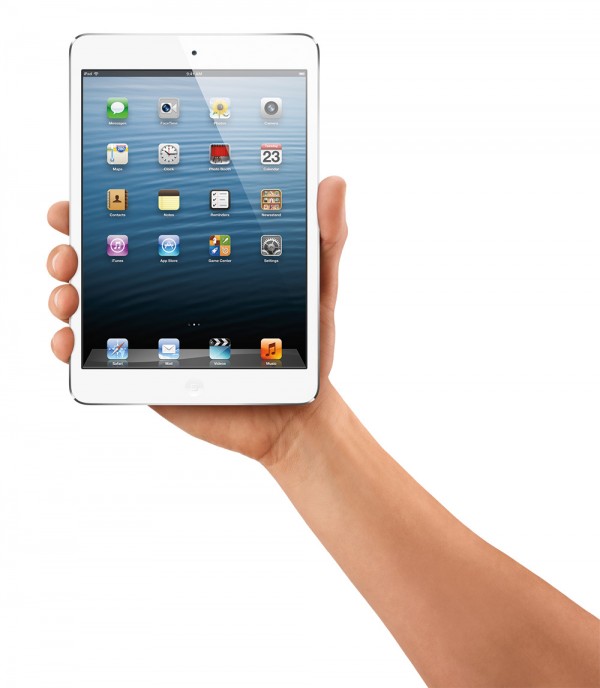
iPad Mini: Complete Coverage of Today’s Announcement

We’re covering this event in our liveblog below! Plus @MarioArmstrong will be bringing you live updates on Twitter so be sure to follow him there.

Please note, the liveblog below will refresh automatically, with all of the latest updates as Apple reveals them, starting at 1pm ET, 11am PT today.

Plus if you’re on a Mac and using Apple’s Safari web browser, or on an up-to-date iPhone or iPad, you can click on the link below to watch Apple’s iPad Mini announcement live:

http://www.apple.com/apple-events/october-2012/

If you have an Apple TV, you will also be able to tune in to this special announcement live there as well. Unfortunately we don’t know yet if this will work for PCs, but we’ll have all the photos and coverage you could want right here!  Read More

#iPadWeek is over! Reunited with my MacBook Pro at last!

Reunited at last!

I love my iPad, and I found I was actually able to do quite a bit of work on it this week. But I have to say, I sure am glad to have my MacBook Pro back!

Well, temporarily, at least. Unfortunately, I have to take it back to the Apple Store again because, well, I don’t think “the depot” put it back together quite right. The trackpad isn’t quite the same, and the SD card slot is still a little wonky, but hopefully they’ll be able to take care of it quick. I may only have a few weeks left of my AppleCare coverage, but I intend to make the most of it!

After all, I need to make sure this machine is going to last ANOTHER three years! 

So how did the rest of my #iPadWeek go? Pretty well, actually, thanks to three apps worth shouting out.  Read More

24-hours into #iPadWeek: I’m an idiot. Also, email saved the day!

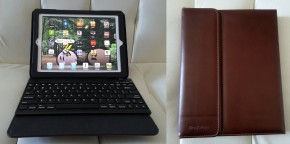
My new office set-up: got my iPad wrapped in soft, brown leather inside the Brookstone Keyboard Pro case.

If you’ve been following along, yesterday I found out that my MacBook Pro is going to be in the shop for longer than I expected and that I’m going to be working from my iPad all week. Last night I decided to try and get ahead on some of my work and started drafting a blog post for the site when I realized that I needed some screenshots from a website that doesn’t work on the iPad.

“No big deal,” I thought to myself, “I’ll just borrow my roommate’s computer for a minute.” So I hopped on his laptop, took a few screenshots, copied them to a USB flash drive, and walked back over to my iPad to plug it in. A brilliant plan except… why did I think that iPad’s have USB ports?

As I said in the title of this post, I’m an idiot.  Read More

Can I handle a week without my laptop? We’ll find out! #iPadWeek

Over the weekend, I dropped my MacBook Pro off at the Apple store. It’s almost three years old and is starting to show it. It doesn’t always turn on when I ask it to, and other times it locks up when running graphic intensive applications. On top of that the battery doesn’t always charge, it barely holds a charge… You get the idea.

Today I found out that my MacBook is so troubled, Apple couldn’t fix it in house! They had to send it to a mysterious place called “the Depot,” where it will spend the next 5-7 business days in the loving hands of Apple’s top technicians. At least, that’s how I like to think of it. Maybe they’ll just throw the outdated piece of tech in the trash, though. (I’m only kidding! I love you MacBook! Come home safe, baby!)

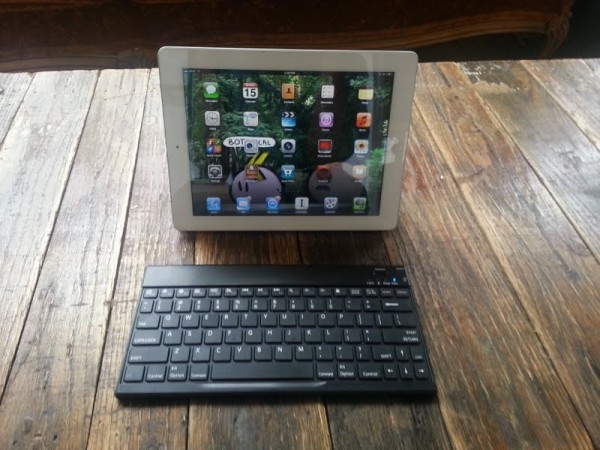
Either way, this week I’m going to be doing a lot of work from my new office setup. Check it out:

Yup, that’s my iPad paired with a Bluetooth keyboard. Pretty bare-bones if you ask me. The real question now is: Will I survive? Will I lose emails and be unable to locate files? I’m only in the testing period with this setup, so you’ll have to check in this week as I share my tips, tricks, and frustrations trying to really work on my (second favorite) Apple device.

Update: I’m now 24-hours into this experiment. Read the next post in this series to find out the early problems I ran into!

MiFi Liberate, the World’s First LTE Touchscreen Mobile Hotspot, Now Available from AT&T

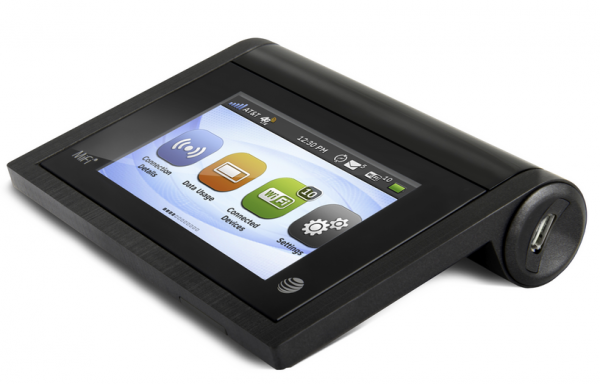
MiFi Liberate Touchscreen 4G LTE Hotspot from AT&TAT&T announced recently that they’re going to be bringing the world’s first touchscreen mobile hotspot device to customers in the US. The global-ready MiFi Liberate is a top of the line 4G LTE hotspot that will bring super fast network speeds to your laptop, tablet or oer mobile device anywhere AT&T provides service.

The device will be exclusively available to AT&T customers, and you can sign up for notifications from AT&T to be amongst the first to learn when this and other hot new AT&T devices will ship this fall.

First up, the touchscreen. The Liberate sports a 2.8″ display that will allow you to quickly and easily access your settings, so yo can change your network name or password on the fly. With a powerful battery that boasts up to 11 hours of life, this device should more than outlast any device you connect to it, and then some. The included MicroSD slot will further allow you to share files with up to 10 connected devices super fast.

The global connectivity is another big big selling point for this device as well. AT&T promises that it will work in more than 200 countries–so no matter where your business takes you, you needn’t worry about being able to work while on the go. Whether you just need to send a few emails or upload some images or video, this device has you covered.

For the mobile professional, few devices offer quite the same value as a good MiFi. While tablets often allow us to get more done on the go, being able to get online with your laptop can often mean the difference between making deadlines and having to wait to finish work when you’re back home or at the office. With a MiFi device, your office is everywhere you are.