I just received word that Google Instant is now available on mobile devices in beta for most iPhone and Android devices in the U.S. To try it out, go to google.com in your phone’s browser and tap the Google Instant “Turn on” link beneath the search box (if you don’t see the “Turn on” link, try waiting a moment and then refresh the page). Google Instant should help you search faster when using your mobile device by giving you predictions of what you might be searching for.
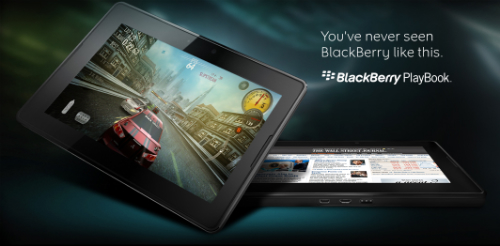
With its ultra-portable, 7″ inch screen weighing in at under one-pound (compared to the Apple iPad at a “husky” 1.5 pounds for the WiFi only model) and HTML5 AND Flash 10.1 capabilities, RIM has decided to enter the tablet game, but focuses on its tried and true business customer base with the unveiling of the new BlackBerry PlayBook tablet devices set to be released to the masses early 2011.
Of course the business-savvy professional isn’t the ONLY customer RIM had in mind when developing the PlayBook. It also packs most of the entertainment features that are becoming standard of most mobile devices.
– Front and rear-facing HD (1080p) cameras
– 1080p HD video playback
– Mini HDMI output
– MP3, AAC, WMA audio playback
– WiFi (up to 802.11n)
– Bluetooth 2.1
Back to the business side of things – The PlayBook will sport 1GB of RAM and a 1GHz DUAL-CORE processor to power what BlackBerry calls “True multitasking”. Current BB smartphone owners who may be eye-balling the PlayBook will be happy to know that while the first Playbook will be WiFi-only, the ability to tether (share data connection) with their BB smartphone will be as easy as setting up bluetooth connectivity between the two devices. Once set up, the Playbook will display and synchronize data from your BB smartphone – with no extra data plan fees.
The most surprising point about the new PlayBook is the fact that it’s not using the new BlackBerry 6 OS that BB recently unveiled with the new BlackBerry Touch smartphone. BB is putting its acquisition money to good use and tapped QNX to build an all new mobile OS specifically for the Playbook. The company’s founder states that “QNX is going to enable things that you have never seen before”. If this is true and the QNX OS does blow our socks off when the Playbook is released, I wouldn’t be surprised to see this OS take the place of BB 6 OS in the not-so-distant future.
But, we will have to wait and see because “early 2011” is the only solid date we have, and no word as to how much the BlackBerry PlayBook will cost. From the looks of it, there will be two [storage] sizes, a 16GB and 32GB version. And BlackBerry has stated that 3G and 4G versions should be available in the future as well.
My opinion (that is, if you’re wondering) – I’m an app guy, and BlackBerry SERIOUSLY needs to step up its app game to get me excited enough to keep my BlackBerry smartphone AND possibly ditch my iPad for this new PlayBook. Speaking of which, during RIM’s Developer’s Conference (where they unveiled the PlayBook), they also unveiled their new WebWorks Software Development Kit (SDK) in hopes to woo developers back into making some good applications for the PlayBook and other BB mobile devices. So I will reserve judgment for when or if RIM can catch up with iOS (Apple) and Android in the mobile app wars.
What about you? Will you be bugging your company’s IT department about making the new BlackBerry PlayBook tablet available so you can do more Teleworking with your BlackBerry devices? Will you see the PlayBook as much needed companion to your BlackBerry smartphone and your busy, small business lifestyle? Will the PlayBook be a competitor to the iPad? Speak on it in the comments section…
I’ve been waiting for this mobile technology to take off here in the U.S. So far the reaction/adaptation of this technology has been a steady “meh”.
If you’re not familiar with QR Code (Quick-Response Code), I’ll give you the background. It’s essentially a mobile barcode that you can encrypt with any type of information. Contact info, calendar appointments, even URL’s can be encoded via QR code for mobile devices to “scan” and decrypt the information. It’s a very quick way to pass along information to anybody using a mobile device.
Business owners can create codes to quickly get their contact info into a client’s mobile address book. Companies can create codes that will send mobile users to online coupons they can use in-store without downloading the image and figuring out how to print them to hand to the cashier. There is even a real estate company out in Wisconsin that is using QR Code as yard signs to drive home shoppers to their mobile site to find out more about the property for sale. Or just create a code to get users to your mobile site (If you are using WordPress, I certainly hope you are using a plug-in that creates a “mobile-friendly” version of your website).
Once you create the code encrypted with information like your business info. (name, address, phone number and website) you can put that code…anywhere! On the back of a business card, on flyers, on a t-shirt, as an image on your website, etc. Anybody with a QR code reader app on their mobile device can scan the code using their device’s camera and instantly, users can opt to add your information to their mobile device’s contact list.
There are tons of apps available that will enable you to create the code and most (if not all) mobile devices offer mobile apps that will scan the code to access the information. And they are not expensive at all (most are free).
Now i’m pretty sure you’ve seen these things out in the wild, but my question is why haven’t they taken over as the de facto way to access information via a mobile device? They are easy to make (The image in the article when scanned will take you to…you have to scan it to find out). And easy to scan – it’s just as simple as taking a pic of an image with your smart phone’s camera. So what’s the hold up?
Do U.S. companies fail to realize that a large number of people accessing the internet are doing so via their mobile devices? Some companies get it, and are using QR Codes to welcome their mobile device users:
Or is it education? Do people really know enough about QR Codes to create the demand for more entities to adopt the technology? If that’s the case then do me a favor, share this article with everybody you know so we can get the ball rolling! SmallBizGoMobile has done it’s job, now it’s time to do yours!
How about this for mobile productivity – The ability to send voice commands to your Android mobile device to handle most, if not all, of your everyday mobile device tasks.
Think your mobile tasks you execute by flipping through menus and widgets, typing text, etc. Previous voice commands have been lackluster in their ability to transfer your voice prompts into actual output that your device recognizes. But leave it to Google to attempt to create an app that conquers the voice command void.
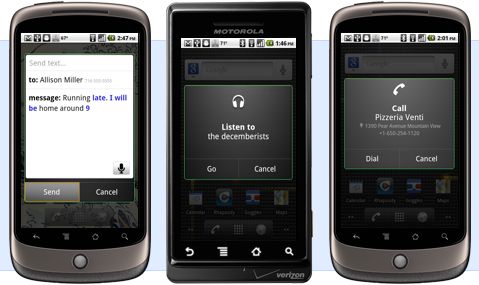
With the new (and free) Voice Actions for Android app Google announced yesterday, users can now execute a myriad of tasks via voice commands similar to Google Search and Map voice command function. I currently use the voice search function for my Google maps app on my BlackBerry and it works pretty well. So I can only imagine the quality and functionality Google has planned for other mobile device functions. Below is a list of the type of functions (and how you execute them) you can do with the new Voice Actions app:
– send text to [contact] [message]
– listen to [artist/song/album]
– call [business]
– call [contact]
– send email to [contact] [message]
– go to [website]
– note to self [note]
– navigate to [location/business name]
– directions to [location/business name]
– map of [location]
How it works is simple – Say “Listen to Stevie Wonder” (one guess as to who my fav. artist is) and the phone will pull up all your music apps to select and start playing Stevie. As you can see, the voice prompt isn’t all that complicated to learn, so it’s up to the app to recognize your voice prompt and translate that into a device function, which like I stated, works pretty well already with the Google search and maps voice command feature.
Sounds pretty cool right? Only one catch, the Voice Actions app only works with Android 2.2 (Froyo), which is only available on the original Motorola Droid, Droid 2 (that went on Sale yesterday), and the HTC Evo…oh and the Nexus One as well.
So if you plan on getting an Android phone, and like the ability to execute tasks via voice prompt, make sure to get a phone with “Froyo” on it (or wait for the download that is sure to come on some of the other Android phones at a later date) and download Voice Actions for Android.
The one thing that defines my life is the constant and overwhelming assault of demands on my time. So for me, productivity is not a nice thing to have, it’s an essential skill to master.
Add to that the fact that I have a naturally curious personality prone to distractions (INTJ in Myers Briggs) and what you have is a recipe for disaster.
So to stay on top of things and be effective I use a suite of software programs that help me be hyper-productive: very focused on the most important tasks for me, on top of the information that I need to get my work done and with a list of things that my colleagues owe me.
I have honed this system over time so that it stays with me, whether I’m working in the office, working at Starbucks, travelling, or even when I’m hanging out and all I have access to is my iPhone or my Android.
Here’s what my productivity software list is made of:
I mentioned this app in my previous blog post. In a nutshell, OmniFocus helps me implement David Allen’s Getting Things Done system. It is a sophisticated app for managing to-do lists. What’s special about it is that it has many criteria to help you bubble up to the top whatever is important to you.
OmniFocus has desktop software client and a mobile client. I sync between them using a service called Spootnik, which has the added benefit of syncing between my organizer system and the rest of the company’s system, which resides in Basecamp.
Other alternatives to Omnifocus are: Things and TaskPaper (which I really like for its simplicity). Remember the Milk does similar things but is web-based.
It’s not enough for me to keep track of my tasks, I need to be able to keep track of other people’s tasks, and as a group we need to stay organized and seamlessly communicate about each other’s projects. Since Ringio collaborates with a lot of vendors and people outside the organization, we use 37 Signal’s excellent, lightweight project management tool called Basecamp.
If you’re using Basecamp right you will have increased the awareness about the status of projects, and the chances that something will catch you by surprise will be drastically reduced.
It’s amazing how complicated it was to share files two years ago… if you had a Windows network and had a file server you could set up local file sharing… but it turns out that most of the files you want to share is with people outside of your network :-) The alternative is FTP, but many people don’t know how to use it, and it’s insecure anyways. What you really need is a way to create shared network folders without the network or without the file server… enter Dropbox.
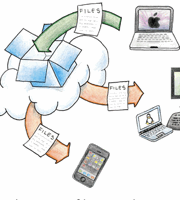
Dropbox is an elegant service that integrates right into your desktop (Finder, Windows Explorer, etc) and mobile, and allows you to share folders with other people. When you update a file on your computer, it updates on theirs, and vice versa. Even when you’re not at your computer, you can log in to the Dropbox website and it gives you access to your files, and shows you recent activity. It even helps you recover accidentally deleted files.
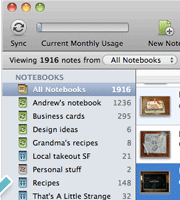
Evernote is a lightweight note taking system that helps you keep all your text, screenshot and video notes organized. I use it to jot down ideas, meeting notes, feedback from customers, transcripts of phone calls, reference how-to-do-this things….. anything that is for my eyes only.
Evernote does a great job of staying out of the way until you need to recall something, then it’s super search and tagging system come to the rescue.
With their iPhone and Android clients, Evernote helps me capture notes (even voice dictation or pics I take with my camera) while I’m on the road.
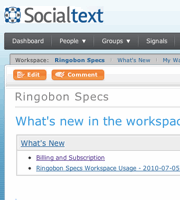
A wiki is collaboration software that helps you keep documents organized and hyperlinked, much like a website that anybody in your team can edit. The ultimate example of a wiki is Wikipedia. We use wikis at Ringio to create things such as product specifications, software release plans, to create customer proposals, to keep track of our competitors, and to store instructions for different kinds of activities that our teams do.
A wiki is a system that acts as “company memory”. If you’re using it right you will be avoiding duplication in the long term, because you will be able to more easily recall when somebody had been working on an idea that you’re revisiting.
There are alternatives to Socialtext, such as Clearspace, or Google Sites.
I spend a good chunk of my time on the phone, making calls to prospective customers, bloggers and the press, investors and partners.
It’s essential for me to spend as little time as possible looking up contacts and dialing, and I need the flexibility to call from any old phone and know that the receiving person is seeing always the same caller ID.
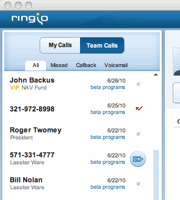
The Ringio software does exactly that for me.
There alternatives to Ringio, such as Google Voice, Toktumi or Ringcentral. I’m biased, of course, so I encourage you to try the different solutions.
Other productivity boosters:
Searchable email: I heavily rely on Gmail’s search capabilities and labels
Delicious bookmarking, Chrome’s bookmark sync
1Password or LastPass for password management and form-filling
Tungle for meeting schedule management
What software do you use to increase your productivity?