Category: Uncategorized
Guest, Radhika Marya
Mario speaks with Radhika Marya about the Women to Drive Movement.
Got2B Wireless does business mobile literally
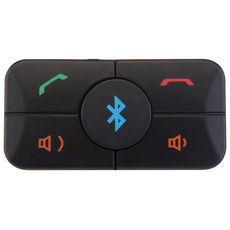 We write a lot about business on-the-go around here (it’s kinda our raison d’être), but today we’re talking about a product that takes this idea quite literally. The product : Got2B Wireless. The silly name aside, this product means serious business and I really think it has legs. Got2B Wireless allows us to do business tasks while we drive. Are you yawning? Well, what if I told you that you can conduct business using only your voice and ears, so you can keep your hands on the wheel and eyes on the road – without having a secretary or assistant on the other end of the line.
Got2B wireless connects to just about any smart phone via bluetooth, working just like a wireless headset. The button can be mounted into the dash of your car seamlessly. Car companies like Hyundai are considering making it a standard option that will compete with products like GM’s onstar. So, what can you do with this little button? First off, you can send a text message with your voice, which helps get around those important-yet-inconvenient (at times) “texting while driving” laws. You can also have your email messages read aloud as audio, so that you keep your eyes on the road and still get that important update on the way to your meeting. You can search through contacts and call them, update your facebook status, send out tweets and manage your calendar. And, you can do all this while still driving safely and legally in all 50 states.
Texting and emailing while driving is really, really unsafe. Got2B Wireless can actually make you safer, and not just through voice productivity tools. It also allows you to contact emergency services if needed. It can read turn by turn directions and look up general information for you. These are must-haves for anyone who does a lot of driving for business. The product costs about a hundred dollars, and the service is 50 bucks a year after that – which is a lot cheaper than keeping a sales assistant by the phone, or getting a ticket! So what are you waiting for? Check out Got2B Wireless today!
Fight hackers with longer passwords
OfficeMax Releases Impress Mobile Print Center Application
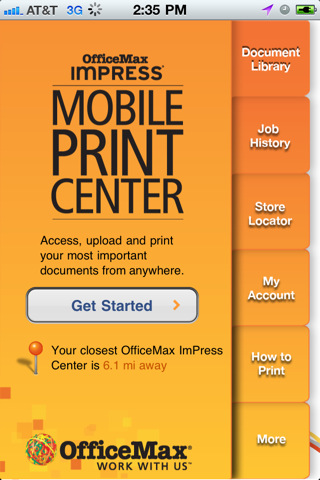 As much as I hate to say it, sometimes you MUST print something out. For those times when all you have on you is your smartphone, OfficeMax’s new mobile printing center solution may just get you out of those “we only want print” jams.
The ImPress Mobile Print Center lets Android and iPhone users access, upload and print your documents fron anywhere. They can be PDF’s, images, emails…whatever your device can store, ImPress Mobile Print promises to be able to print. In addition to files stored on your device, you can also send GoogleDocs files stored in the cloud to an ImPress Print Center for printing. You can submit a new print job or access previous jobs for reprints, etc.
First and foremost, the Mobile Print Center helps users locate the nearest OfficeMax with directions to that location from your current location using your phone’s native map app. Once you’ve found a location, you can add a file to your document library, customize your print settings, enter your contact info, review and confirm your orders details (cost will be outlined during this portion) and quickly and securely pay for and pick up your printed file at the desired location.
So if you’re dealing with colleagues, clients/customers who haven’t quite adopted the whole paperless thing yet, you can rest assured that the free OfficeMax ImPress Mobile Print Center has your back just in case you need to quickly print out document hard-copies on the go.
Guest, Rob Ciccone–VP American Express OPEN
Rob Ciccone, vp of AmEx OPEN joins the Mario Armstrong show.
Guests, Jack Liu and Paul McNeal – Teen Biz Forum
Mario talks with Jack Liu and Paul McNeal about the Teen Business Summit.