The Future of Television is Here, and it’s an iPad App: Free Streaming Bloomberg Television Hits the App Store

A lot of people might be looking at the title of this post and thinking that I’m being hyperbolic. I’m not. A huge new app hit the App Store for iPad today, called Bloomberg TV+. Unlike every other TV app out there, from the heavy-hitters of broadcast like NBC and FOX to streaming channels like Hulu and HBO Go, Bloomberg’s television app for the iPad let’s you watch Bloomberg TV live. For free. No strings attached. Literally the same experience as if you tuned into their cable station, but with added features like a live stock ticker, a list of upcoming shows, on demand viewing of previously aired full-length programs, and most impressively a sidebar that’s updated live that includes a list of guests and companies mentioned on air.

It gets better. The quality, for one, is amazing. Read More
Been waiting to buy a new MacBook Pro? Today Could Be Your Day – Upgrades Across the Line

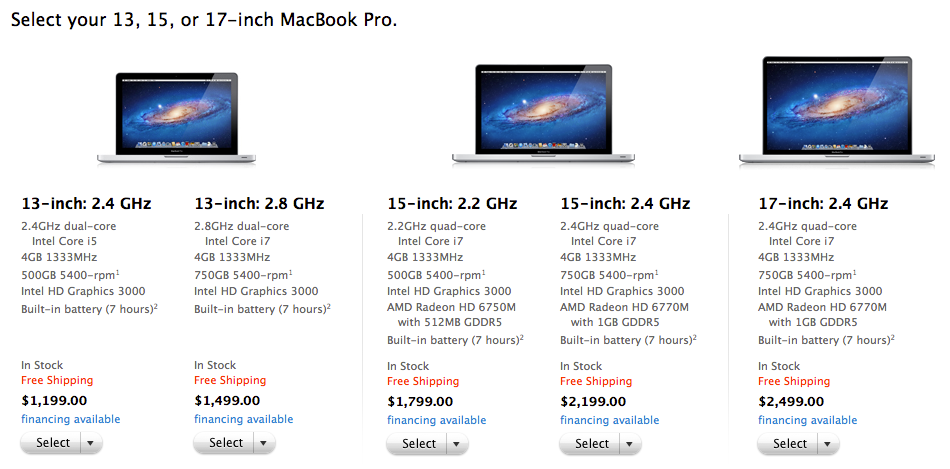
While no major changes have been made to Apple’s professional line of laptops, the MacBook Pro, Apple quietly upgraded the entire line of products today to introduce some small changes—bigger hard drives, faster processors and some better graphics cards. Minimum hard drive sizes are now 500 GB across the line, and processor speeds have been bumped up: you now get a 2.4GHz dual-core Intel Core i5 on the lowest-end 13″ model at $1,199, and 2.8GHz i7 on the upgraded model at $1,499. Graphics on the high-end 15″ and 17″ models have been bumped up from the AMD Radeon HD 6750M to the newer HD 6770M model, which should provide a nice boost to anyone doing heavy graphics and video work, or even those just looking to eke out a few more FPS in their favorite games.

As Apple’s laptop upgrade schedule is never a public matter, you never know when the laptop you just bought is going to become last year’s model. Which is why if you’ve been interested in a new Mac, now is the best time to buy a new MacBook Pro.

A Second Monitor For Your Laptop Could Be the Ultimate Mobile Accessory

It’s easy to forget that the backbone of mobile productivity is still the laptop computer. While we’re increasingly able to do more with our smartphones and tablets (and with some, including Apple head Tim Cook predicting that the tablet market may someday eclipse the PC market), the fact is that most of us can’t yet do everything from our iPads. While dual monitor set-ups are popular at the office and at home, they’re not exactly the easiest thing to make mobile. Sure, Lenovo tried a dual-screen laptop back in 2008, but those barely made a dent in the market. After all, you don’t need a second monitor all the time, so why not have one as an optional accessory instead?

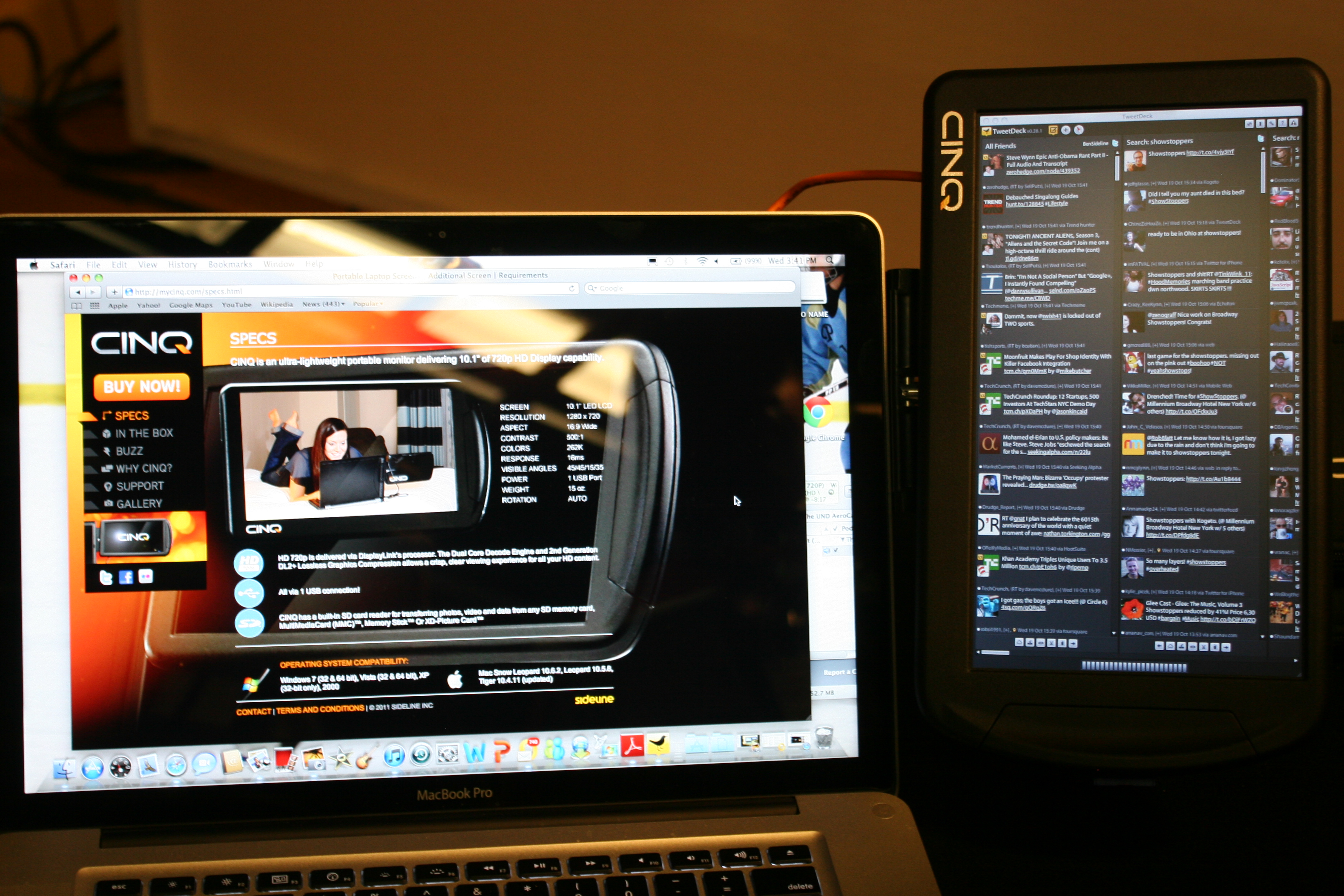
That is exactly the line of thinking behind the new CINQ monitor, a 720p HD second monitor that works over USB. That’s right, no matter what kinds of video out options you have on your laptop, you simply plug this baby into a USB port on your machine and you’re suddenly running on two screens. You can easily place on the table next to your laptop or even attach to the side of your existing laptop screen with the included mount. Billed as the “ultimate laptop accessory”, the CINQ is a 10.1″ 1280×720 monitor that will work on virtually any kind of computer. Because it encloses a video card (rather than sapping your current video card to power the display), the CINQ external monitor is virtually guaranteed to work on PC and Mac, as well as on laptops, netbooks, ultrabooks, and even desktops. Read More

Quick Look at the Asus Zenbook

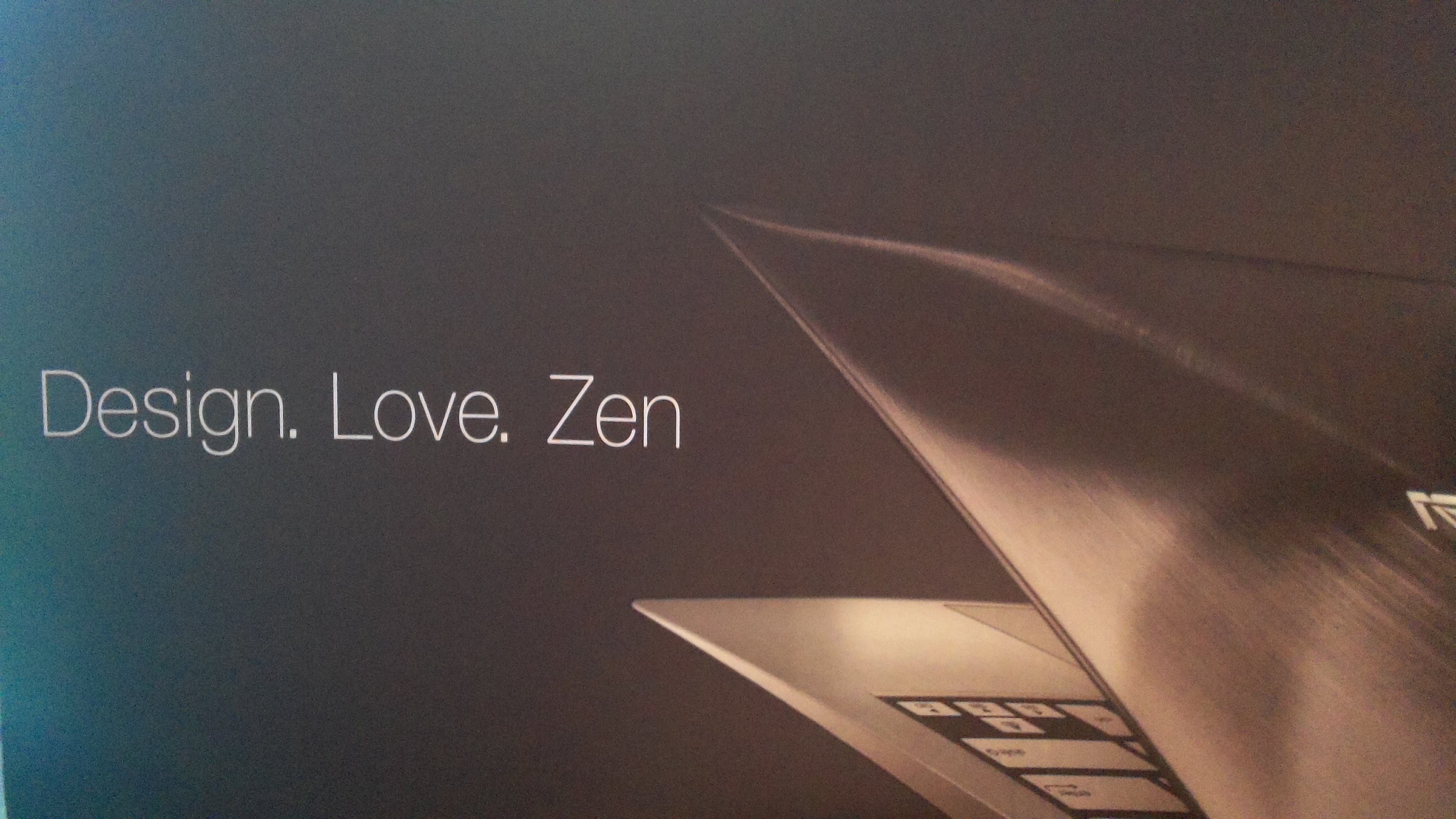
Yesterday we were invited to the NYC launch event for the Asus Zenbook, one of the first of many of a new type of PC we expect to see and hear a lot about this holiday season. If you’ve used a Macbook Air, then you pretty much know what to expect: small, ultralight ‘netbook’ style laptops, but ones with full-powered processors (in this case, Intel core i5) and decently-sized solid-state hard drives inside.

While many manufacturers are finding they can’t compete with Apple in terms of sheer design or profit, they are finding they can produce products that can thrive at lower price points but often with some new features or accessories that Apple doesn’t currently offer. The Zenbook is going to ship with some free accessories that you’d pay extra for with a Macbook Air for instance—an ethernet adapter, a display adapter, and a case. They’re also throwing in USB 3.0 ports as well.

We’ll have a video up tomorrow showcasing the Zenbook, but take a look at some quick snaps we took to really get a sense of what this ultrabook is gonna look like. It’s on sale today, and though it’s supposed to start at a mere $999 (accessories included) I’m not seeing that particular 11″ model on any of the major retailers yet. Hopefully by the time our video goes out tomorrow we’ll be able to tell you where you can pick up the entry-level version of this laptop (and we’ve got our fingers crossed that we’ll get one in our hands to really put to the test!) but until then, check out the pics after the break and pick up one of the nicer models if you’re sold on the idea! Read More

Overwhelmed by Email? Wish you could just turn it off? There’s an app for that

If you’ve seen Mario speak recently, then you’ve probably heard him talk about AwayFind, the service that helps you put an end to checking your email every few minutes. AwayFind’s revolutionary service for Gmail and businesses who get their email through Google Apps helps you to stop checking you email every five minutes and set alerts to only let the urgent messages come through.

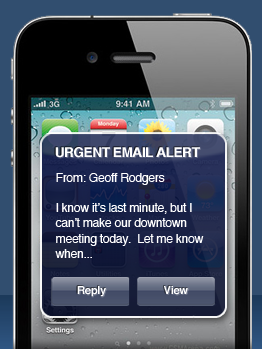
Basically, here’s how it works: you set rules to indicate what email is urgent, whether it’s from the boss or matches certain text for a project you’re working on. Since you won’t be checking your email anymore, those urgent messages can be delivered to you through a variety of new ways like text messages, instant messenger, or even a phone call that reads your email to you. Read More

Copyfraud on the rise: new book by Jason Mazzone

I didn’t know our readers had an interest in intellectual property issues until Justin’s post on the Quisitive app for iPhone blew up, drawing comments from lawyers and app developers alike here on the site, on Mario’s radio show, and on our social media channels. It turns out that while legal issues are often difficult to unpack and make sense of, all of you Small Biz Go Mobilers out there are interested in staying on top of cool new developments in the IP world.

First, a full disclosure—although I’ve never met law professor and legal scholar Jason Mazzone in person, I did build the website for his new book, Copyfraud and Other Abuses of Intellectual Property Law which hits stores today. That I built a website around a complex topic for a client I’ve never met speaks more to our ability to get things done in an increasingly connected, digital, mobile world than most anything else on this site. That Mazzone’s book breaks down tech-relevant legal issues like publishers falsely claiming copyright on books in the public domain in a way that a layperson like me can understand is just as amazing. Read More

iTunes 10.5 is Here! Update now and install iOS 5 RIGHT NOW!

It’s just before midnight here on the east coast, but it looks like Apple got iTunes 10.5 out the door ahead of schedule. If you want to be the first kid on the block running the latest version of Apple’s mobile operating system (available for iPod touch, iPhone and iPad), then you need to head on over to Apple’s site right now and download iTunes 10.5.

Once you get iTunes 10.5 up and running (it’s painless if you use software update, though the installation process is a bit slow), it’s just a matter of syncing your iDevices to your computer for (hopefully) the last time. Because with iCloud software backing up your data into the cloud (and a free 5 GB of storage to boot!), the new iOS 5 brings tons of awesome features, and we can’t wait to get it on all of our devices, so we’re not going to delay this post any longer—find your cables, connect your devices, and get your iOS 5 on! Just be sure to let us know what you think in the comments!

Update: Full list of iOS 5 features and supported devices. Read More

Oops! Looks like the Samsung Nexus Prime is out the in the wild!

As we close out a long and eventful week, one last little tech tease to keep you busy this weekend. While the public hasn’t been able to play with a phone running Google’s long-coming Ice Cream Sandwich version of their Android operating system—the combination of their Honeycomb tablet operating system with their previous work on Gingerbread for cell phones—it seems that the first phone running Android 4.0 has somehow slipped through the cracks. Mobilissimo has a hands-on video on their YouTube channel today, and you can see a lot of the new animations and features we’ve long been expecting finally running on a phone. Say goodbye to those stupid buttons you’re always accidentally hitting on your Android device, and say hello to navigating your smartphone via the touchscreen interface. This looks cool, and we obviously can’t wait to play with one ourselves!

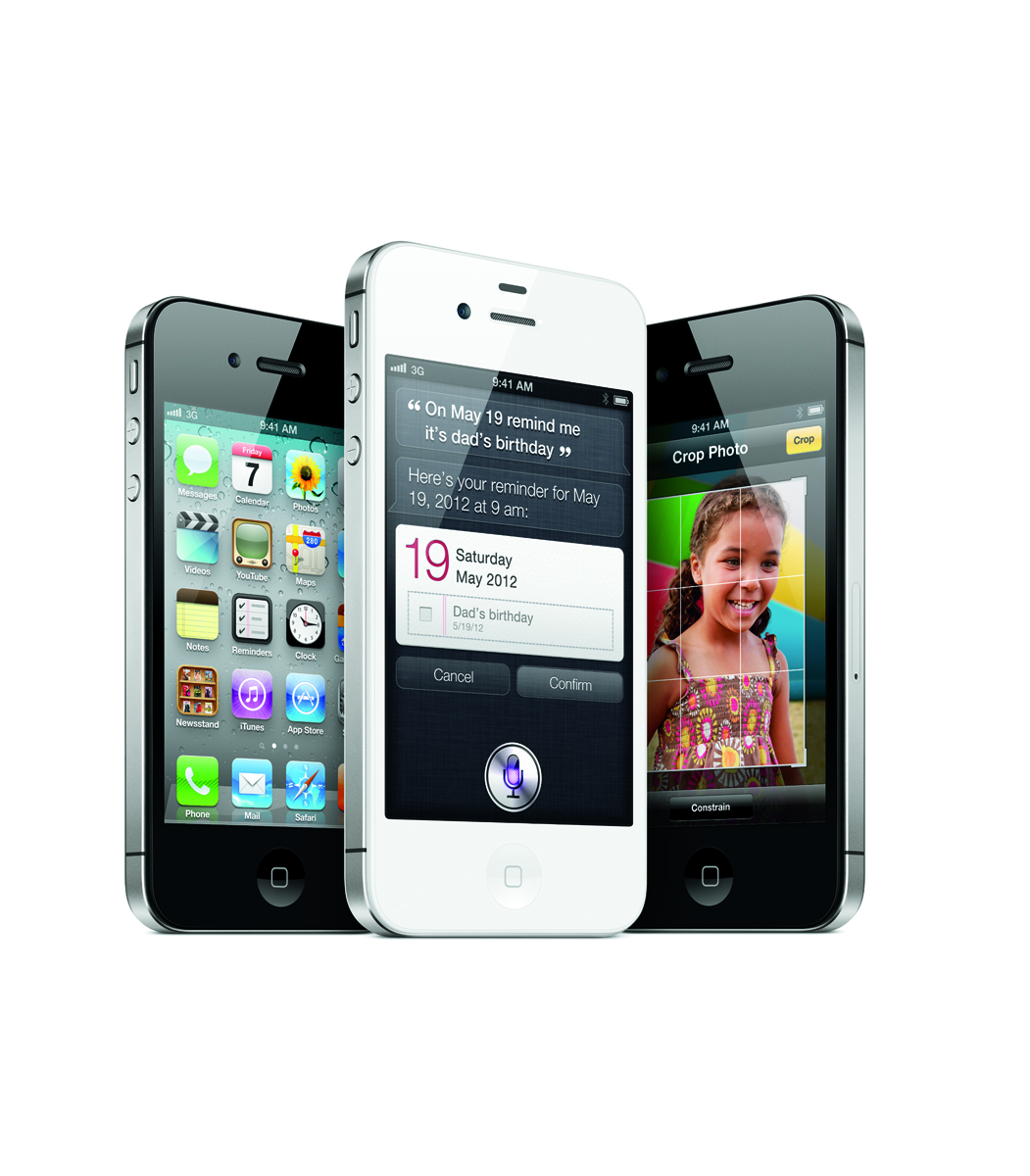
iPhone 4S Available for Pre-Order Now Starting at $199

If you followed our liveblog, have read about the iPhone 4S camera upgrades or even seen our featurette looking at the hottest new iPhone features for Small Biz, then you’re probably as excited as we are for the iPhone 4S. With top-notch voice control brought to you via the new app Siri which promises to answer questions, control your calendar, and help you find anything you need, the iPhone 4S should prove to be an incredible phone for users on-the-go.

Now available on AT&T, Verizon and Sprint, you can pre-order the iPhone 4S on Apple.com today. Starting at $199 with a contract, the iPhone 4S is a great deal for those interested in finally upgrading from the 3G or 3GS, or for those with the iPhone 4 but who simply must have Apple’s latest tech. If you’re interested in comparing the various carrier’s voice and data plans (spoiler: AT&T and Verizon are cheaper for voice and mobile hotspot features while Sprint offers a cheap unlimited data plan) then check out Apple’s price comparison chart. Like the iPhone 4 before it, you can even pick up an unlocked iPhone 4S at full price. For users not wanting to get sucked into a 2 year contract, this will allow you to use your iPhone on pay-as-you go services as well as offer the most flexibility when traveling abroad. While not shipping until November, the contract-free iPhone 4S may also be pre-ordered directly from Apple’s site. Read More