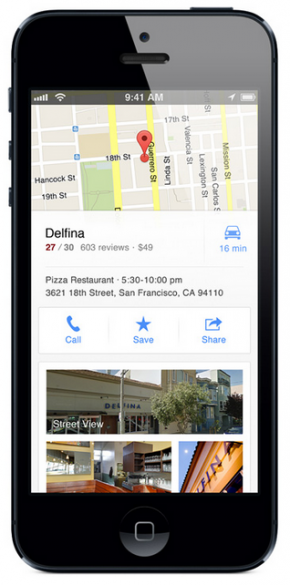
Google Launches Maps App for iPhone

new google maps app for iPhoneIf you’ve put off upgrading your iPhone or iPod touch to iOS6 because of Apple’s maps fiasco, procrastinate no more! Last night Google announced they’ve got a new Google Maps app specifically for iPhone and iPod touch. You can read the official Google blog post here, or if you’re like me, go directly to the Apps store to download. Funnily enough, when I searched for Google Maps in the app store it was actually the 5th result, so make sure you grab the right thing.

This is a big deal, because in case you missed it, Google Maps used to come pre-installed on iPhones. With the release of iOS6, Apple pulled Google Maps in favor of their own mapping application, and it’s just not very good. So all the folks who upgraded to iOS6 were stuck without a Google Maps app while Google got theirs ready.

The new app will sync to your Google profile to let you save “your maps,” and remembers previous searches and directions. If you don’t want the service, simply don’t sign in with your Google ID. You should also decide whether you want Google to collect location data from your phone. Much like your browsing history, Google defaults to collecting your data and anonymizing it by throwing it into a big pool of data about all their users. To turn it off, simply click the little person at the top right of the map screen. That will take you to a “My Profile” page. Click the gear at the top right and go to About, terms, & privacy, and then Terms & Privacy again. From that screen you can turn the location data collection off (and read their privacy policy too if you’re interested).

The new app has some cool updates, like improved design, better incorporation with Google’s Street View and easier inputs for getting directions. All in all, it’s a great app that looks modern and has a much easier user experience then we’ve been treated to in the past. Definitely download it, and definitely upgrade to iOS6 if you haven’t already! Here’s our guide on how to upgrade safely to make sure you don’t lose any data.
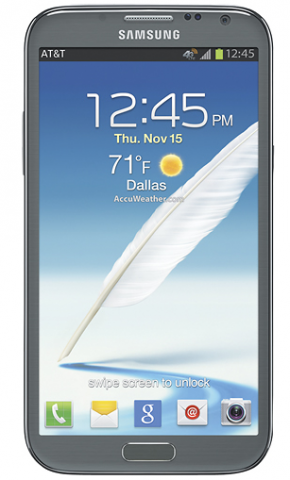

Enter to Win a Free Smartphone from AT&T’s #HappyGiveaways Contest

AT&T Smartphone GiveawayOur sponsor AT&T is offering a great holiday treat this week: each day between today and December 17 they’re giving away one smartphone from their holiday lineup. They’re calling it #HappyGiveaways, and the entire contest will take place on Twitter. Each day at 2PM Eastern, @ATTPremier will announce a question they want you to answer on Twitter. You’ll have till midnight to answer, and even if you don’t win it’ll start all over the next day! All you have to do is follow their account (@ATTPremier) and answer the question, and include the hashtags #HappyGiveaways #spon.

For more info on how to enter, follow AT&T Premier’s Twitter account.

Productivity Tip: Find & Archive Photos From Your Email Using the Lost Photos App

Lost Photos App for Finding Photos in EmailAt some point a few years ago, I basically stopped deleting email. Not the spam, obviously, or the marketing emails. But everything of actual substance, I basically still keep. That’s years of emails, with lots with attachments and important (at least to me) pictures. Enter Lost Photos, a great app that helps your retrieve all the photos from your inbox, even the ones you may have forgotten about completely.

Basically, Lost Photos is an app that finds all the photos you’ve sent or received from an email account. Then it gives you the option of how to use them. Facebook or Twitter is an option, but I like the “archiving” feature that lets you import to iPhoto, so you can keep and organize all those photos in one place. (For more info on backing up photos from across your social networks, check out Picturelife.)

The app will work on lots of different email service providers, including Gmail, Yahoo, mac.com, att.net, aol.com, any account routed through Google Apps and more. To check whether your email account is compatible, visit their website.

Lost Photos is available for both Mac and PC. PC users should download directly from the Lost Photos website, while Mac users can pay $2.99 to download it from the Mac App store. Considering how many hours it would take to find and archive those photos manually, a measly $3 seems totally worth it.

#GivingTuesday and Your Last Chance to Win a Sony Xperia Tablet

Giving Tuesday and Sony XperiaIt’s been a long week of deals, deals, deals.  And that’s fine: we all need some level of tech in our lives, and there’s definitely nothing wrong with saving a few dollars. But traditionally the holidays are also a time to give back, which is why it’s great that someone has added one more day to the Thanksgiving/Black Friday/Cyber Monday calendar: Giving Tuesday. The idea is that while we’re out spending money on gifts, we can also give a a gift to a worthwhile cause. There are a lot of great organizations behind it, like Donors Choose, the United Way and the United Nations Foundation. Plus lots of retail outlets are chipping in with matching donations and special offers. The best way to find out how to participate and what other organizations are doing is to visit their website, http://www.givingtuesday.org and check the #givingtuesday hashtag on Twitter. If there’s an organization you’d like others to consider donating to, definitely let us know in the comments!

Speaking of giving, we’re actually giving a little something away, ending today: a Sony Xperia Tablet.  Enter below by using the widget; we’ll be choosing a winner tonight at midnight.

a Rafflecopter giveaway

Working While Away This Weekend? Your Best Options for Videoconferencing

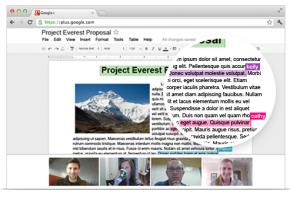
Videoconferencing using Google Hangouts
Screensharing using Google Hangouts

The best part of Thanksgiving may be the long weekend: four days of uninterrupted snacking and napping, right?  Except that almost never happens: at some point over the four days, you may need to do catch up on some work, and you may even need to collaborate with colleagues. Videoconferencing is a great solution to working remotely that we should take advantage of 365 days a year, but it can be extra useful during the holiday season. Below are a few options to explore:

GoToMeeting:
This is a very robust videoconferencing service that’s also designed to host webinars and training sessions. You can also videoconference directly from your mobile device: GoToMeeting has a dedicated app for iPhone, iPad, and Android. You video quality will only be limited by the front-facing camera on your device, so it may not be the most beautiful video, but you could be using in the airport right now if you wanted. GoToMeeting isn’t cheap, with monthly and yearly pricing available based on the number of organizers, starting at $49 a month or $468 a year. If you’re doing a lot of videoconferencing, especially with clients, it may be worth it for the quality.

Skype:
Skype is the classic videocalling app, which is great, because it means lots of people already know how to use it, and they do offer group calls, but only for Skype Premium members ($53.84/a year). It takes installing the app, though, so it’s not a great solution if you need to make a quick videocall from someone else’s computer. Skype-to-Skype mobile calls only work on Android and Blackberry on Verizon (bizarre), but there are Skype videocalling apps for iPhone that promise improve on the built-in camera.

Google Hangouts
Newer than Skype or GoToMeeting, Hangouts expand on Google’s pre-existing videocalling to offering multi-user videoconferencing. The biggest selling point here is that it’s free, though in many ways the experience reflects it. Google Hangouts feels more like a fun, consumer-oriented program, but will definitely work if you have savvy users and a fairly informal culture. It’s integrated into Google+ and Google Drive, so it’s easy to share from Google’s apps. But till more people are familiar with its tech, and Google refines the user experience, it’s probably not a great bet for important client meetings.

Microsoft Lync Online (Office365) 
This is part of the official Microsoft Office offering for the cloud that makes all your office must-haves portable. Lync Online is one component, and it’s an app for videoconferencing, online meetings, and instant messaging, kind of like Skype, but made more professional. It provides screensharing, can host up to 250 users on one call, and can sync with Microsoft Outlook as part of the Office365 suite. As a standalone product, Lync is available starting at $2 a month per user, or you can subscribe as part of the Office365 package (that includes MS Office online) starting at $6 a month per user.

How the New Microsoft Office 365 Can Work for Small Business

Microsoft Office365 from AT&TThe idea behind the new Office 365 is that there are two key needs for small businesses these days: mobile accessibility and streamlined IT. After all, time spent dealing with tech headaches is time you’re not actually working on your business. Office365 seeks to streamline your tech by providing all your productivity apps through one cloud-based service, and can include the Microsoft Office Suite so many of us have come to rely on.

Exchange Online
Exchange email is probably not a new idea for you. The trouble is, running an exchange server for email is complicated and not cheap. Microsoft has figured out how to have exchange email live online, so you can sync and manage email, calendars and contacts across devices. There are even shared calendars, just like the real (now old-fashioned) deal.

Read More

What Is Beats Audio Technology? Does It Live Up to the Hype?

htc windows 8x with Beats Audio limelight yellow
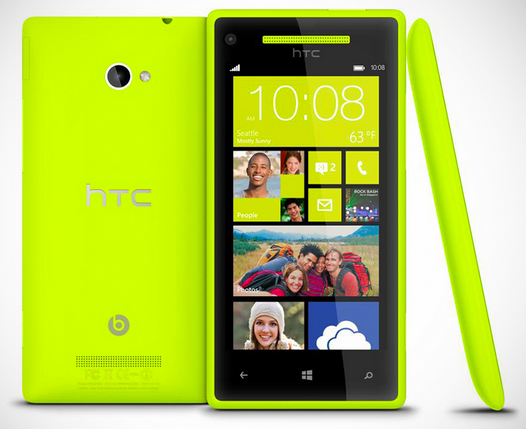
HTC’s Windows Phone 8X with Beats Audio in limelight yellow

One of the big complaints about sound from laptops, smartphones, and even dedicated mp3 players is that the sound quality is pretty awful. And generally that’s a fair complaint; a good pair of headphones will go a long away toward making the sound better, but the actual design of the device is still going to affect how well the headphones can even works. That’s the problem that Beats Audio purports to solve: making better hardware and software that works together so you can enjoy some actual quality in your music.

Read More

How to Use Microsoft Office on Your Tablet or Smartphone

Try Office365 on the new Samsung Galaxy Tab 2 10.1
Office365 includes Microsoft’s official web app for Word, Powerpoint and Excel so you can use it on a tablet, like the new Galaxy Tab 2 10.1

One of the questions we get asked most often is about how to use Microsoft Word and Excel on tablets and smartphones. And while we love using iPads and other tablets to work whenever and wherever, but until now there hasn’t been a great native solution for those devices. Instead we’ve been using Android and iOS apps to try to recreate the laptop or desktop experience.

But starting today, Microsoft has partnered with AT&T to create a cloud-based Office Suite, so you can have Microsoft Office on all your devices. They’re calling it Office365, and the idea is that the cloud can provide everything you need to be productive on any device. Using the cloud actually enables lots of professional-level IT tools beyond just the Office Suite, which we’ll talk about later this week, but for now we’ll just concentrate on getting you up to speed on the Office Web Apps mobile stuff. Read More

Windows Phone 8X by HTC Launches Today Starting at $99 on AT&T

HTC Windows Phone 8X
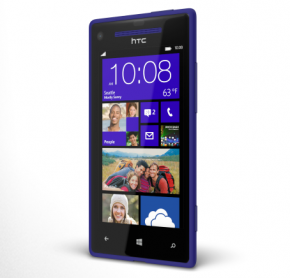
HTC Windows Phone 8X in California Blue, Starting at $99

If you’re still not sure about Windows 8 mobile devices, it may be time to change your mind. Ever since we first got a chance to see it, we’ve loved the design of  the HTC’s Windows Phone 8X. Now that the phone is available from AT&T we’re loving the price, too: the 8GB model is only $99 with a 2-year contract, and the 16GB is only $199. The HTC Windows Phone 8X is a great deal for customers who want top-quality design and performance, but don’t want to spend a ton to get it.

We love that this device isn’t one of the giant screen “mega-phones,” but instead has the right form and factor and size to be truly practical and comfortable. It’s light and sleek, but the 4.3″ display is big enough to make using the device a fun experience. But it’s not like the device sacrifices specs to be light and thin, either. Both model will boast impressive specs, including a Qualcomm dual-core Snapdragon S4 processor, an 8MP camera, BeatsAudio technology for superior sound and a 341ppi “Super LCD” screen.

The 8GB model will be available in either California Blue or Limelight Yellow, while the 16GB model comes exclusively in California Blue. Want to see it in action? Watch our video below.

Click to here to order now from AT&T.