 It’s here! The Samsung Galaxy SIII is now out, and if you missed your chance to pre-order, don’t fret! You can order the phone with a discount if you’re a qualifying AT&T premier customer using this link, or you can order the phone normally through AT&T’s website. Either way, you’ll be able to get your hands on the most exciting Android smartphone of 2012!
Author: Shy Mukerjee
First Look at the Samsung Galaxy SIII on AT&T
Today we take a first look at the Samsung Galaxy SIII on AT&T, perhaps the year’s most anticipated Android smartphone release.
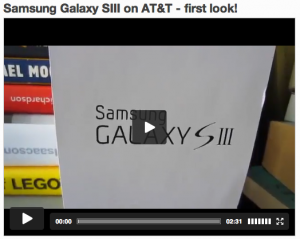 With an amazing camera, sleek design, fast processors, solid battery life, and the latest version of Google’s mobile OS, Ice Cream Sandwich, this is the must-own Android handset of 2012. You can pre-order one today at the link att.com/galaxy-s-iii
#SocamShow Episode 7 – Fathers Day: Great Tech Gift Ideas for Dad!
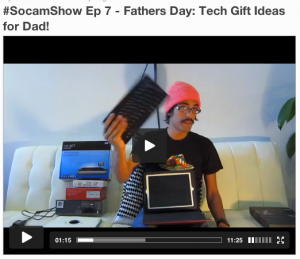 Stuck on what to get your small biz loving Dad for Fathers Day? Drowning under a sea of Amazon reviews trying to figure out which case, accessory or new device Dad will really love this year? We have tech gift ideas!
Here are a few suggestions for some great devices Dad will absolutely love. Hit “read more” and check out the links below for some additional info on these products. Read More
Apple Introduces iPad “Smart Case” – complete back protection + smart cover for your iPad
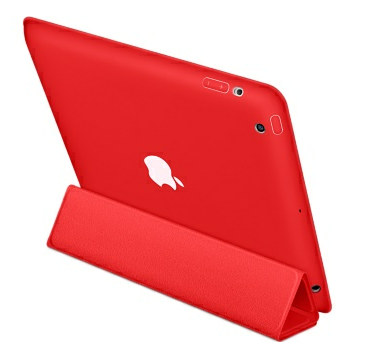 A cool new accessory just hit the Apple Online Store, called the iPad “Smart Case.” Not only does this case support a magnetic smart cover, but it also offers complete protection for the back of your iPad, something many have complained the original smart cover lacked.
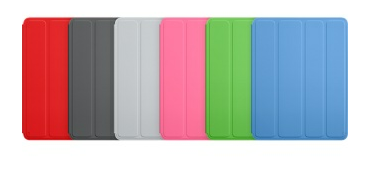
The new Smart Case is rubber, made of polyurethane, and comes in a wide variety of colors, including grey, pink, blue, green and red. The full range of color options can be seen below.
The Smart Case starts at $49.99 and could be a great last-minute Father’s Day gift for the upcoming holiday. So be sure to head on over to Apple’s Store and check it out!
Complete color options:
Turn by Turn Navigation and Real Time Traffic comes to iPhone with New Maps App!
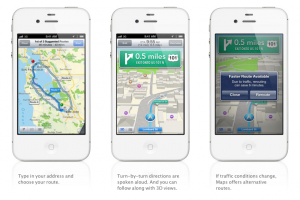
While Google Maps has provided GPS-esque turn-by-turn navigation on Android for free for quite some time, iPhone users have been left in the dark. But with iOS 6, the latest version of Apple’s mobile operating system, Google is being kicked out of the Maps app, and Apple is taking over with their own technology that provides many of the features iPhone users have been clamoring for, including navigation.
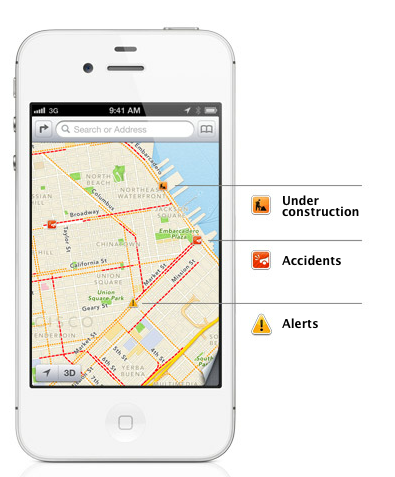 But that’s not all! Real-time traffic analysis and crowd-sourced traffic data comes into play as well. This means that not only can you get ultra-reliable traffic data built into your navigation, but the app can automatically calculate faster routes based on actual and up-to-the-minute traffic conditions and ask you if you’d like to take a different route. It even automatically calculates how much time you’d save!
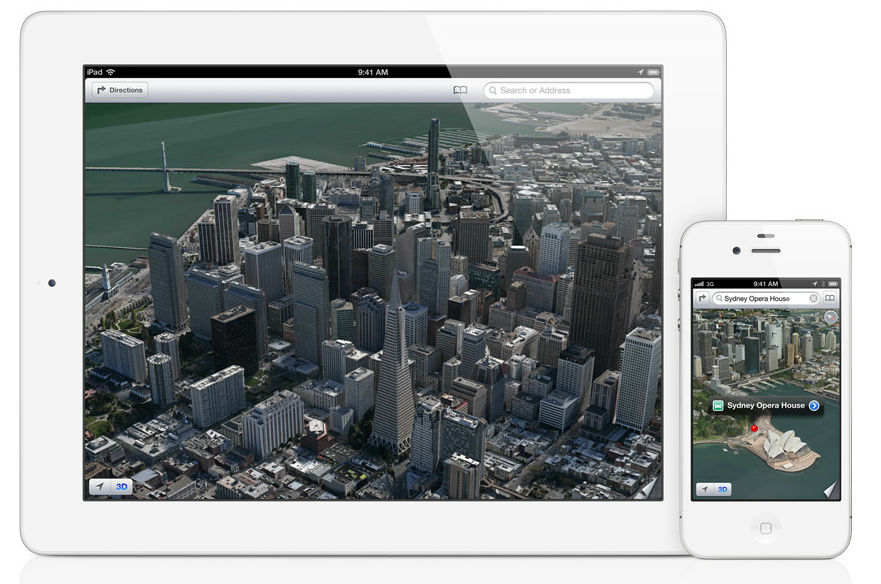
The final feature of the upgraded maps shows you 3D views of major cities in stunning detail. While this doesn’t have a business purpose I can think of, I can’t wait to play around with these new maps :)
A digital assistant in your car: Siri coming to BMW, GM, Mercedes, Land Rover, Audi, Toyota, Chrystler, Honda and Jaguar in 12 months or less
 Apple’s announcements at the WWDC keynote today are off the chain! This just in: Siri is going to start being integrated into cars so you can use your digital assistant straight from your iPhone without taking your hands off the wheel! Apple today is announcing a huge number of car manufacturers who will be integrating Siri this year, including BMW, GM, Mercedes, Land Rover, Audi, Toyota, Chrystler, Honda and Jaguar! Not only that, but this integration will be happening in “12 months or less” according to Apple, meaning that we’ll start seeing Siri integration in automobiles as early as this fall!
Along with that announcement, Siri is getting a ton of new features in the latest version of Apple’s mobile operating system, iOS 6, including:
– Sports knowledge (scores and info about players. She can now answer the question, “Who’s taller, Kobe or Lebron?” for instance)
– OpenTable reservations so you can book dinner at a restaurant hands-free
– Rotten Tomatoes integration for movie times, trailers, and more!
The announcements at WWDC are coming fast, so stay tuned to this space for the latest!
Mountain Lion hits stores next month for $19.99
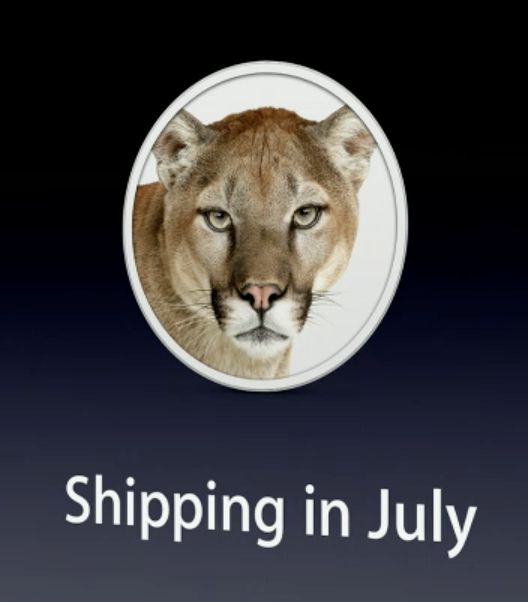 Forgot to upgrade to Lion? Or maybe you were just waiting? That’s okay. Even if you’re stuck on OS X 10.6 Snow Leopard, the cost to upgrade all of your computers to the latest version of Apple’s desktop operating system, 10.8 Mountain Lion is under twenty bucks. And it isn’t coming out next year, nope this baby is ready to roll out Apple’s door and onto your MacBook next month!
There are tons of new features coming your way including:
– Power Nap which keeps your Mac up-to-date while it sleeps. This means email, calendar, reminders, and even your photo stream are all synced while it sleeps. It can even update apps and download system updates as well as back up to your time machine while you’re away. It doesn’t spin up your fans, and it goes easy on your battery.
– Voice dictation in any app
– Social integration in all apps—enter your Twitter, Facebook, Gmail, Vimeo or other social login info just once, and then use apps like Preview, Safari, and Mail to painlessly share media and links just like on your iPhone
– Vastly improved notifications all come from one spot rather than a variety of apps. Plus, they can all be easily turned off: automatically when you connect to a projector, or manually when you just want to be left alone.
– iCloud support for documents, notes, reminders that syncs immediately and seamlessly. Edit a document on your phone, and it’s already changed on your Mac.
– New Safari features the fastest JavaScript engine, unified search field (just like my personal favorite Chrome!), and iCloud tabs which sync your open tabs between all of your devices (including other Macs, iPhones, iPod touches and iPads)
– Support for HiDPI displays like the new retina MacBook Pro
– Airplay to share your screen instantly to an Apple TV, just like your iPad or iPhone does today. The quickest way to get your computer to display on a TV or Projector in full 1080p HD.
and much, much more! Apple is bringing more than 200 new features to Mountain Lion, so this is far from the only exciting new features we’re going to find out about Apple’s latest desktop (and laptop!) operating system :)
Store your documents in the cloud with OS X 10.8 “Mountain Lion” and iCloud
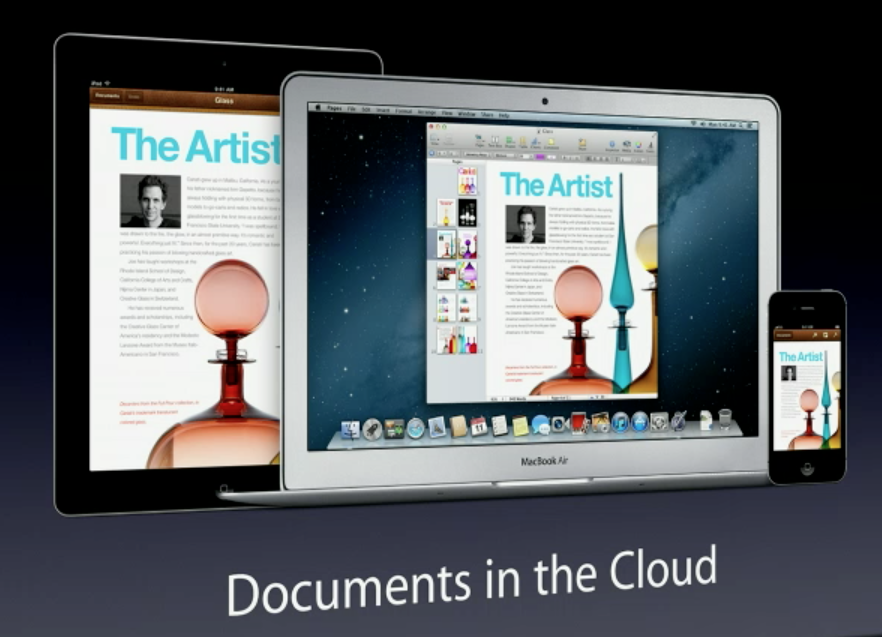 Mountain Lion, a.k.a. the next-gen version of Apple’s OS X operating system that powers its laptop and desktop computers, is going to be a big focus at Apple’s annual WWDC conference for app developers this year. The latest version of Apple’s Pages word processing app (as well as Numbers and Keynote) will bring desktop users into the cloud in a big way with “Documents in the Cloud,” a new Apple initiative to help sync your docs across all of your devices seamlessly. No longer will you be stuck managing your cloud folders on different services—with Documents in the Cloud, every time you open up one of Apple’s productivity apps—BAM! your documents are right there no matter which device (Mac, iPad or iPhone) you created them on.
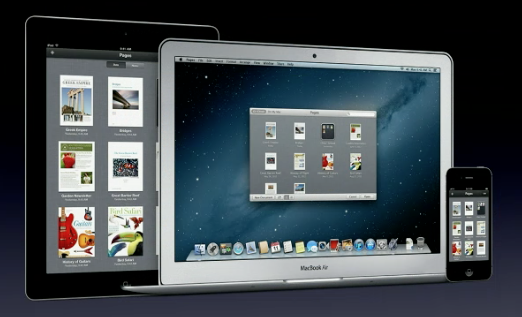 Combine that with seamless Notes and Reminders integration through iCloud and Mountain Lion, your Mac will finally start to feel like a natural extension of your mobile experience. No matter which device you’re on, whether it’s a desktop iMac or your iPad, you’ll be working with the same lists, notes and documents. Thankfully, it looks like messy file management is quickly becoming a thing of the past.
A few other features that should spice up your desktop Mac experience are rolling out as well. Dictation (just like on iPhone 4S or iPad 3) will work in every app, not just Apple’s ones. So if you want to dictate a document straight into Microsoft Word, you’ll be able to do that with the click of a button on Mountain Lion.
Again, WWDC is happening live so we’ll be updating our coverage as the day goes on, so stay tuned to SmallBizGoMobile!
Next Generation MacBook Pro Announced with 15″ Retina Display

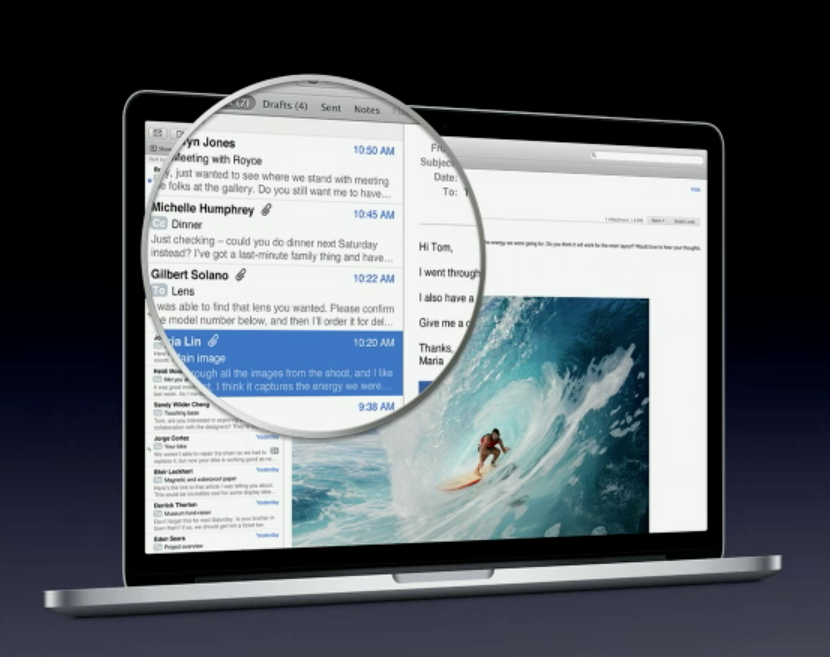 It’s the start of Apple’s Worldwide Developer Conference (or WWDC) today in California, and while huge new product announcements don’t always accompany Apple’s conferences, this year we’re all in for a bit of a treat. The MacBook Pro line is being updated with a brand new design that eliminates the optical drive to get a slimmer form factor, reducing it from nearly an inch thick to about three quarters of an inch.
The weight of the laptop has been reduced as well, but the battery life has been bumped up to an estimated 7hrs. As well, tons of other new specs to drool over: USB 3.0, Bluetooth 4.0, dual-microphones, etc. etc.
 But the big news is that the 15″ MacBook Pro will now been shipping with a beyond-HD 2880×1800 Retina display. Starting at $2199, this new 15″ MBP will clearly be the one to own this year for photographers, graphics professionals, video editors, and anyone who will appreciate reading crystal-clear Retina text on their laptop.
We’ll be updating throughout the day with pictures of the new products, and our take on what it means. But if you’re already salivating and can’t wait to get ahold of the new generation MacBook Pro, the Apple Store is taking orders as we speak.
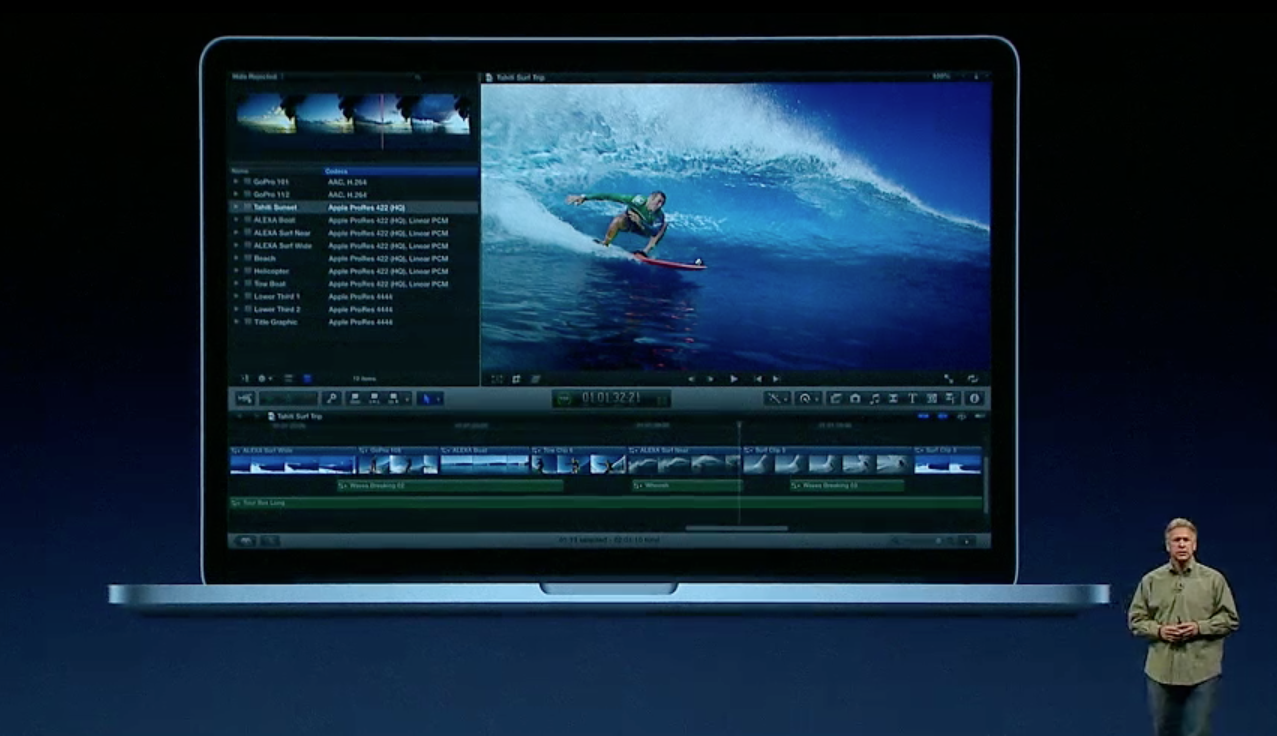 Latest News on the Retina MacBook Pro
Exciting software is already ready to use the 15″ Retina-display MacBook Pro, indlufing:
– Apple apps that take advantage of the display: Safari, Mail, iPhoto all updated
– Pro apps like Aperture and Final Cut Pro also make use of every pixel on the display
– Adobe working closely with Apple to make sure Photoshop and other apps are Retina-ready
– Retina-ready AutoCAD
– Even Diablo III is retina-ready!
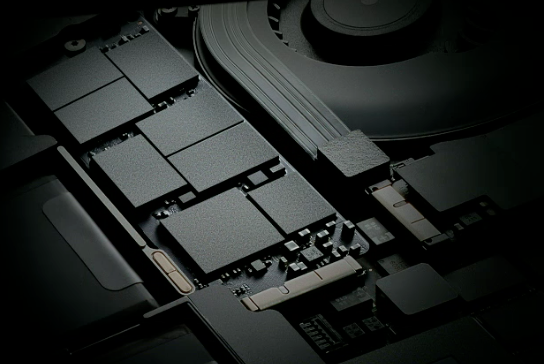 Changes to the hardware:
– Asymmetrical fans mean less noise when the fans come on
– For the first time ever on a Mac, an HDMI port to plug into your HDTV or Projector
– Quad Core i7 processors up to 2.7 Ghz (latest Ivy Bridge architecture)
– Up to 16GB of 1600Mhz memory (RAM)
– Same 7 hours of battery life
– 100% solid state hard drive (SSD) tech means ultra-fast read and write times
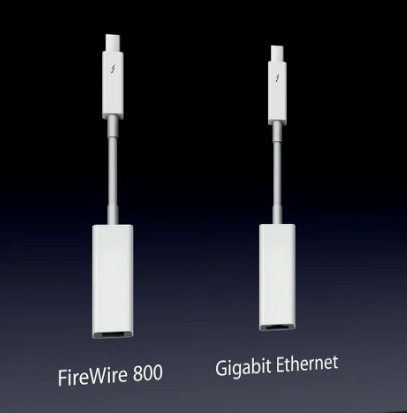 – 2x Thunderbolt ports, as well as USB 3.0, and the standard SD card slot
– New Thunderbolt adapters that give you Gigabit ethernet or FireWire 800 ports
– MagSafe 2, the latest in Apple’s MagSafe power adapters, the MagSafe 2 is even thinner than before
VIDEO: Interview with Duracell Powermat CEO Ron Rabinowitz
This contest has ended, but if you want a chance to win the 24-Hour Charging System as well as a VIP invite to our Sept. 12th party at Jay-Z’s 40/40 club in NYC, all you have to do is “like” the official Mario Armstrong page on Facebook
 I recently had the chance to sit down at Jay-Z’s 40/40 club in Manhattan with Duracell Powermat CEO Ron Rabinowitz. It’s no coincidence that we met at Jay-Z’s club—he’s an investor in the company, is integrating wireless charging stations throughout his club, and will feature prominently in the advertising here in NYC.
In the Socialcam video above, you can see us chatting about the new 24-hour Power System which just launched this morning. The system is available in stores in NYC and also online—you can pick it up for $99 from Amazon.com for instance—in both black and white. With wireless charging stations rolling out all over NYC this summer, combined with the extra battery pack included in the set, this could be the number one way to keep your devices charged and shooting video all day long.