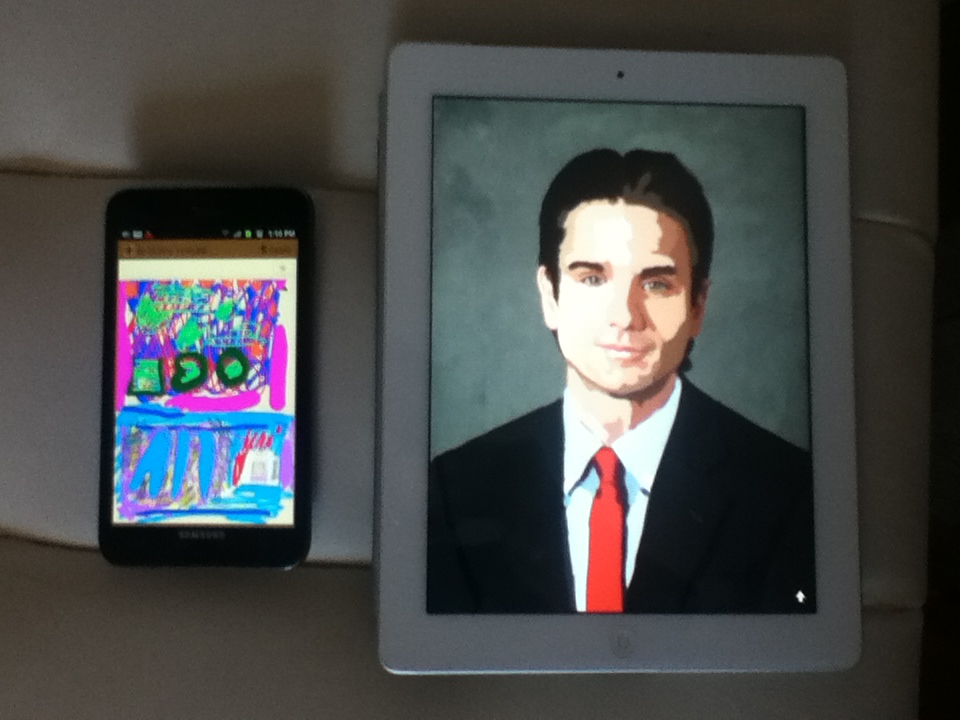
2 of my drawings. Galaxy Note (left), iPad 2 (right)
Professional artists are increasingly looking to take advantage of the latest in Tablet and Smartphone tech to make the transition from tools like pen, pencil, watercolor and oil paint into the digital age. While solutions like Wacom tablets have existed for a long time, the high-end models with screens have two problems. While they’re fantastic tools for artists, they keep you bound to a desk as they require a computer to interface with. Plus, they’re not cheap—a 12″ Cintiq 12WX is lower resolution than the new iPad and twice the price.
So, within the artistic community, tablets like the $499 iPad 3 and phablets like the $249 on-contract Samsung Galaxy Note are getting increasing amounts of attention. The recently-released Paper app for iPad has specifically brought a lot of people to the iPad, while Android apps like the $2 Autodesk Sketchbook Mobile have emerged as premier artist tools for AT&T’s Galaxy Note.
The Verge updated their comprehensive guide to iPad styluses today with tons of new pens and new winners announced. This is the most comprehensive guide I’ve found on stylii for the iPad and a good place to start if you’re feeling lost. From personal experience with a variety of Styluses, however, I honestly find them to be all about the same. I love the Kensington Virtuoso, for instance, because it comes in a variety of colors, has a good weight, and can be picked up almost anywhere for around $10. If you’re out and about and left your stylus at home, you can easily pop into a Best Buy or a Staples and just pick up a new one without hurting the wallet.
But I bring up the Verge article because the #1 response from the community seems to be, “What about the Samsung S-Pen on the Galaxy Note?” This is especially relevant because Samsung has already announced they’re delaying the next 10″ Galaxy Note Tablet in order to incorporate the same S-Pen tech they use in the note. Technologically, this sounds like a good thing, as the S-Pen has several advantages over the iPad’s stylus like pressure sensitivity and OS-level support for things like handwriting recognition. But can Samsung win artists over to Android?
I’ve been using the Galaxy Note as my primary phone for a few months, and while it’s great for a ton of different uses, the answer is “hell no,” at least until Samsung fixes some major problems with the S-Pen tech. Keep reading to see why. Read More
Sometimes the tech news headlines come out of left field! Cricket is not only going to be offering the current, top-of-the-line iPhone 4S as a prepaid phone with no contract, but they are even subsidizing the price! Check this out, while a 16GB unlocked no contract iPhone 4S would cost $649.99 straight from Apple, Cricket is able to offer it for $499 without locking you into a contract! For $100 less a.k.a. only $399, you can pick up a no contract 8GB iPhone 4, which is still a killer phone.
The no-contract plans they’re offering sound pretty great as well—$55 for unlimited text/talk and data. Yes, you read that right, the $55 price point includes unlimited DATA. Now, to be fair, they will slow/limit your service past 2.3GB but for normal use that should be perfectly fine for most people provided you take advantage of WiFI when you’re home or at the office.
With the Western Digital TV Live, you’re in control of your entertainment options. You can stream the latest movies and TV shows straight to your TV without the hassle of connecting a computer or upgrading to a smart TV. The WD TV Live puts HD content from Netflix, Hulu, YouTube and more in the center of your living room experience.
Videos on your home network? Bam, now they’re on your TV. Turn your iPhone into a remote control? There’s an app for that. Show off your photos on the big screen? No problem. Music from your Spotify or personal collection? The Western Digital TV has you covered. And all that over wireless B/G or even N networks, or ethernet if you prefer. You can even use your wired or wireless USB keyboard to quickly and painlessly enter the name of the show you want to watch.
For the full specs, be sure to visit Western Digital’s information page about the set top box. Once you’ve realized you can’t live without this bad boy, enter our contest. There are a ton of ways to enter, from Tweeting to commenting on blog posts, and each time you enter you get more raffle tickets for the big drawing.
So don’t delay! The earlier and more often you enter, the better your chances of winning!
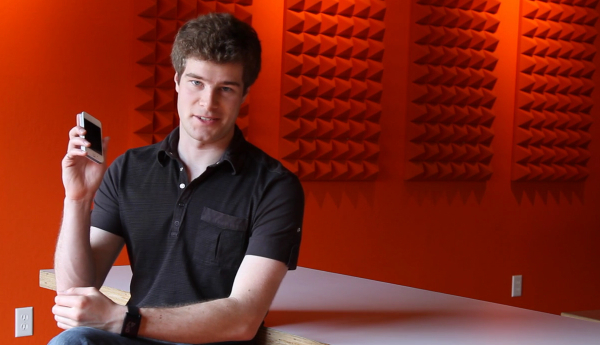
I was recently lucky enough to get a few minutes to chat with Eric Migicovsky (pictured, right), the brains behind the Pebble Smart Watch the $10 million dollar Kickstarter that everyone is talking about.
Want to know all about the features of the watch? How Eric and his team were able to pull all this off? Why it took so long for an iPhone smart watch to come to market? Eric answers these questions and more.
And stay tuned: in a second, follow-up interview, we get into the nitty gritty details of the Kickstarter process and Eric gives you his top tips for what it takes to successfully crowdfund a project!
Crowdfunding isn’t a particularly new idea—ever since it was possible to take payments over the Internet, organizations and individuals have been using their online audiences to fund myriad projects, from entertainment like movies and theatre to tech products like solar energy. But websites like Kickstarter and IndieGoGo provide platforms that really change the way people thought about crowdfunding projects. No longer do entrepreneurs and artists need to create their own web sites and manage their own credit-card processing. Now with an idea, a great video, and some promotion, a great idea can go from pipe dream to fully-funded reality. Read More
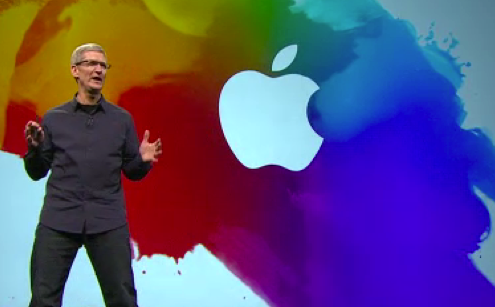
Tim Cook just left the stage from Apple’s iPad event in California, where he and his team brought us the latest Apple announcement, presumably including “the new iPad” (yes, that’s it’s full name!). It hits stores next week, on Friday March 16th and this page has all of the news you need to know about today’s announcement.
A Post-PC World
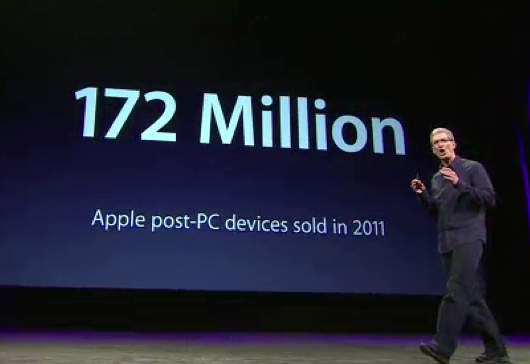
It’s no surprise that Tim Cook is leading off this event with a discussion involving one of Apple’s favorite terms, “post PC.” We’re all doing more on our iPads and iPhone, so it’s no surprise that these post PC devices (plus the iPod) make up 76% of Apple’s revenue.
iOS is the Key
The reason for Apple’s success with post-PC devices? iOS. Right now there are 315 million iOS devices in the world, 62 million of those sold in the last quarter of 2011 alone. At the forefront of this innovation in the mobile OS, is Siri, Apple’s “intelligent personal assistant” that comes with every iPhone 4S. Today, Cook is announcing that Siri now speaks Japanese and she’s coming to Japan today along with iOS 5.1. Amongst other fixes, iOS 5.1 brings fixes to battery life on iPhone and iPad and is available over-the-air for download right now.
A New Apple TV
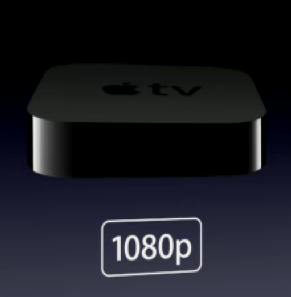
Turns out the rumors were true! Apple is announcing a new Apple TV that supports 1080p HD video. As a result, they’re re-releasing all of their movies in this higher-def format (and it’s a free download for anything you’ve already purchased!). A new Apple Genius will work just like on your iTunes and suggest movies and television shows based on your interests. You can even store them in the cloud—iCloud is being expanded to cover music AND movies now. Your photo stream syncs effortlessly to your Apple TV now too – take a picture on your iPhone 4S, and instantly show it off to your friends on your big-screen TV in HD! It still costs just $99, a great price for what you get! Combine that with the amazing AirPlay mirroring features that the Apple TV provides, and this looks to be an exciting update to the device. Pre-orders start today and the new Apple TV is available March 16th.
iPad outselling the competition
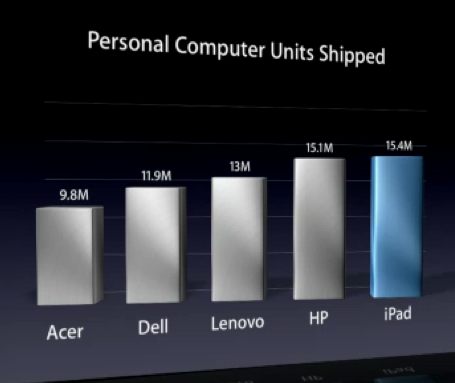
If you need proof that post-PC devices like the iPad are taking over computing, check out this fact: Apple sold more iPad’s last quarter than HP sold PCs.
There’s no doubt as to the direction of the computing industry right now, and Apple is unquestionably at the forefront in terms of sales.
What you’ve been waiting for: introducing the new iPad
Here are the features Apple is including in the new iPad:
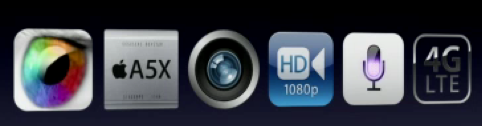
Retina Display. Much as everyone predicted, the new iPad will have quadruple the resolution of the original, with a retina display screen at 2048×1536. That’s 3.1 million pixels on the screen, or 1 million more pixels than 1920×1080, the resolution of even a 60″ HD TV. It translates to 264 pixels per inch, an amazing pixel density. All this means is that the screen is going to look amazing on the new iPad, and this is going to be a huge boon to any apps that work with photos and video as well as text. If you used an iPhone before they went retina with the iPhone 4, you know that this isn’t just a new feature on a list but a HUGE CHANGE that will really impact how you’re able to work on the device.
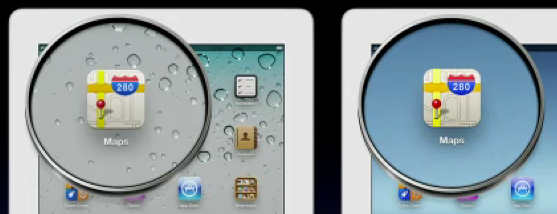
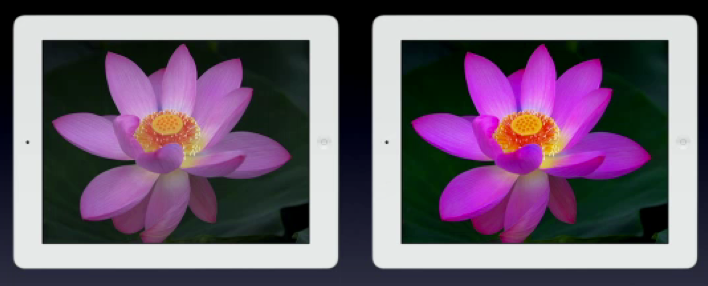
It’s not just the density of the display though. The new iPad also offers a much better screen, with 44% greater color saturation. Not only will you never have to see a dreaded pixel again, but colors in images will “pop” in a way never before seen on a tablet device.
iPad 2 (left) vs. the new iPad (right) – 44% greater color saturation
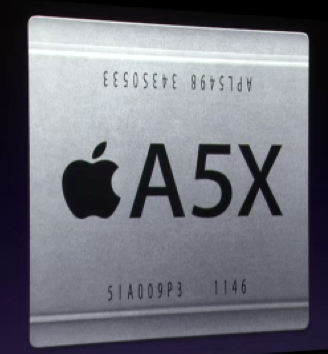
A5X Processor with Quad-Core Graphics. Designed for the retina display, the new iPad is “four times as fast” as nVidia’s Tegra 3. A dual-core processor with quad-core graphics, the chip has to be way more powerful than what’s in the iPad 2 since it’s pushing 4x the number of pixels!
While not some massive upgrade to quad-core as some were hoping for, if the A5X can provide an experience as snappy as the current A5 can in the iPad 2 while simultaneously pushing 3.1 million Retina-enhanced pixels, you shouldn’t hear a single complain that the new iPad is in any way under-powered.
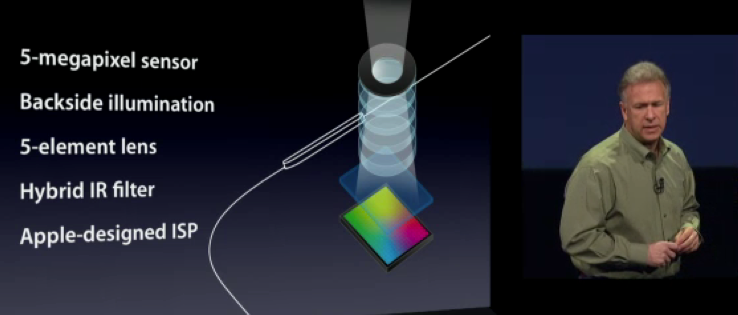
Massively improved iSight cameras. The cameras on the iPad 2 worked, but they were kinda a joke for any real photo or video applications. The back side camera took images you’d expect from a mid 90’s digicam, and the front-facing camera was even worse. The new iPad is packing in an iSight-branded camera, meaning that this 5-megapixel rear-facing camera boasts illumiation, a 5-element lens, an IR filter, and 1080P video recording—in other words, it’s high enough quality that you’ll actually feel comfortable using it. No word yet on whether or not you’ll still feel awkward holding up your iPad, though. Overall, it seems like everything on the new iPad is going HD in a big way.
Voice dictation. The new iPad will let you dictate in US English, British, Australian, French, German and Japanese. A new button on the software keyboard will let you talk to your iPad and have your text automatically inserted into your email or Evernote documents.
For the mobile professional who can’t always stop and type (and even then, typing on the iPad without a physical keyboard isn’t the easiest thing to do) this will make a huge difference in terms of how you use your new iPad.
4G LTE and Hotspot. Aside from the Retina display, this is the feature that got the most applause from the audience and for good reason. If you read my recent article about how fast 4G LTE is on AT&T, you’ll know why it’s exciting that the new iPad is an LTE device. 4G LTE isn’t just fast for mobile, it compares well and is often faster than your Internet at home!
The iPad will have 4G LTE on both AT&T and Verizon for a theoretical maximum of 73 megabits per second—huge news for these carriers. Unfortunately, these will be separate devices thanks to the different bands these carriers use. You’ll have to choose either the Verizon or the AT&T iPad 4G LTE. However, they will both work anywhere in the world with 3G as they carry the most wireless antennas ever put in a mobile device.
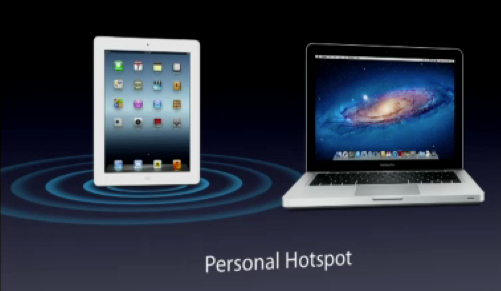
One cool new feature they’re adding is that the iPad can now serve as a mobile hotspot, allowing you to share it’s internet access with a number of devices. Since the iPad doesn’t come with any kind of contract, this could be a huge new feature for the mobile professional. Imagine having the power of the new iPad by your side at all times, but also the ability to pass along a 4G LTE signal to your laptop no matter where you are. All that on a month-to-month plan from your carrier of choice.
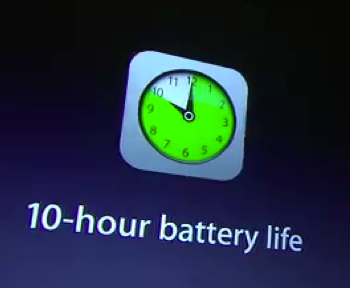
Same battery life and price. Thankfully, no surprises here. The 10 hour battery life and $499 introductory price will be staying the same. Since 4G LTE is a huge battery hog, that’ll knock you down to 9 hours, which really isn’t too bad.
Since a few reports have mentioned that the new iPad is a little bit thicker (9.4mm) and a little bit heavier (1.4lbs) than the iPad 2, this makes a lot of sense. Clearly, Apple had to expand the battery capacity a bit to accomodate the faster processor and the LTE chipsets inside the new iPad.
Apps
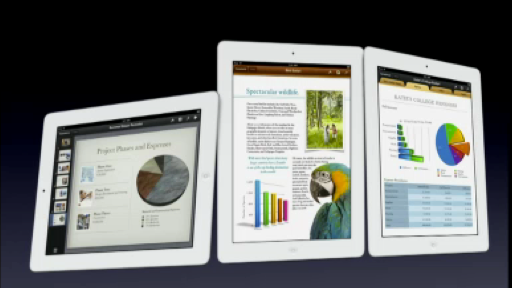
What would an Apple iPad announcement be without some new apps? The iWork suite is getting a full upgrade to take advantage of the faster processor and retina graphics, with Keynote, Pages and Numbers all updated in the app store today. With features like stunning new 3D charts, and new builds and transitions, the new versions of Apple’s suite will really show off the retina display on the new iPad. All three apps still sell for the low cost of just $9.99, and if you already own them you’ll be getting these updates for free from the app store today.
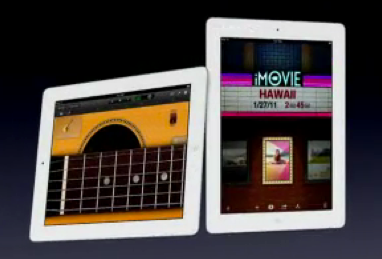
Garageband is getting iCloud support, easy sharing, a note editor and smart strings, to add a whole orchestra to your performance and then later edit individual notes.But Jam Session is the most exciting feature that lets 4 users on iPads play together at the same time and create original compositions over Wi-Fi on the iPad. Again, Garageband still costs just 4.99 and these updates are free for everyone who already owns it.
iMovie is getting a huge boost and a free update for the $4.99 app. Now there are some new features, including advanced editing tools, storyboards, and beautiful transitions. Combined with that 1080p camera, the new iPad should prove to be a great platform for making AND editing videos!
A huge new app release too – iPhoto for iPad. New gestures, new effects, multi-touch editing, and with iCloud you can effortlessly beam photos from iPhone to iPad to desktop and back. With editing support for images up to 19 megapixels, ways to automatically find images similar to the one you’re looking at, views that only show you flagged photos that you like, and easy share support to Flickr, Twitter and more, this looks to be a hot new app.
The biggest new feature is probably that all of these new editing features are non-destructive. Meaning, no matter how many times you crop or add filters, your original image is always there and can be recovered easily. This is just like ProTools for audio or Final Cut for video on the Mac. A huge feature for pro users looking to edit photos on the go.
Full Pricing and the iPad 2
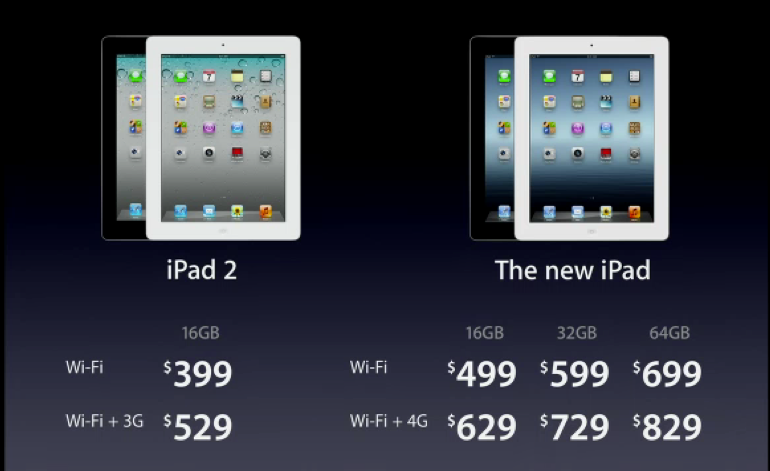
As a final note, Apple’s going to keep selling the iPad 2 but at a $100 discount. The 16GB iPad 2 with Wi-Fi now costs $399, and the 3G-enabled version is going for $529. An amazing deal on some great tech, and if you don’t need the absolute latest it’s even cheaper to take your business mobile (and still take advantage of all these amazing new apps) at a lower cost. The iPad 2 is a great tablet, and this price cut should help get it into a lot more hands.
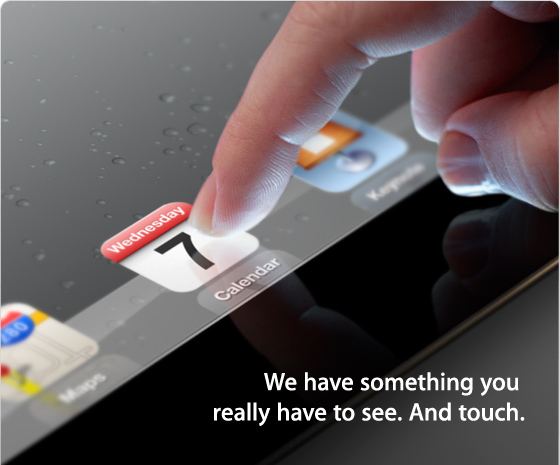
Apple’s emails for their invitation-only events don’t come with press releases, PR contact info, or any of the things you come to expect in this industry from most other tech companies. No, they come with a teaser image designed to give you just a taste of what’s to come.
I don’t know about you, but that sure looks like a retina display to me (I can see pixels at that distance on my ipad 2 no problem). What other features will the iPad 3 include? 4G LTE? Siri? Who knows, but the speculation game is sure to heat up over these next few days!
If you work in a dirty job where you’re constantly exposed to dirt and grime, or are a road warrior constantly traveling around, then you probably know that phones don’t like being dropped, they don’t like puddles, and they definitely don’t like dust.
But small business owners and employees who need a tough phone are often stuck with broken screens or phones that last months, not years. With two-year contracts, that means expensive phone re-buys at full price that can kill your bottom line.
Enter the Samsung Rugby Smart. Designed to military specifications, this thing is tough and works anywhere from puddles or to being buried underground. Don’t believe me? Check out this video below and see for yourself:
“Rugged” all too often is a term thrown around for products that are decidedly last-year’s tech. Not here. This is a 4G smartphone that shoots 720p HD video, has a front-facing camera, and sports a Super AMOLED touchscreen.
The Samsung Rugby Smart launches on AT&T March 4th for $99 with a 2-year commitment. Is this your next Android-powered Smartphone? Let me know—in the meantime we’ll try and get hands-on with this smartphone before it launches to give you the full scoop.
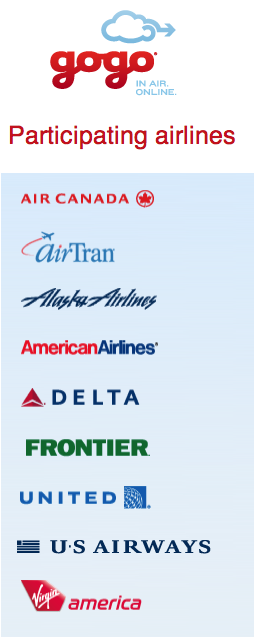
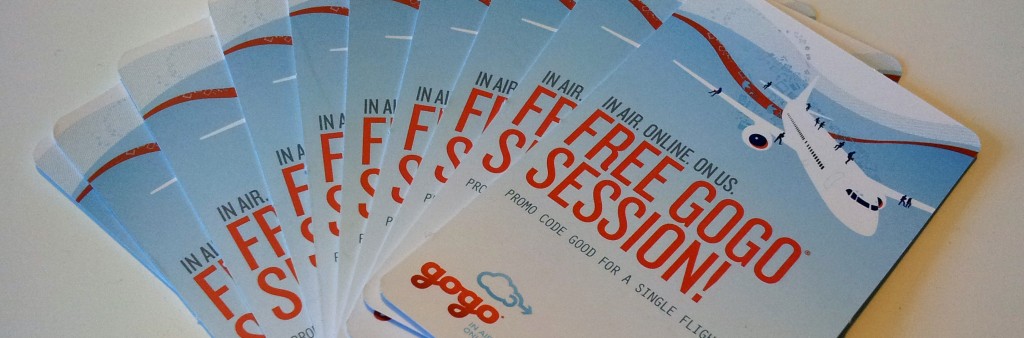
If you haven’t tried in-flight wireless from Gogo yet, you’re missing out. Being productive on-the-go in this age of mobile devices unfortunately means that you need Internet access everywhere if you’re going to compete. With access on a variety of top carriers (see the full list to right), chances are good that your next flight could be Gogo wireless enabled.
With in-flight access to Gogo costing anywhere from $4.95 for an hour and a half to $12.95 for 24-hour access, Gogo may seem pricey if you don’t know exactly how good the service is. That’s why we’re giving away not just one, but 5 round-trip sets of coupons, good enough for a round-trip or two flights worth of high flying Internet access. This way, you’ll be able to judge for yourself if Tweeting at 30,000 feet.
There’s a ton of ways to enter, and some options even let you get a raffle ticket every day, so enter early, enter often, and help spread the word about our contest!
For AT&T Premier business and education customers, right now you you can get a great deal on one of three Android-powered 4G LTE smartphones. But what does 4G LTE really mean? Is it just another marketing buzzword like the original “4G” designation was last year, or does it actually mean something this time?
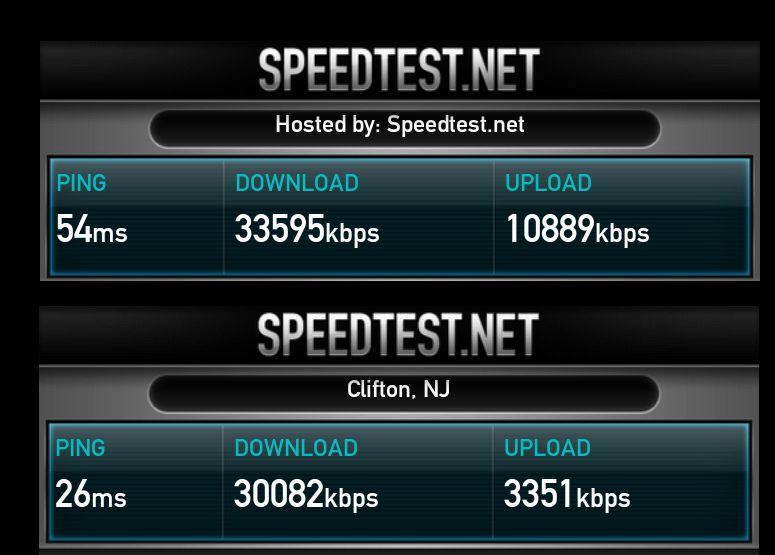
4G LTE promises speeds up to “10x faster” than 3G according to AT&T. In my testing, I’d say that’s pretty much accurate. I typically experienced download speeds around 3mbps and upload speeds around 1mbps on my 3G AT&T devices.
Now, LTE was only just turned on in New York City last month, so chances are that the network is nowhere near as saturated as the 3G network as only a limited number of devices (like the Samsung Galaxy Note I’m testing this week) work on 4G LTE. That said, it’s not just fast, it’s really, really fast:
One of these images shows the download speed on AT&T’s 4G LTE network. The other shows the cable internet I pay almost $80 a month for. Can you tell which is which? (Hint: LTE is faster).
If you’re a business professional and finding yourself often sending huge documents, videos, pictures and more to colleagues and clients while on-the-go, you know how frustrating 3G speeds can be. With AT&T rolling out 4G coverage to an increasingly large part of the country, maybe it’s finally time for you to upgrade.