Decide On A Mobile Payment Solution: Calculating Square vs. VeriFone Fees

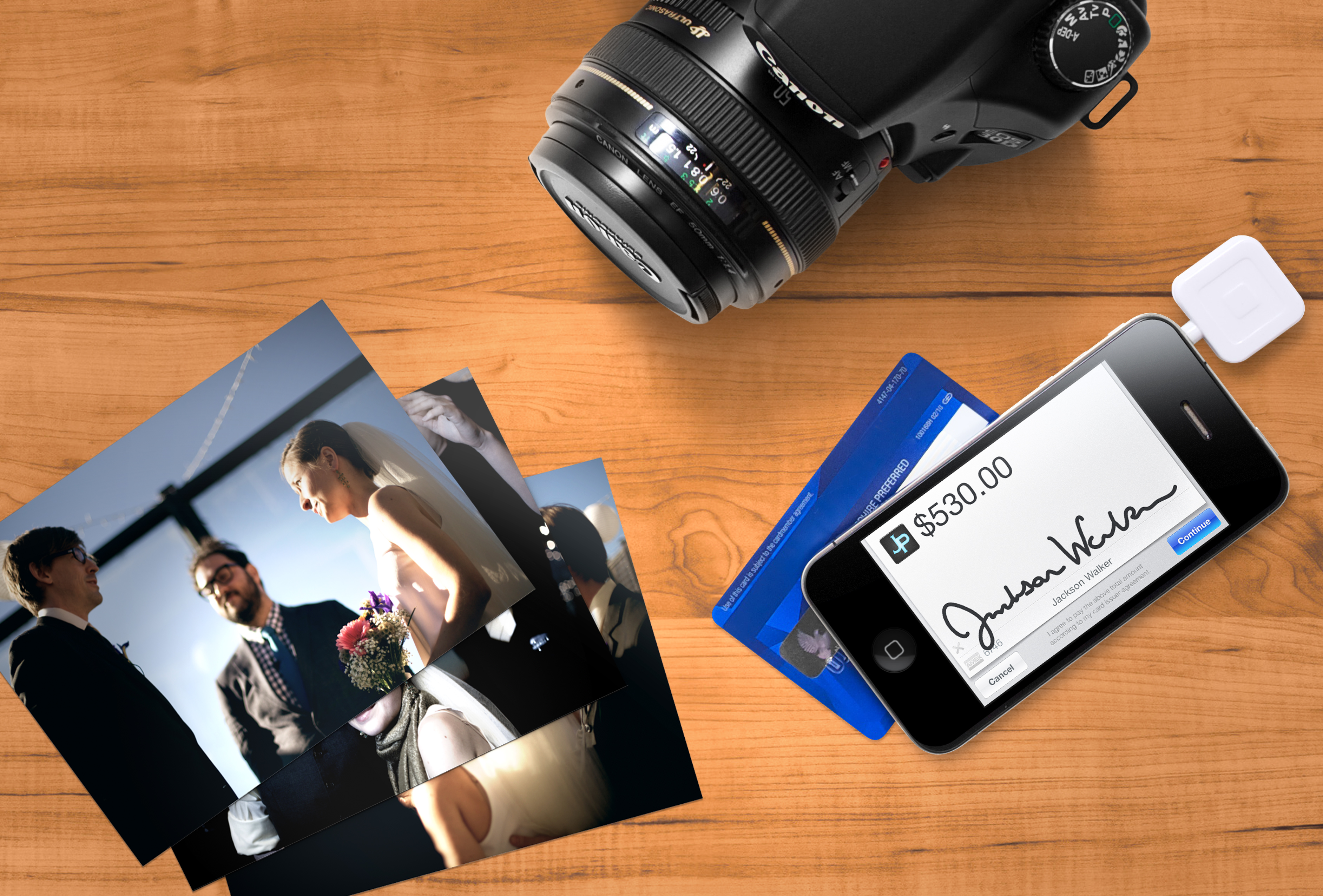
Do you want to be able to take credit card payments from your smartphone or tablet computer? Having difficulty deciding between the competing options?  A great new website takes a look at your average transaction size as well as your monthly volume and calculates whether Square’s or VeriFone’s competing mobile payment platforms will offer you the better deal.

Whereas Square simply charges a flat 2.75%, VeriFone’s fee structure is a bit more complicated.  Depending on your particular business, either one could be the better deal.  Thankfully, FeeFighter’s calculator helps you decide which options would be more profitable.

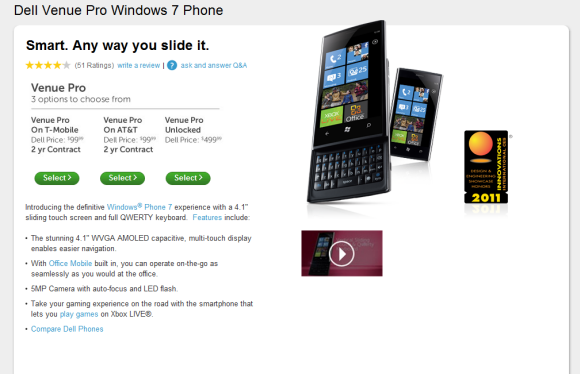
Dell Venue Pro Running Windows Phone 7 Lands on AT&T

One of the premier smartphones that was used to show off the new Windows Phone 7 platform in its infancy was the Dell Venue Pro. The combination of the full AMOLED touchscreen and vertical slide-out QWERTY keyboard, in addition to a 1GHz processor and 720p video recording capabilities, had WP7 early adopters salivating over what the platform and the device could do. The phone is sleek, black overall with chrome trim and has scratch resistant Gorilla Glass. Overall, a very professional-looking device if you ask me. And let’s not forget the attractive WP7 platform filled with Microsoft Suite capabilities that will ensure your Word Documents, Excel Files, PowerPoint presentations, and Outlook email (and XBox Live profile when you’re ready to close up shop) syncs effortlessly with your mobile device.

Once the Venue Pro hit the streets, it was only available on the T-Mobile network and exclusively from Dell. Now, AT&T has decided to make the device compatible on its network. Now, AT&T customers will be more than happy to snag the Venue Pro and give the WP7 platform a spin.

You can pick up the Dell Venue Pro on a 2 year contract for only $99 bucks ($500 unlocked). I checked AT&T’s website and it doesn’t list the device, so if you are thinking about giving it a try, it looks as if the Venue Pro is still being sold exclusively via Dell’s website.

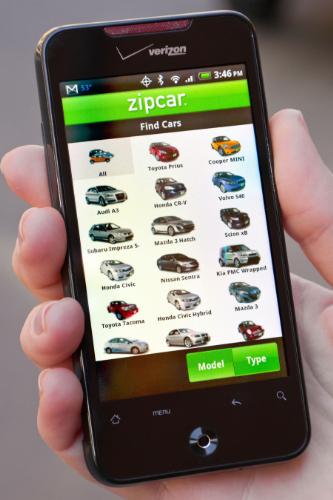
Zipcar App for Android takes your car reservation experience mobile

Zipcar’s claim to fame is that you can go online and reserve a car, find its location, and use a special card to unlock the doors and go on with your business – all without speaking to anyone in person. Great for on the go entrepreneurs and business owners who may just be in town for a meeting and in need of some quick transportation.

Based on a study conducted late last year, most Zipcar customers are smartphone owners and a large number of those surveyed owned Android devices. The company put two and two together and decided to create an Android app to complement the iPhone app currently on the market. Now, the entire car reservation process is available on Android smartphones and tablet computers. In addition to managing your Zipcar accounts, making reservations, and locating your vehicle via the Google Maps app, the new Android app allows users to beep their horn remotely to further identify the car.  You can even lock and unlock your Zipcar’s doors right from your phone!

The Zipcar app is currently in the public beta phase, but I don’t see it staying there long as functionality like this is what many people envision their smartphones being able to achieve. I predict that rental car companies will follow suit and offering their own mobile apps that can handle a number of functions that normally requite a visit to the customer service desk and a wait in line. No more being stuck without a car while the customer ahead of you makes the life changing decision between an economy, standard, or full-size car.

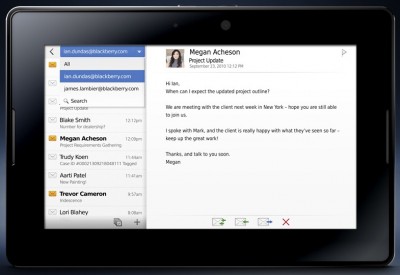
RIM Reveals native PlayBook Email, Calendar, Contacts

Close call! It looks like “essential” native apps for email, calendar, contacts, tasks, and other mobile apps will be coming to the newly launched BlackBerry PlayBook Tablet.

Currently, PlayBook users who want to view/manage this data via their tablet are tied to their BlackBerry smartphones. In order to take advantage of those services, you have to use the new BlackBerry Bridge technology that pairs the PlayBook via Bluetooth to a BB smartphone for greater functionality.

Today during the BlackBerry World Conference, some of the former mentioned services were demoed without being paired to a BB smartphone. What does this mean? Essentially, people using the PlayBook don’t necessarily need a BB smartphone, or depend solely on web apps to access these services. I have no beef whatsoever with web apps, but native apps use the device they are designed for a little better than a web app that’s created to provide functionality for a number of devices, IMHO. All you need is a data connection (PlayBook 3G/4G model or WiFi) and you will be on the same playing field as other tablet platforms with native apps.

Furthermore, if wireless carriers all of the sudden decided they don’t particularly like the idea of PlayBook users piggy-backing off of a BB smartphone’s data connection and pulled the plug; having native apps means that you still get your email, calendar appointments, contact lists, etc., while RIM and the wireless carriers hash it out.

If you are a BlackBerry Tablet owner, or looking for an Apple iPad alternative, I think the BlackBerry PlayBook, once it’s retrofitted with “essential” native apps and some other OS tweaks will be a serious contender come this summer.

But we want to hear from you. Is the lack of native email, calendar, contacts, tasks, memos, and similar apps/services stopping you from pulling the trigger on the new BlackBerry PlayBook?

What’s new with RIM? New phones, videochat coming to PlayBook, new apps, and more

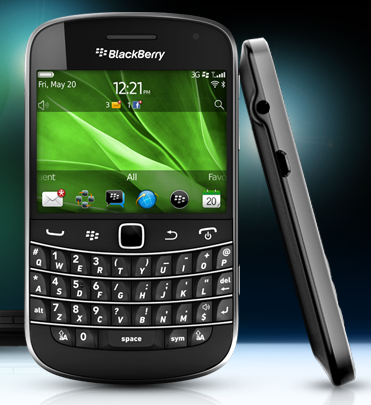
RIM, the company behind the BlackBerry line of products, have a number of announcements today.  First up is some new phones.  Two BlackBerry Bold smartphones were announced today, the 9900 and the 9930 combine exciting new features like Near Field Communications (NFC), HD video recording and playback, and the new BlackBerry 7 OS.

Next up is video chat.  In an app that, according to the press release, is being released tomorrow, RIM is promising “one click” video and voice chatting over Wi-Fi on their recently released PlayBook tablet.

Also for the PlayBook is a native Facebook app.  While the details are pretty sparse at this point, RIM’s press releases promises that it will provide basically what you would expect: a native 7″ Tablet interface to chat, share photos and videos, interact with friends and more. We’ll be sure to take a look at the app when it’s released later this month.

RIM also announced that the BlackBerry Enterprise Solution (BES), the solution that brings the security of the their Enterprise Server to BlackBerry devices, is going to “incorporate secure device management for Android and iOS based devices and tablets, all managed from a single web-based console” according to their press release. Clearly, RIM is beginning to come to terms with the fact that they’re no longer the only game in town – and providing options for customers to use their secure enterprise technology on smartphones and tablets of their choosing.  This mirrors RIM’s previous announcement that Android apps would be made available to the PlayBook tablet through a special Android app player.

Competition in Mobile Credit Card Processing Helps the Business Owner

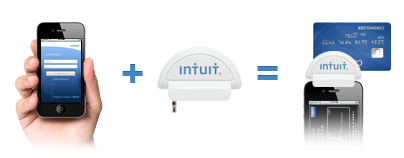
In a move that seems designed to take some of the wind out of Square’s sails (who just this week received an investment from Visa), Intuit’s GoPayment mobile credit card swiping service is dropping their per transaction fees.  The clear winner here is neither Square or Intuit, though, but the business owners and entrepreneurs who are using these devices.  Fees don’t affect consumers, but they do directly impact bottom lines.

Small Biz Tips with SmallBizTechnology.com

We are pleased to work with Ramon Ray, CEO and editor of SmallBizTechnology.com, journalist, and technology evangelist, to bring you new Small Biz tips. Each week they’ll be sharing videos and articles featuring hot topics, products and trends in small business.

Game Changing Innovation: Insight From Four View Points – Kawasaki, Belsky, Brogan, Ray

Four highly influential voices in the business world—Ramon Ray, Guy Kawasaki, Scott Belsky and Chris Brogan—share their insights from the 2011 Consumer Electronics Show on how to create game-changing innovation. From new ideas to technology , and from mobility to increased productivity,  get advice on how to elevate the customer experience and think proactively about what pieces of information matter most in order to compete and win.

Is Your Payment Processing Service Adequate? A Chocolate Company Switches to Sage Payment Solutions

Hospitality is a passion for John and Sue Elliott, owners of Davidson Chocolate Company.  The couple originally left their corporate jobs intent on becoming bed and breakfast hosts. But a twist of fate led them to a little chocolate shop in the mountains of North Carolina.

“It had been closed for two and half years. The chocolate was still wonderful, and the hundred-year-old recipes were still great. The business itself looked horrible, but we couldn’t see how we could fail,” said Sue. “We had a lot of reputation to repair and rebuild, but in five years it grew dramatically.”

With the store doing well, the couple kept brainstorming on how they could grow their business. The answer came when their son invited them to consider moving the business to Davidson, just outside of Charlotte. The couple agreed, and in 2008 opened their first Davidson Chocolate Company store. Read about this small business’ experience switching to a new payment processing system.

5 Reasons Your Power Point Presentations….Suck. How To Make Your Next One Rock

Power Point is one of the most popular business tools on the market. We all use it when giving presentations. However, just about every Power Point I see used is NOT used effectively. Having said that John “ColderICE” Lawson, Chris McCann (President of 1800-Flowers), Jim Fowler (founder of JigSaw) and other speakers used Power Point to mind blowing effectiveness at the Small Business Summit 2011 (by Dell).

Microsoft’s recent spoof videos highlight the top reasons your presentation can be a disaster.

Mobile Payments Company Square Gets a Huge Boost with a Strategic Investment from Visa

Last month, a viral video created by mobile payments processor VeriFone tried to spread FUD (Fear, Uncertainty and Doubt) about startup Square’s free device that allows small businesses and entrepreneurs to take credit card payments from their iPhones and iPads. The claim was that customer’s credit card data was being transferred unencrypted to the device, giving shady merchants the ability to steal your credit card information.  Square took this accusation in stride, pointing out that anyone you hand your credit card to already has access to this information. This month, however, those fears have largely been laid to rest.

Two weeks ago, Apple announced that they would be selling Square’s credit card readers in their retail stores for $9.99, taking the device off of the internet and straight to consumers.  This was a huge boost to the device’s credibility, as an endorsement from Apple is a big deal.

Now, in what could turn out to be the ultimate game changer for Square, Visa has announced that they’re making a strategic investment in the company. If there were lingering fears about the safety of customer’s credit card data with the device, surely Visa’s stamp of approval will convince consumers to embrace mobile payment devices.

SocialCamera Allows Easy Tagging, Uploading, Sharing

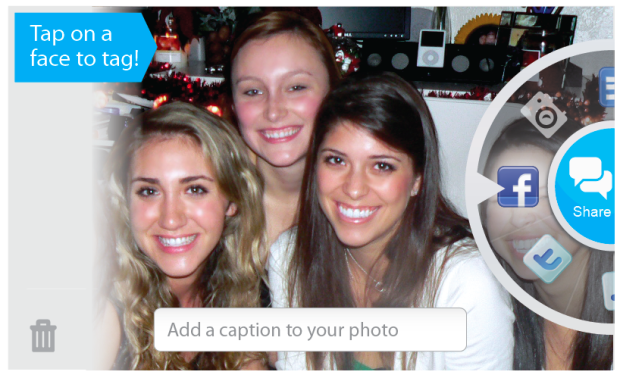
We all know that social media plays an increasingly important role in our small businesses, yet keeping up with it can be very time consuming.  Tools that make it easy to keep engaging, fresh content rolling into your company’s social presence are a must.  Visual analysis company Viewdle launched Android app SocialCamera last Wednesday, and it fits this description well. SocialCamera allows users to tag, caption and share photos on Flickr, Facebook, email or MMS immediately after capturing the image. Jump to the demo video below for full details.

SocialCamera is still in beta, and is not to be confused with Justin.TV’s Socialcam app. It’s free of charge, and should be available through Android Market now.

How does it work?  Simple.  The first time you use the app, you’ll have to identify your Facebook friends. After that the app will detect and tag your friends automatically, which I think is the most endearing feature of this app.

Protip: you’ll need a device running Android 2.x with a 1GHz or faster processor to run SocialCamera.

Viewdle SocialCamera – Beta from Viewdle on Vimeo.