BlackBerry PlayBook Tablet is Announced – Small Business Ready?


The Tablet game is finally starting to heat up.

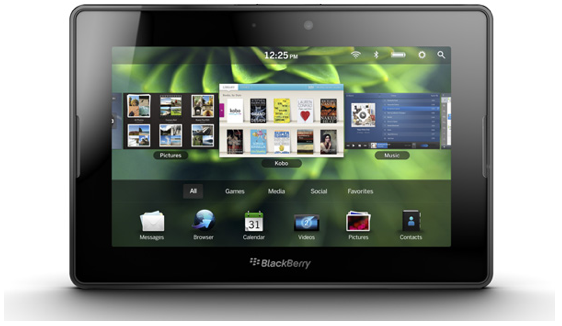
Next up is the BlackBerry PlayBook 7″ inch Tablet device set to hit stores April 19th. BlackBerry dubs the PlayBook as “the world’s first professional-grade tablet”. The pricing structure follows:

• 16GB Wi-Fi, $499
• 32GB Wi-Fi, $599
• 64GB Wi-Fi, $699

Althought it’s not listed initially for sale on the 19th, the PlayBook will support HSPA, LTE, and WiMax networks. In other words, BlackBerry will offer WiFi + 4G device configurations in the near future, if not at launch.

Professional-grade? The BlackBerry PlayBook boasts some serious power with its 1GHZ dual-core processor, 1GB of internal ram, and the nicest multitasking functionality around. The PlayBook will have out-of-the-box BlackBerry Enterprise Server (aka BES) capabilities so your company’s IT department can lock down the device for corporate use. Outside of that, it will depend on the mobile app developers to support the PlayBook with some serious productivity apps to make this the “go-to” device for the small business crowd.

Most small businesses don’t have access to B.E.S. or know how to implement it; so we rely on mobile apps to access, secure, and backup our data when we are not in front of our primary computer. BlackBerry smartphones have a nice suite of apps to support mobility, so let’s hope those same apps are ported… or, better yet, are enhanced for the PlayBook.

Finally, the PlayBook runs a tablet-specific OS that should give current BlackBerry smartphone users a reason to check out the tablet. New features, functionality, and user experience should draw in the BlackBerry faithful and give them hope as to what their phones may be able to do in the near future.

The BlackBerry Tablet is available for preorder via Best Buy, and will go on sale at the “Big 3” US wireless carriers, and other locations on April 19th. check out the BlackBerry PlayBook site for more features, specifications, and availability details.
GetContact.Info: Add Analytics To Business Cards with QR Code

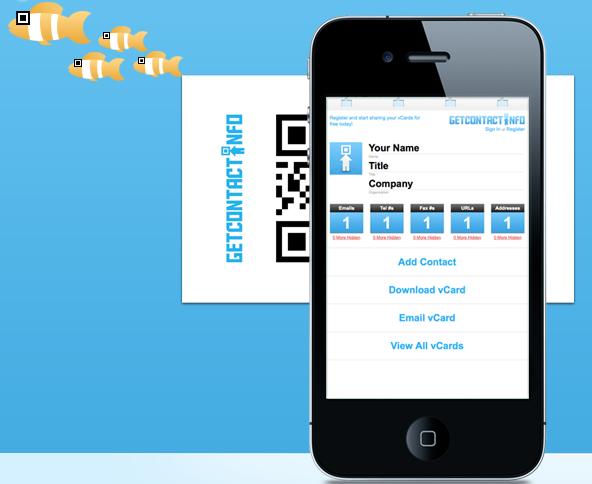
Adding a QR Code to your business card that allows people to scan the code with their smartphone camera and a QR Code reader app is genius. The ability to track actual scans and manage multiple QR Code contacts is on a another level entirely.

This free service from GetContact.Info allows users to create an online profile using their contact information. That profile is then embedded onto a QR Code that you can either download and add to a business card design, or use the free business card template, complete with your contact info and code, to create your own business card. You’re just not limited to business cards either. You can add the code to stickers, t-shirts…anything.

Embedded in your code from GetContact.Info are analytics that display data on when and where your card/code was scanned, in addition to receiving email notifications when your cards are scanned.

When a user scans your code, they are taken to mobile-friendly site where they have the option to add their contact info to your account, or download your vcard directly into their phone’s address book. Note: iPhone users don’t quite have this ability yet, but you can opt to send the vcard via email, then add the vcard from the message once it’s received.

Since GetContact.Info is a free web application, any gadget with a web browser can create and edit contact profiles, while any mobile device with a QR Code Reader app can get your contact info by just scanning your code.

People are still mentally trained to ask for a business card, but with your info embedded onto a QR code, they can get your contact info right into their phone just by scanning your code, instead of the normal “throw your business card in the junk drawer of their office along with the other poor [business card] souls.”

iPhone Hotspot gives Wifi-only iPad 2 GPS Capabilities

I had the opportunity to visit the special Apple pop-up store that ONLY sold the iPad 2 and accessories down in Austin Texas this past weekend during SXSWi 2011. The line wasn’t bad and there was ample stock, so being the early adopter that I am, I picked up a black 16GB wifi-only iPad 2.

Features-wise, this was a downgrade for me because I currently own (and plan to sell) a 32GB 3G iPad with a data plan. At any time, I could whip out my iPad “Classic” and locate my exact location via the Maps app, and get directions (no voice navigation) to anywhere. Out of the box, my new iPad 2 can’t do this due to the lack of GPS in the wifi-only version that is inherit in the radio of its 3G counterpart.

On the other hand, with the recent release of the Verizon iPhone 4 and the iOS 4.3 upgrade for AT&T version, any user that opts-in for the feature can use their phone as a wifi hotspot for the iPad 2. As a result, it has been discovered by Cult of Mac that if tethered to an iPhone 4 with the hotspot feature, a non-3G iPad 2 can “borrow” the GPS signal from the phone for location information. According to Cult of Mac, it hasn’t been tested on wifi-only iPad Classics, but in theory, it is a possibility.

In the video below is a brief demo of the wifi-only iPad 2 GPS trick in action:

I have been using the hotspot feature for my MacBook Pro, iPad Classic and my iPad 2 and it’s pretty fast. With the added zip of the dual-core A4 processor housed in the iPad 2, my guess is that the wifi-only GPS hotspot trick works pretty well, even if it may not be in real-time.

So if you’re like me and was of the suckers advocates who went out and bought an iPad 2 this past weekend, you will be in for a free GPS treat if you plan to use your iPhone 4 as a hotspot if you didn’t pony up for an 3G iPad 2.

Test it out, come back, and drop a line in the comments section to let us know how the feature works.

Mobile Apps Key to Small Business Operations, says AT&T

Hot off the presses, a new survey from AT&T shows that small businesses (defined here as organizations with between 2-50 employees) are increasingly dependent on mobile technology in their day-to-day operations. According to the survey, 75% of small businesses now use mobile apps for their business “to save time, increase productivity and reduce costs.” Nearly half (49%) of all small businesses are now utilizing GPS/Navigation and mapping apps, making it the largest category of mobile applications currently being used.

What Other Kinds of Apps?

A variety of other apps are making inroads into small businesses as well.  The top app categories include social media marketing, document management, location-based services, time management, expense tracking software, and programs that accept credit or debit card payments in the field.

State of Social Media & Facebook

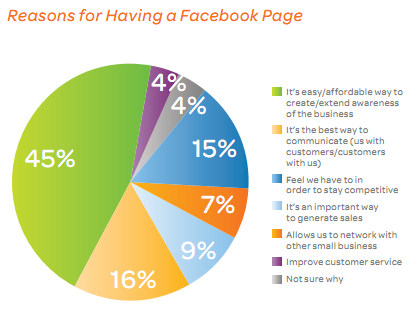
While social media apps are being utilized by a smaller proportion of companies (26%), a significant number (41%) are now using a Facebook page to promote themselves.

Small businesses feel that Facebook provides an easy and affordable way to promote their businesses., and many feel that it is the best way to communicate with their customers. Certainly, Facebook offers several unique options for businesses, from the low cost of set-up (free), to the ability to directly interact with individual customers, something that websites simply cannot offer. As well, a full 37% have noticed an increase in traffic to their websites, and 29% an increase in phone calls thanks to their Facebook pages.

Post continues after the jump.

Read More

Square’s CEO responds to VeriFone’s Security Claims

Yesterday, I reported on VeriFone’s claims that Square’s free credit card reader’s inability to encrypt credit card information is a serious security issue that needed to be dealt with. It’s only fair that I also report Square’s response to those claims.

In a letter from Square’s CEO, Jack Dorsey, posted on the company’s website, he noted that the information encrypted on the black strip on the back of any credit card is similar to the information located on the front of the card in the sense that anybody who you has your credit card, has all the information needed to steal and use your card, regardless of the type of technology used.

Any technology—an encrypted card reader, phone camera, or plain old pen and paper—can be used to “skim” or copy numbers from a credit card. The waiter you hand your credit card to at a restaurant, for example, could easily steal your card details if he wanted to—no technology required. If you provide your credit card to someone who intends to steal from you, they already have everything they need: the information on the front of your card.

He also points out that if in fact your credit card information is stolen, banks will go through the customary practice of reversing any fraudulent charges. In other words, regardless of HOW your credit card information is illegally obtained (from a Square credit card reader, a VeriFone credit card processing machine, or any other POS device), the same rules apply to rectify the situation.

I think the issue with VeriFone is in the lengths they went to out Square’s alleged security issues. The fake Square skimming app, and the video tutorial went beyond informative and instead explained how to steal credit card information using a Square credit card reader. If there is a genuine security issue, more private and secure methods involving ALL parties could have been taken.

In the end, all of this brings up a valid point – with the accessibility, ease of use, and coolness that technology brings, you still have to be careful with who you entrust your information with…financial or otherwise. The same technology that makes our lives easier is the same technology that can become a hassle.

“Pray for the best, but expect the worst”

VeriFone Publicly Calls out Square Security Hole

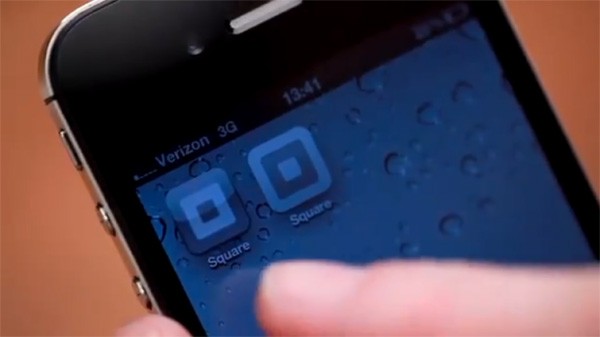
Square is the popular start-up company that allows iPhone and Android users to process credit card transactions using their phone and a free credit card reader dongle that plugs into the phone’s headphone jack.

VeriFone, a leader in credit card transaction technology has a similar product (PayWare Mobile app), but Square’s minimalistic approach to its transactions (no merchant account needed, no credit check, AND a free credit card reader) has proved to be some serious competition for Verifone. I’m not sure if Verifone is generally concerned with the financial security of the consumers, or this is an outright attempt to squash the competition, but VeriFone’s CEO has just released an Open Letter, demonstration video, AND a free fake Square app that allegedly identifies and demonstrates a serious hole in Square’s ability to encrypt credit card information when swiping it through the free credit card reader.

http://www.youtube.com/watch?v=ObGQxSuORy0&feature=player_embedded

Whatever the reasoning, VeriFone is serious about this latest development and has called out Square and notified its credit card processing partners (Visa, MasterCard, American Express, and JP Morgan Chase). The Fake Square App released by Verifone can be downloaded by ANYONE to test this flaw for themselves.

To back VeriFone, if this is true, the possibilities for ANYONE with the Square reader, a decent card skimming application, and your trust can have your credit card information within a matter of seconds. THAT’S A PROBLEM, and could mean curtains for Square, let alone any legal implications if this particular issue goes mainstream.

To back Square, if VeriFone REALLY cared about the consumer’s credit card security, and not its revenue, would it have just given would-be crooks the keys, complete with an instruction manual and tutorial video to steal our credit card information? Additionally, card skimming is not a new trick and companies like VeriFone have been fighting for years, so it’s not solely a Square issue. In the end, it all boils down to customer common sense as it relates to who you hand over your credit card to.

/Rant off

Nonetheless, the implications are serious enough that it needs to be addressed, and so far, mums the word from Square. Hopefully the company’s representatives will respond and restore its customer’s sense of trust and security and continue to offer its products and services to individuals and small businesses who want accept credit card payments, while offering competition to larger credit card processing companies. Competition is always good for the consumer.

[via: Engadget]

BlackBerry Protect App Secures Mobile Information

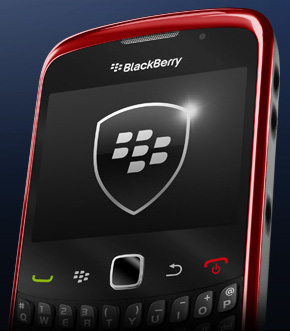
RIM has released its own official mobile device protection app (currently in beta) that can backup and restore data if your BlackBerry is damaged or you switch devices. In addition, the app can completely wipe of your data if your BlackBerry falls into the wrong hands.

Small business owners may not have concrete IT policies in place for their device(s). So it’s not uncommon that users secure their mobile data with a simple device password. Backing up and restoring user data may consist of hooking the device up to a computer on an irregular basis. With the BlackBerry Protect app, BlackBerry users can actually create sound mobile security practices to ensure their data is there when they need it and out of reach for others.

Some of the features of BlackBerry Protect include:

  • Wireless Backup and Restore of contacts, calendar, memos, tasks, browser bookmarks, and text messages based on a multitude of scheduling options.
  • Incremental backups: Backup only what has changed since last backup
  • GPS capabilities so you can locate your device on a map
  • Find your device via a Loud Alert function
  • Wipe all contents of your device online

BlackBerry Protect is a free download from BlackBerry App World. Note: BlackBerry Protect does not work in conjuction with BlackBerry Enterprise Server. So check with your organization’s IT department if you’re using a company-issued device.

And remember to always backup ALL of your data!

PaperLinks for Business: Digital Brand Interaction via QR Code

We have talked about QR Codes here on Small Biz before. The consensus was that the technology hasn’t gained complete support in the U.S…yet.

That isn’t stopping compaines like Paperlinks from being innovators in the QR Code industry. Last October, the company launched capabilities that enable users to create QR codes on just about anything and offered mini mobile sites to host the information behind the QR Code. Now Paperlinks is reaching out to its potential business clientele looking to give their customers a more interactive and digital brand experience.

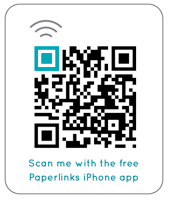
Businesses can create their own Paperlinks in minutes by signing up and creating a profile on the Paperlinks website. The “Paperlinks” serve as mobile landing pages for users who scan the QR code to get more information about the product or service. Businesses can customize the Paperlinks by choosing from a number of easy-to-deploy interactive modules. Each module can be updated at any time, with changes reflected in real-time. The drag-and-drop interface makes setting up a Paperlink a snap.

Modules include: Company information; photos, videos, and other media; to promotional offers, downloads, and Social networking feeds. Businesses who use Paperlinks also have access to an account dashboard provides mobile analytics on who, where and when your Paperlink has been scanned. If those features are not enough, Paperlinks has its own free QR Code reader app for most mobile platforms that users can quickly download and get started scanning your businesses Paperlinks.

Business pricing starts at $24.99 and includes a host of features that will get your business slapping QR Codes on just about anything you can get your hands on.

AT&T Premier WP7 Phone and Car-kit for One Cent

Great Deal on Windows Phone 7 device with Extras

It can’t get any cheaper more monetarily advantageous for you and your business than a shiny new Windows Phone 7 mobile device and a car kit for one penny.

…Yeah, you heard me correctly

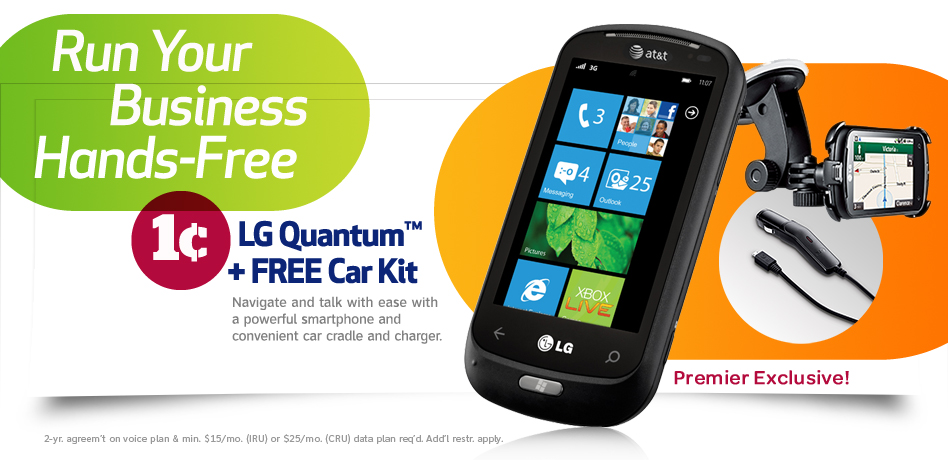
For a limited time, AT&T Premier is offering business customers (large and small alike) or individuals a sweet deal on an LG Quantum, running the new WP7 OS AND and a free car kit for the low-low price of one penny, provided you meet eligibility requirements (see legal mumbo-jumbo here).

The LG Quantum is loaded with features that will ensure your ears stay low to the ground all while not taking up every waking moment of your life. Features include:

– View video, applications, and the Web on a vivid 3.5” wVGA touch screen

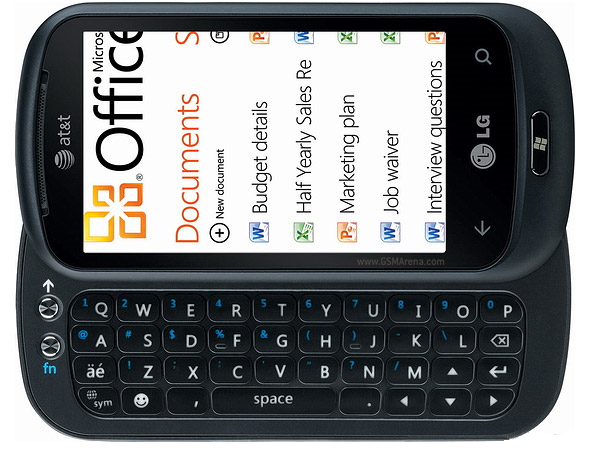
– Fire off text messages and email with a slide-out QWERTY keyboard

– Multitask quickly via a 1 GHz processor and 16 GB user memory

If you’re an on-the-go business owner, you will appreciate the fact that the offer also includes a free car-kit that will enable you to keep your hands on “10 and 2” while ensuring your clients that everything is running as smooth as a baby’s bottom.

To get in on this deal, all you need to do is meet the eligibility requirements and sign up for a 1 to 2yr contract (voice & data) with AT&T Premier and you will be running your business hands-free while other so called “fast movers” are tied to their desktops/laptops.

For more information and to sign up, check out the AT&T Premier for your Business website.

Square Drops Transaction Fees, Hopes To Boost Volume

From my email inbox:

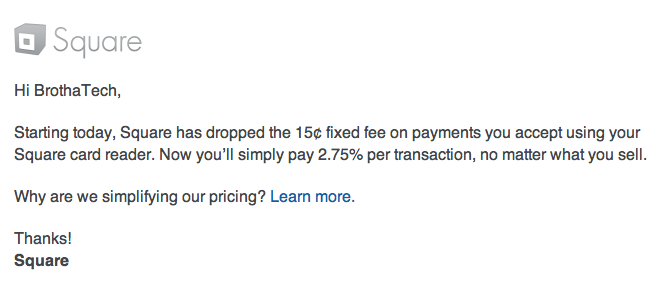
Square drops transaction prices

I’m assuming that Square was paying attention to Intuit and its new smartphone credit card processing service GoPayment, which is one of the reasons why Square has decided to drop their fees for its own no merchant accounted needed service down to just a flat 2.75% per total transaction fee (purely speculation). Now you will still have to pay 3.75% if you manually type in the credit card number, but for both transaction types, the “+15 cents” Square initially tacked on to every charge has been dropped.

Most of the buzz around this announcement by Square is that they will more than likely take a revenue hit by dropping the 15 cents charge, hopes to gain volume in order to further cement itself as the front runner in the relatively new mobile transaction processing arena as other big players (like Intuit, Visa, Bank of America, etc) start to make a move and offer similar services that rival what Square has been doing for a little over a year.

In my opinion, if a move like this from Square can get other players’ attention like Intuit, and thus creating even more competition (which is always good for the consumer), paying per transaction fees as a small business with low volume credit card transaction (and the cool factor for swiping a client’s credit card with my smartphone) still beats dealing with those expensive POS (Point of Sale) machines…that ALWAYS seem to be out of receipt paper.

…But that’s just me