$99 Nokia Lumia 920, $49 Lumia 820 Pre-Order Begins Today

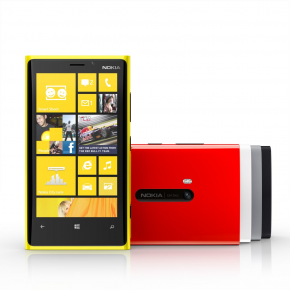
Nokia Lumia 920
Nokia Lumia 920 in yellow & red

Pre-orders for both the Nokia Lumia 920 and the Lumia 820 begin today at AT&T. Amazingly, the insanely fast and feature-rich Lumia 920 is available for only $99 (contract price), while the 820 will go for $49.99 (also contract price).

Available exclusively on AT&T, the Lumia 920 is without a doubt the Nokia new flagship device for the holiday season. In the past few years the company has lost ground to manufacturers like Apple and Samsung, and the Lumia 920 is Nokia’s comeback effort. And it’s a strong one. Ton win back users, they’re offering a great deal: a premium phone at a budget-conscious price.

The Lumia 920 is all about offering lots of features. First of all, it’s got 32 GB of space, which is unheard of in a top of the line smartphone under $200. There are turn-by-turn directions. You can use the touchscreen with gloves on. And it can be charged wirelessly with a charging plate, without any additional software or bulky cases.

The build is serious too, with 4G LTE, a 1.5 GHz dual-core Qualcomm Snapdragon processor, and a 4.5″ inch display. And like previous Nokia offerings, they’ve put a lot of work into the 8.7 MP camera. There’s a Carl Zeiss lens, and proprietary camera technology called PureView that allows for better image stabilization for low-light photos. Read more on the specs and features of the Lumia 920 here.

And colors. Let’s not forget about the colors here. Cyan, red, yellow, black, and white. The design factor of the Lumia 920 is definitely bold, and is interesting after several years of mostly black and glass phones.

Click here for complete specs and pre-order information.

For the more budget-conscious, Nokia is also offering the Lumia 820, a more mid-range version of the 920. It will run off the same Snapdragon Processor, but feature a slightly smaller screen at 4.3 inches, and only comes with 8GB of internal memory. Still, it’s a very powerful smartphone for only $49.99. Click here for more information and to pre-order the Nokia Lumia 820.
UPDATED: Tablet Buying Guide: Comparing Major Brands, Specs & Prices

UPDATED 11/6: We’ve added Barnes & Noble’s Nook tablets. For more on the Nook, go here.

UPDATED 10/31: We’ve added Google’s new Nexus 10 tablet to the chart. For more on the Nexus 10, go here.

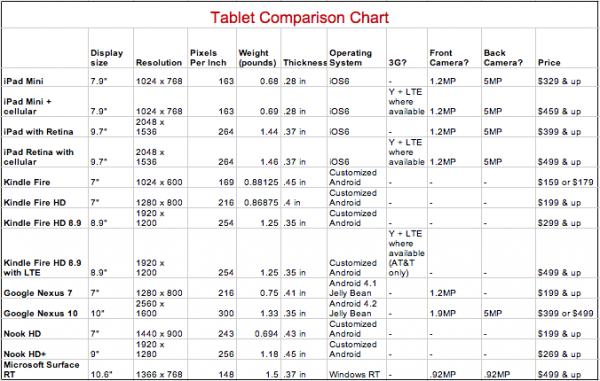
It may be impossible for us to pick a tablet for you. After all, personal preferences and needs account for a lot when it comes to gadgets. But we can at least help you know what’s out there! There’s a ton of different choices, so we’ve broken out the specs on some of leading tablets (including Kindle, iPad, Surface and Nexus)  to help you compare and contrast.  Plus we’ll be updating this chart as more devices are released.

A few things to consider as you look at the chart below:

– What size tablet would be the most useful for you? When and where will you use the device most often?
– Is cellular connectivity important to you? There’s a significant price hike on devices with 3G and 4G LTE capabilities (they all include WiFi).
– We’ve listed the base prices below. Upgrades for additional storage or in the case of Kindle, devices without ads, will cost more.
– Pixels per Inch is a good guide to display quality, but quality is also affected by things like contrast and illumination. If this is a big concern, we recommend trying a device in person.

Are we missing a tablet you’re considering purchasing? Have more questions? Let us know in the comments!

tablet comparison chart buying guide
Questions? Let us know in the comments!


New Nook HD Tablets from Barnes & Noble; Price Cuts On Older Tablets

Barnes and Noble 7" tablet Nook HD
the new Nook HD

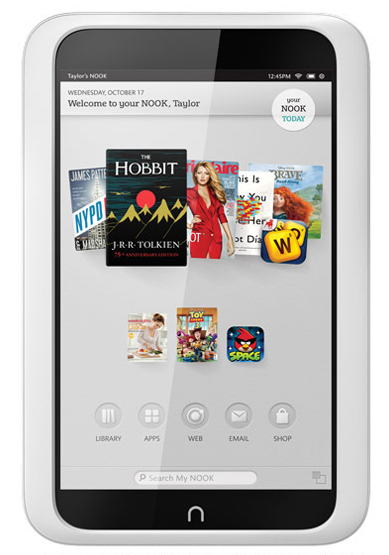
In all the tablet talk in the last couple of weeks, we had kind of forgotten about the Nook from Barnes and Noble. Woops. They’re back with brand-new devices to go head to head with Apple and Amazon. Starting Thursday November 8th, customers will be able to choose from a 7″ Nook HD or the 9″ Nook HD+.

Like all the other tablet makers on the market, it seems Barnes and Noble wants us to focus on screen resolution. To be fair, the Nook HD does have the best screen resolution of any 7″ tablet out there. With a screen resolution of 243 pixels per inch, or 1440 x 900, the Nook HD is way ahead of the iPad Mini, which clocks in at 163 ppi. And while the 9″ HD+ doesn’t have its counterpart’s best screen in the business, it does have a very respectable 1920 x 1280 screen.

The other major selling feature of the Nook is supposed to be simplicity; Barnes and Noble is marketing the device as a tablet for “families,” meaning that they want to push universal ease of use, rather than promote hardcore tech specs. If you’re curious though, the Nook HD runs a modified version of Android Ice Cream Sandwich 4.0, which is not the latest Android operating system (that would be Jelly Bean). However, B&N is guessing it won’t matter to their audience, instead using the custom OS to provide up to 6 separate profiles for family members.

The 7″ Nook HD with 8GB of storage will run you $200, while the 16GB model costs $230. The Nook HD+ starts at $269.00 for the 16GB version, and 32GB will cost you $299.00. Plus both Nooks also offer expandable microSD storage if you’d like to really increase your tablet’s space. There’s no expandable storage on the Nexus 7, iPad Mini or Kindle Fire, so if you’re into storage, definitely check out the Nook. Ironically though, the Nook is also the only one of those tablets without a camera, meaning users can’t take photos or videos, generally the biggest hogs of built-in storage.

For budget-minded consumers, the original Nooks will see a steep discount this season, with the Nook Color now only $139 and the Nook tablet only $159 for 8 GB or $179 for 16GB. Both are still solid tablet options for the right user, and the price can’t be beat.

What do you think about the Nook?  Would you consider a purchase? Let us know in the comments!


iPad 4: Is the New iPad Really That New? Is It Worth It?

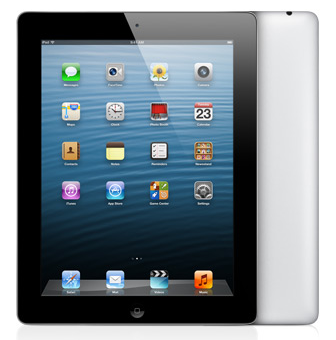
iPad 4 with retina display
iPad 4 with Retina Display. Worth your money?

Is it worth upgrading the new iPad 4? Well, that answer depends a lot on whether you have an iPad now, which one you have, and whether you have to have an Apple device — or a tablet at all.

Let’s back up for a second, and talk about why the iPad 4 release is sort of weird. First of all, it’s off-cycle. In the past Apple has updated its iPad (and iPhone) offerings once a year. But the previous iPad (let’s go ahead and call that iPad 3) was just released in March.

And that really highlights my irritation with Apple: rather than calling March’s release the iPad 3 (like the rest of us) they wanted us to call it “the new iPad.” Same deal with the most recent release. It’s almost as if they wanted customers who bought v3 not to notice that the product got upgraded within just a few months of purchase. Apple knew that they’d be releasing an updated iPad sooner than most consumers anticipated, but let folks buy those iPad 3s anyway. More proof: you can’t buy an iPad 3 on Apple.com. Your choices are either iPad 2 (now the budget model) or iPad 4. Apple’s calling it “iPad with Retina Display,” but when you look at the specs, it’s clear the only choice is this new, 4th generation model.

Read More

Win a ZAGGsparq Portable Battery for Your Smartphone

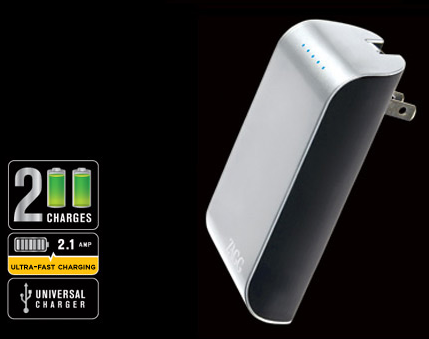
zaggsparq portable battery for smartphones and tabletsWhen your cell phone runs out of power, the result can be anything from just annoying to incredibly dangerous. And try as we might, it’s hard to stay charged all the time, especially when you really need to make calls. It makes sense to have a backup battery for those times, which is why we’re giving away a ZAGGsparq Portable Backup Battery for your phone.

The ZAGGsparq works as both a backup battery and a wall charger, so you only need to carry one device to stay charged. The wall charging feature recharges your phone up to 4 times faster than a standard USB charger, while the backup battery will get you 2 charges on your device. The ZAGGsparq is compatible with just about all of the major iOS and Android devices (including tablets), so odds are it will work with your device.

If you think you could use a portable battery (and we think you could!) it’s easy to enter. Use the widget below and go to our main giveaway page to leave us a comment!

a Rafflecopter giveaway

Google’s New Nexus 4 Phone, Nexus 10 Tablet Announced Today

Turns out, Google isn’t going to let a little thing like the worst meteorological event of the last 80 years keep them down. Nope, even though they were forced to cancel their big event in NYC today, we still get find out all about their new devices, the Nexus 4 and the Nexus 10.

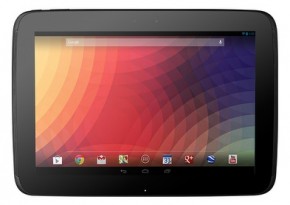
Google Nexus 10
The new Google Nexus 10, a 10″ tablet designed to compete with the full-size iPad

It’s a little confusing how many devices are named the Nexus, so let’s recap for a second. The Nexus is a product line of hardware designed by Google for Android. It comes it 3 sizes: smartphone, 7″ tablet & 10″ tablet. The Nexus 7 is the 7″ tablet that’s been out for a few months (you can watch our hands-on review of the device here). The Nexus 4 is Google’s newest smartphone, and the Nexus 10 is the 10″ tablet (see what they did there?). So in other words the numbers indicate how big the device is, more or less, and not a sequential progression of newer devices.

Read More

Last Chance to Win a Free Sony Reader

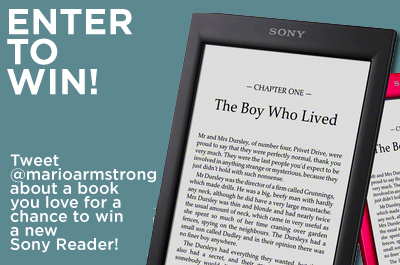
enter to win a free sony readerHave you tweeted to enter our Sony Reader contest yet? Make sure you enter today, because tonight at midnight our contest will be over! It’s make a great gift a Reader would make this holiday season…though you may just want to keep it for yourself.

Reader is the brand new e-reader from Sony, with access to a huge book library. It has great web integration for “Read it Later” web content like Instapaper. Plus it works seamlessly with Facebook and Evernote, something competitors can’t claim.

To enter click here and follow the directions. You’ll be prompted to make sure you’re following @marioarmstrong on Twitter and tweet him about a book you’d like to have on your new Reader. Pretty simple and it might even help us build up our reading list for the future!

Why Apple’s New Fusion Drive May Be More Exciting Than the iPad Mini

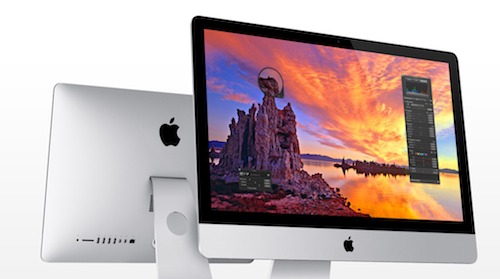
Apple iMac with Fusion Drive
Apple’s new iMac with Fusion Drive will begin shipping next month

Explaining hard drive technology is not nearly as fun or glamorous as talking about how thin or light a new device is. You can’t exactly pull an iMac out of your pocket to exclaim “It’s so efficient!” But in reality, the Fusion Drive might be the most innovate idea Apple has come up with in awhile.

My evidence is anecdotal, and based on my experience, but here’s my story. I bought a new computer a couple months ago, and went into the Apple store all ready to buy a new MacBook Pro. That’s what I had before, and I loved it. I thought the MacBook Air was just a machine that sacrificed power for looks, and I didn’t care that it was super thin. But what I had forgotten about was the flash memory.

Basically, the MacBook Air has solid state (aka SSD aka flash) memory. Without getting too technical about it, it runs faster. It can open programs and load processes quicker than old-fashioned hard disk drive (aka HDD) memory. So what’s the problem? It’s significantly more expensive than HDD memory: until the last couple of years, we only used SSD memory in small amounts, like thumb drives and old-school iPod Nanos.

Read More

Tablet Roundup: We Talk iPad Mini, Kindle Fire, Microsoft Surface & More

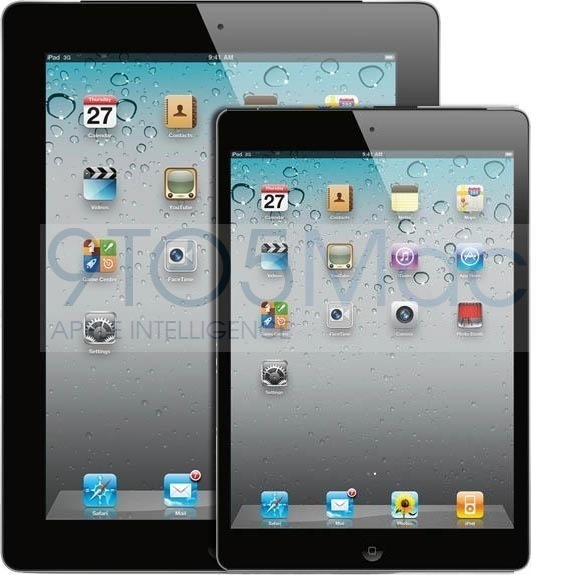
iPad Mini Mockup by 9to5mac

This is going to be a big week for tech. Huge, even. This week the big guys (Apple, Microsoft, Google) make some of their biggest announcements of the year about devices, all in an effort to get us psyched for the holiday gift-buying season. We’re going to take this (special) occasion to talk in-depth about tablets all week, and compare the features and prices of the leading models that will be out this fall/winter.

Tuesday is the big Apple event, where we expect to see the announcement of the iPad mini and a couple other product updates. We’ll be liveblogging the whole thing, so sign up for our email newsletter or follow us on Twitter and we’ll remind you to tune in. Will we see an iPad under $300? We’ll just have to wait to find out!

Wednesday we’ll go hands-on with Amazon’s competitor, the Kindle Fire. After all, just because Amazon has already made their big announcements doesn’t mean we should ignore the Fire! After all, a year’s data on the Fire is only $50. That’s crazy cheap!

Thursday there are two huge tech events we’ll be covering: the introduction of Microsoft Surface and Windows 8, plus a mystery event being held by Google. We just found out about the Google event, so we haven’t gotten a chance to do a ton of speculating yet, but don’t be surprised if we meet another Google phone. We’ll also go hands-on with the brand new Microsoft Surface to check out the hardware and see if Windows 8 really is the revolution Microsoft needs.

Friday we’ll take a hands-on review of the Google Nexus, Google’s 7″ tablet that’s only $200. After Tuesday’s event, we’ll have a better idea about how the hardware and price compare to Apple’s latest offerings.

Short version: we’re reviewing the leading tablets this week, including the new ones, so you can figure out which one may be right for you this holiday season. Come back all week for up to date coverage of the major device announcements!

New Google Flight Search Simplifies Finding the Best Fares

Anyone who’s ever tried to book business travel for themselves knows how irritating the process can be. There are way too many sites that promise the best deals, but they can’t all be the best, right? Plus, many of the travel sites’ user experience is less than convenient. It’s too difficult to compare flights, or if your travel dates are flexible, it’s not obvious how to manipulate your search to find the cheapest flight. And let’s not even talk about the popups. Leave it to Google to find a completely bare-bones solution that works incredibly well.

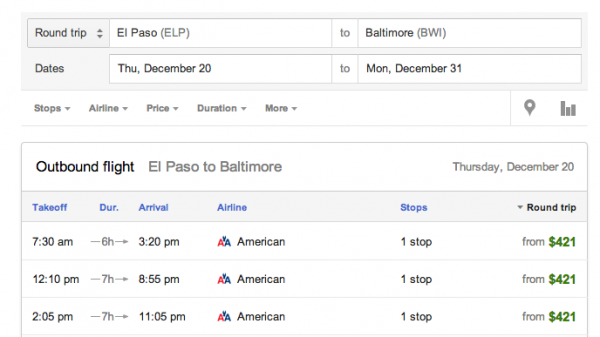
Google Flights‘ strength is in its simplicity. To get started, just put in your departure and arrival cities and travel dates. It’s easy to add additional airports just by clicking on your airport and checking off airports you’d be willing to deal with, and Google shows you whether there’s any savings available by expanding your search before you even check off additional airports.

Google Flight Search
My Google Flight Search. Easy.

Read More