SugarSync Adds Outlook Support – Add Email Attachments From the Cloud

Not using the almighty Google Apps for your business but still want to take advantage of cloud storage when sending and receiving emails? The SugarSync cloud storage/syncing/collaboration service now offers Microsoft Outlook integration that allows users to add email attachments of any size straight from your SugarSync account.
SugarSync for Outlook works with Outlook 2007 and Outlook 2010 for Windows, and works on PCs running Windows XP, Windows Vista, and Windows 7. You have the option of sending a link to a file or the actual file itself as an attachment. The advantage to using SugarSync is that you can send a file of any size as an attachment and not worry about getting dinged with a “file size too large” auto-response email seconds after you hit send. Read More

Premade Recipes Make ifttt Awesome

A while back, we found “if this then that”, a cool new way to automate some of the logistical work of your social media campaign.  “If this then that”, or just “ifttt”, is a way to write custom recipes or routines that fit your social media campaign perfectly.  That’s awesome, and what’s even more awesome is that you can share these recipes with the world.  You’re also free to use the recipes that have already been shared by others, rather than having to make them all up from scratch. Today I’m going to take a look at some of the coolest recipes I’ve found, and let you know how you can put them to work with your social media outreach. Read More

AT&T Video Capture

We have talked about technical tools that are great for field professionals more than once.  But today I am more excited than usual to cover a great new tool from our sponsor, AT&T.  Everyone’s smart phone has a great new video camera mounted to the back, but when we want to share these videos with our friends, family, or in our case, a co-worker, we have to rely on YouTube or some video hosting service. By the time that you have uploaded it and send someone a message to look at it, the moment has passed. Well no more, to the cloud!

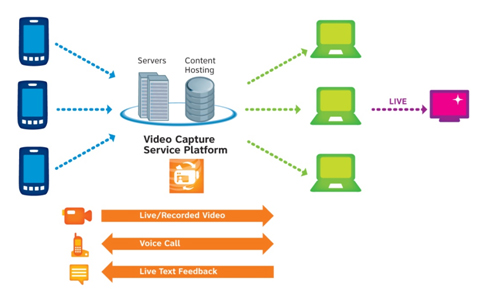
AT&T has announced the AT&T video capture apllication which enables businesses to stream live and pre-recorded videos from handsets in the field to co-workers in the office. The desktop gets a web-based monitoring interface, so you can watch videos in real-time from your desk, archive and organize these feeds, and communicate with users in the field about what you are seeing.  All this real time interaction greatly increasing the speed and agility of your organization. Read More

iTunes 10.5 is Here! Update now and install iOS 5 RIGHT NOW!

It’s just before midnight here on the east coast, but it looks like Apple got iTunes 10.5 out the door ahead of schedule. If you want to be the first kid on the block running the latest version of Apple’s mobile operating system (available for iPod touch, iPhone and iPad), then you need to head on over to Apple’s site right now and download iTunes 10.5.

Once you get iTunes 10.5 up and running (it’s painless if you use software update, though the installation process is a bit slow), it’s just a matter of syncing your iDevices to your computer for (hopefully) the last time. Because with iCloud software backing up your data into the cloud (and a free 5 GB of storage to boot!), the new iOS 5 brings tons of awesome features, and we can’t wait to get it on all of our devices, so we’re not going to delay this post any longer—find your cables, connect your devices, and get your iOS 5 on! Just be sure to let us know what you think in the comments!

Update: Full list of iOS 5 features and supported devices. Read More

iPhone 4S Available for Pre-Order Now Starting at $199

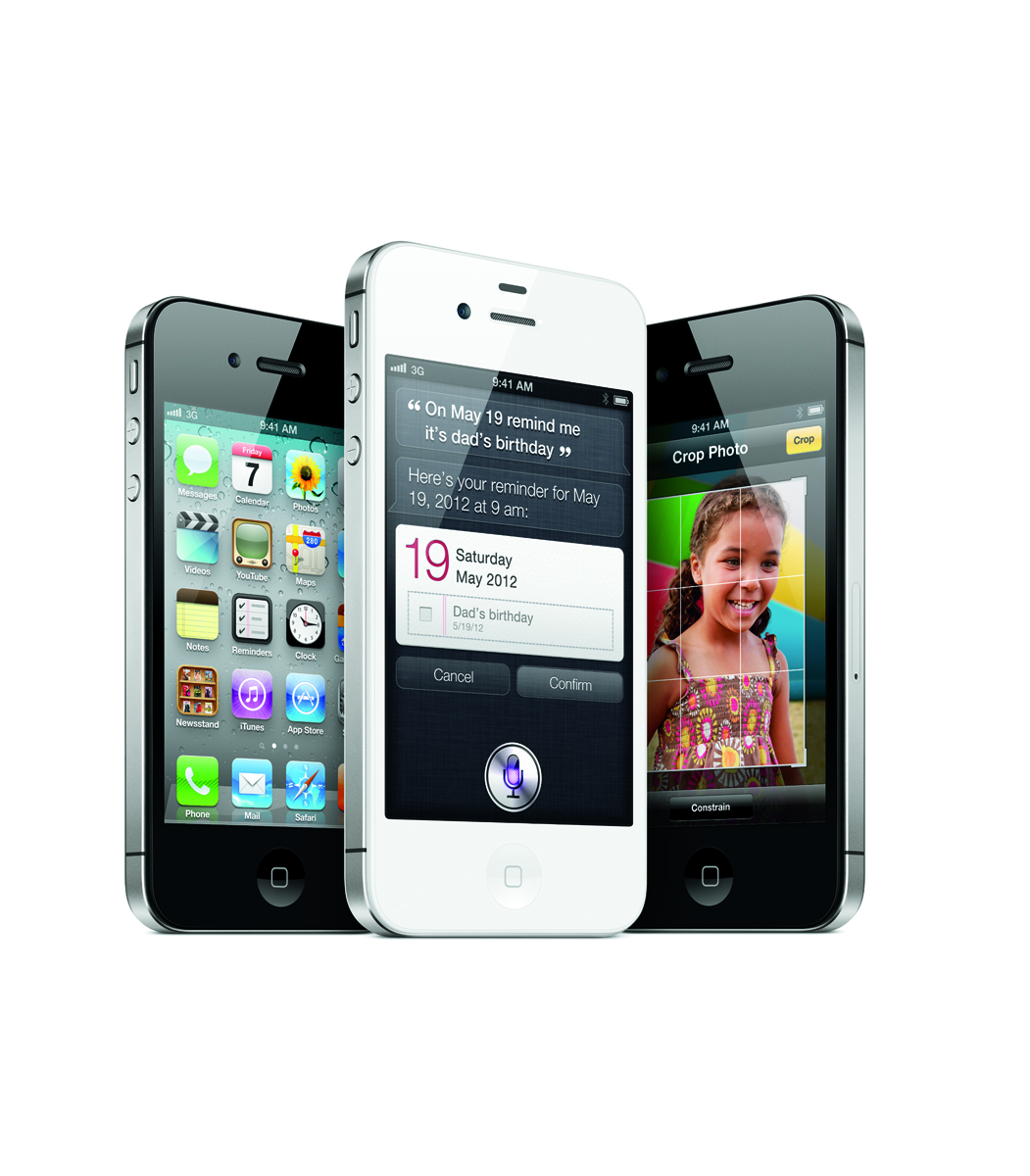
If you followed our liveblog, have read about the iPhone 4S camera upgrades or even seen our featurette looking at the hottest new iPhone features for Small Biz, then you’re probably as excited as we are for the iPhone 4S. With top-notch voice control brought to you via the new app Siri which promises to answer questions, control your calendar, and help you find anything you need, the iPhone 4S should prove to be an incredible phone for users on-the-go.

Now available on AT&T, Verizon and Sprint, you can pre-order the iPhone 4S on Apple.com today. Starting at $199 with a contract, the iPhone 4S is a great deal for those interested in finally upgrading from the 3G or 3GS, or for those with the iPhone 4 but who simply must have Apple’s latest tech. If you’re interested in comparing the various carrier’s voice and data plans (spoiler: AT&T and Verizon are cheaper for voice and mobile hotspot features while Sprint offers a cheap unlimited data plan) then check out Apple’s price comparison chart. Like the iPhone 4 before it, you can even pick up an unlocked iPhone 4S at full price. For users not wanting to get sucked into a 2 year contract, this will allow you to use your iPhone on pay-as-you go services as well as offer the most flexibility when traveling abroad. While not shipping until November, the contract-free iPhone 4S may also be pre-ordered directly from Apple’s site. Read More

Steve Jobs—Visionary and Hero, Rest in Peace

What an awful week. You’d think between the Amazon Kindle Fire tablet and the iPhone 4S announcement yesterday we’d have a ton to celebrate here on the site. Unfortunately, not only did one of our team members lose a family member this week but I’m deeply saddened to report that yet another of my personal heroes just passed away.

I’m sure I’m not unlike many of my colleagues here in the tech world when I say that if it weren’t for Steve Jobs and Apple, the company he founded with the ‘other Steve’ Wozniak, I wouldn’t be in the tech world today. In the second grade I learned how to write programs in LOGO on an Apple II, and in middle school I moved on to Apple BASIC. As an adult I’ve owned Powerbooks, iMacs, Macbook Pros, Mac Minis, iPhones, iPads… need I go on?

I didn’t believe it myself until the Wall Street Journal reported that Steve Jobs had passed away, but it’s official—the front page of Apple.com is the image you see above. Being frank, without Steve our industry wouldn’t exist. Steve Jobs sold the public on smaller, more powerful devices. I just got off the phone with Mario, and both of us had literally nothing to say, so I won’t drag this post on any longer than it needs to be. Steve, you’ll be terribly missed. Condolances may be emailed to rememberingsteve@apple.com.

iPhone 4S has some nice camera upgrades

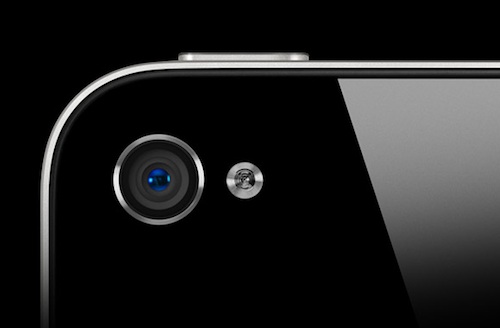
For some of us, the most compelling new feature of the iPhone 4S isn’t the debut of iOS 5 or the faster A5 processor. No, what I’m most excited about (and I know I’m not the only one) is the new, beefier camera. We’ve come a long way; ten years ago phone cameras were a joke, and now they’re the most popular camera on flickr.  The iPhone 4S’s camera upgrade shows us why.

First, the size: 8 megapixels. This is the most marketing-friendly upgrade, but in my opinion it’s the least important. Plenty of devices have high pixel counts, and the fact is you don’t need a high pixel count to take a quality photo. High pixel counts are really only necessary for very large photos with very large sensors, like DSLR-type cameras. Having a lot of pixels in a small space only helps the quality of shots that are blown up very large, which isn’t a common use of a phone snapshot. So what is important? Read More

iPhone 4S Gets Official – Reveals Several Productivity Features

If you’ve been living under a rock, then you don’t know that the iPhone 4S has been announced finally giving the tech industry a reason to talk about something else… that is until iPhone 5 rumors start to resurface again. That’s right, Apple only announced one device that looks identical to the current iPhone 4 but with a plethora of new features and enhancements under the hood.

If you’re debating whether or not to upgrade to the new iPhone 4S or keep the iPhone 4, here is a look at the new features that will certainly give your mobile productivity a boost. Read More

Better (and cheaper) Than Expected: The Amazon Kindle Fire Tablet is Here

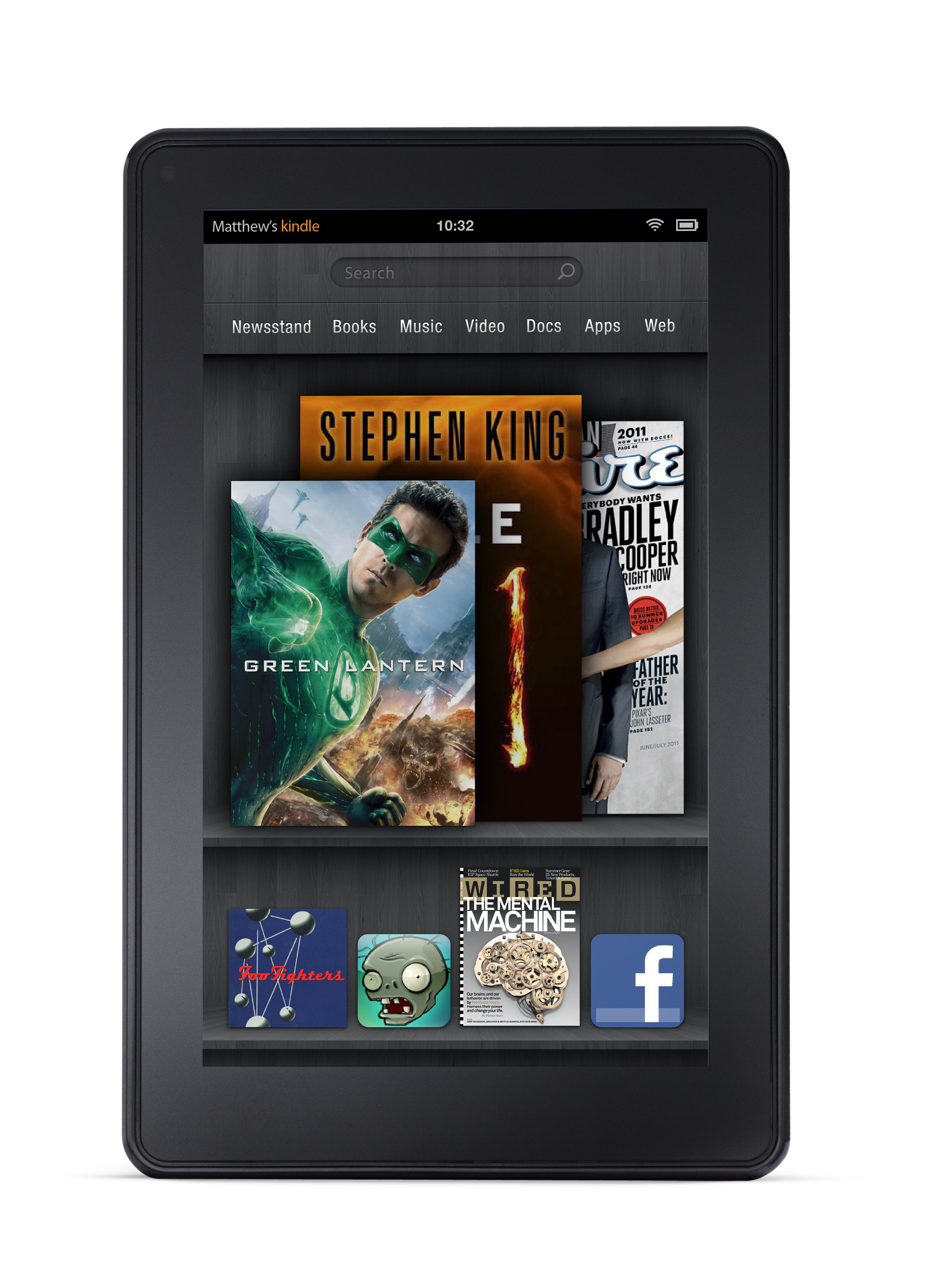
The day has finally come; the tablet market has been upended.  As I argued back in early August, the tablet PC market was due for a shake-up; other manufacturers simply couldn’t hope to move significant quantities of iPad-like tablets at Apple’s price points, and, as I suggested in late July, Amazon was the one company with the resources and will to bring an iPad-killer to market.  Amazon CEO Jeff Bezos vindicated my soothsaying at a highly publicized press conference, where he introduced his company’s hotly anticipated Kindle Fire Android-based tablet, which will retail for a door-busting price of just $199.  In addition to the Fire, Bezos also unveiled a new base-model Kindle, which will sell for $79, as well as the touchscreen-enabled e-ink Kindle Touch, which will come in at two price points; $99 for the ad-sponsored model, and $149 for the ad-free, 3G enabled Touch model.

While the $79 Kindle and Kindle Touch models are certainly newsworthy products, the real story here is the Kindle Fire, which eschews 3G data service, onboard cameras and microphones, and copious storage space (the onboard memory is only 8GB) to bring a bare-bones, high-performance tablet within reach of nearly every gainfully employed American consumer.  Technically, the Kindle Fire is powered by Android, but you wouldn’t know it from using the device, as Amazon clearly spent some time and money customizing the UI, and the snappy, sleek interface bears almost no resemblance to its Honeycomb tablet brethren.  As one would expect, the UI foregrounds Amazon’s various digital offerings—e-books, digital music, and streaming film/video—but what’s unexpected is that the Fire will also come pre-loaded with Amazon’s just-announced, bespoke “Silk” web browser, which utilizes Amazon’s extensive “Elastic Compute Cloud” infrastructure to intelligently pre-load browser content to a user’s device, a strategy that should make for some lightning-fast web browsing. Read More