Remember the People You Meet with NameCatcher Biz App

With all the seminar’s, conferences and networking events you feel compelled to attend as a small business owner, remembering names can be a task in and of itself. Yeah, you could collect business cards from people to add to the mountain of business cards you already have (and never look at).

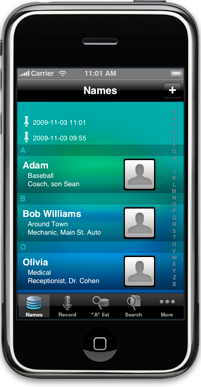
OR you could use the NameCatcher Biz iPhone App that allows you to not only quickly jot down a name, but assign names to categories and add little facts/details about the person. NameCatcher Biz displays those categories and hints about people you meet so you are constantly reminded. Glancing at your master list of names can help you make that visual connection about each person.

Additional features include:

Photo tool – snap an image and assign it to your names
GPS feature – shake your phone to pull up a list of people you’ve met at a particular location
Contact List Sync – Sync your names, categories, and details about a name with your phone’s contact list.
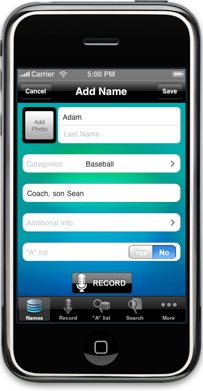
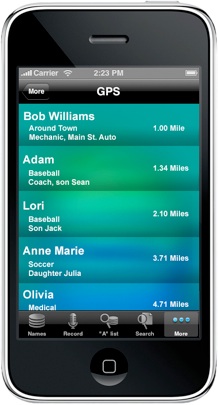
Every person has their own unique way of using memory tools. NameCatcher Biz was built to allow you to search how you want. If you want more details about a person, NameCatcher Biz has “additional info” fields to allow you to add more. Some of us want the bare bones…others want more visuals, more hints and even location reminders. The app can find the name you need in a blink, using it in whatever way works best for you.

NameCatcher Biz is $0.99 in the iTunes App Store (OS 3.0 and up)
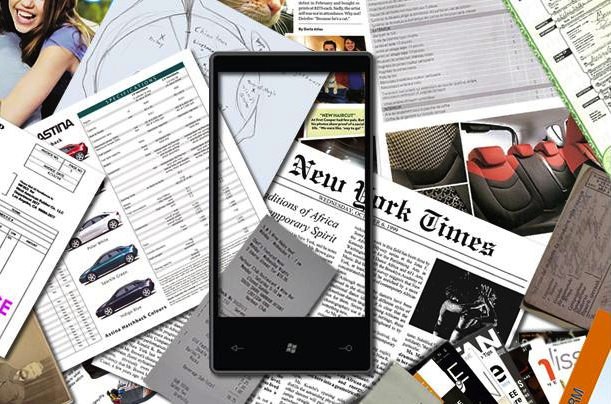
Handyscan Document Scanner for Windows Phone 7

Smartphone cameras come pretty much standard with uber-high megapixel cameras nowadays – Prolly more than your average consumer will ever need. Simply because most of us still have a trusty-old (or new) point-and-shoot camera for “real pictures”. So I can’t think of any other purpose to use the smartphone camera for than using it as a document scanner for those documents that you need to send to a friend, family member, or client when your phone is the only piece of technology you have on your person at that moment.

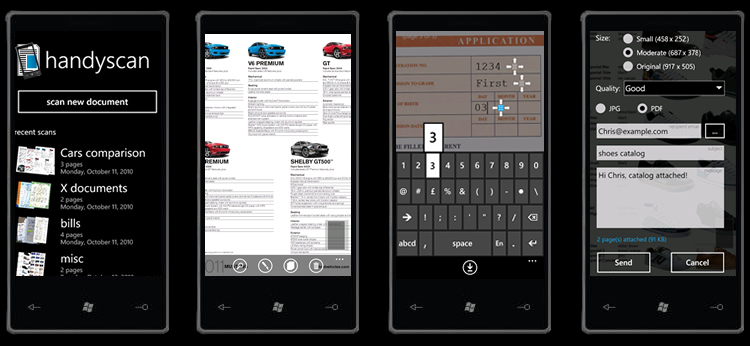
Developers JDB Pocketware wasted no time in creating the Handyscan app for Microsoft Windows Phone 7 devices that snaps a shot of the image and can convert it to either .jpg or .pdf to quickly send to anyone.

Handyscan can emulate the functions of an actual document/image scanner by scanning multiple documents and creating one file and edit options like the ability to align/rotate, crop and change the size/resolution of scanned documents. Additionally, Handyscan has also a ‘typewriter’ feature which allows you to type text into scanned documents or forms.

Handyscan for WP7 devices can be downloaded from the Windows Phone Marketplace on your device for $2.99. There is also a free lite version that excludes the options of choosing the file format (.jpg or .pdf) and size/resolution of scanned documents.

Of Course, even if you have the best lighting and a super-steady hand, a scanned document using an actual scanner will produce the best document quality, but I don’t know anyone who carries one of those around with them…just in case. So for those times when you need to get that document scanned and sent sooner the later, why not rely on your smartphone?

…You already rely on it for everything else

Three New AT&T 4G Phones Announced at CES

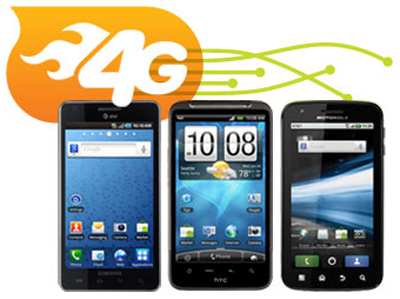
left to right: Samsung Infuse, HTC Inspire, and Motorola Atrix

This post is more of an update to my earlier post about the HTC Inspire 4G phone and the addition of the Motorola Atrix 4G and the Samsung Infuse 4G that will be available for AT&T customers sometime in the first quarter of 2011. Both are 4G phones and will run on the 4G HSPA+ network as AT&T starts to deploy it’s 4G LTE network in mid 2011.

The HTC Inspire 4G is a Single-core 1GHz Snapdragon processor; 4.3 inch 800×480 resolution screen; front and back cameras with 720p playback; and will be running the Android “Froyo” 2.2 OS.

The Motorola Atrix 4G will be one of the first smartphones to boast a dual-core Tegra processor; with a 4.1 inch 480×854 resolution screen (back down to human-size); with 1080p playback and front and back cameras (pretty much the standard nowadays)

The “Big Daddy” in terms of sheer size is the Samsung Infuse 4G with it’s hefty 4.5 inch screen. The Infuse will have a 1.2GHz processor and and will features a Super AMOLED screen with new technology that is supposed to cut down on glare in the sunlight. The Infuse will also run Android 2.2.

There you have it, AT&T wants to win over the Android folks (just in case “Big Red” does pick up the iPhone) with its announcement of three new 4G phones at CES. We will have to wait and see how smooth they work over AT&T’s HSPA+ network.

Motorola Tablet Teaser Video

Motorola Tablet Rear View?

Word on the street is that our very own Mario Armstrong will be reporting live from Vegas at the 2011 Consumer Electronics Show

(Jealous much?)

If I could add one request to the many devices, gadgets, and products that Mario has on his “I must demo this” list for CES, It would be the new Motorola Tablet that will be unveiled during the event. Right now, all I’ve have been able to dig up about the Tablet is that it will have the new Android Honeycomb OS that is tailored specifically for tablets, and will have a 10″ screen – That should put it in DIRECT competition with the Apple iPad that even with some of the latest tablet releases (Dell Streak and Samsung Galaxy Tab) STILL sits alone at the top of “Tablet Mountain”

Motorola hopes to change that, and has released a down-right sexy teaser ad that goes right at the iPad…and pretty much every single type of tablet in recorded history in order to create some buzz.

Check out the video and tell me what you think

Stay tuned to SmallBizGoMobile as more details surface!

Create a Mobile App For Your Business with No Coding with Majoobi

With the Majoobi application platform and HTML5, “developers” can create visually appealing, functionality rich applications that run on different devices – No coding or middle man App Stores required. Since Majoobi is HTML5 based, iPhone & and Android users can visit your app’s url and bookmark your app on their device.

The Majoobi App Builder is an online tool that enables publishers to easily build and customize their applications without any coding. You can use RSS, Photos, Twitter & Facebook feeds, YouTube videos and other sources to stock your website with content in a matter of minutes (make sure the content is yours or you’re approved to use it). With the App Builder template, you can customize your app with colors, fonts, etc. to make it an original app that exemplifies your business in mobile fashion.

With Majoobi, you can create multiple apps and anyone can create an app. You can even submit to an App Store for more exposure, but it is definitely not a requirement. With Majoobi, you can develop and distribute your app on your own terms. Since there is no real download and the app uses HTML5, your visitors will need a data connection to use your app, versus a traditional app can make use of offline content to function. But hey, who uses a smartphone without coverage?

Majoobi also offers detailed analytics and statistical reports that allow you to track and analyze how people use your app. Geo-locations, visitor reports and many others are available to better measure effectiveness and optimize performance.

Majoobi is free to use, but there is a pricing schedule if you want to take your app to the next level with your own domain name for example. This an other features are available if you decide to upgrade, but with the free version, you can be up and running in no time with only minimal “sweat equity” invested.

For those who want to reach out to the “always connected” user that lives on their smartphone but are intimidated by the ideal of app development; Majoobi can get on your business on the radar of mobile users regardless of the device the are using with no coding needed.

Make Your Work Phone an App on your Personal Phone with Virtualization

Sounds good doesn’t it? LG and VMware want to do just that. They’re working together on ‘mobile virtualization technology’ that will allow you to run a fully-functional 2nd phone complete with a separate phone number & security policies as an app within your personal phone.

That is idea for enterprise folks who do to strict company IT policies, couldn’t possibly use their work phone as their personal phone OR really don’t want to whip out their clunky, 2 versions back smartphone (which, in smartphone terms is like 3 months ago) while outside the workplace.

Fresh from the press release:

Smartphones are driving demand for an enhanced mobile experience as business- specific devices lose appeal and employees look to use their personal devices at work,” said Stacy Crook, senior analyst for IDC’s Mobile Enterprise research programs. “For the business market, the individual-liable, employee-owned model is here to stay. Savvy companies will embrace the trend and procure the necessary means to ensure that all devices with sensitive information are managed properly.

Initially, the software will be available for LG phones running Android operating systems and is expected to come to market sometime in 2011. Don’t be surprised if other mobile brands/manufacturers quickly jump on the bandwagon to appease those looking to carry just ONE PHONE for both business and pleasure personal.

*raises hand*

Check out the video of mobile virtualization technology at work.

http://www.viddler.com/explore/engadget/videos/2153/

[via: Engadget]

Package Tracking App for BlackBerry Keeps an Eye on Your Shipments

Amazon shipping robotI currently own a BlackBerry, and when I want to track a package, I open up my web bookmarks and find the corresponding mobile website for the parcel service that’s handling the shipment. I recognize and appreciate these companies for creating mobile sites so folks can track their shipments via their mobile devices, but it would be cool if there was one app that could track all my packages, no matter the carrier.

The Package Tracking app for BlackBerry does just that. All you do is Define your tracking numbers, click on colorful envelope, and after a few seconds you will get information about the current status of your shipment. You can track packages shipped through the following couriers:

UPS
FedEx
USPS
Ontrac
DHL DE
DHL PL
DHL/Airborne USA

You can track up to 5 packages at once, and the app will display all updates to the shipment’s status and its whereabouts.

The Package Tracking app can be had for $3.99 at BlackBerry App World. So if you are in e-commerce or a reseller looking to quickly track your inventory, or just need to make sure all of your holiday packages you bought online reach your house, Package Tracking app may be right up your alley.

Scan the code for the BlackBerry App World link.

Scan code with your BlackBerry QR Code Reader

Fuze Meeting for iPad makes Your Meetings Mobile

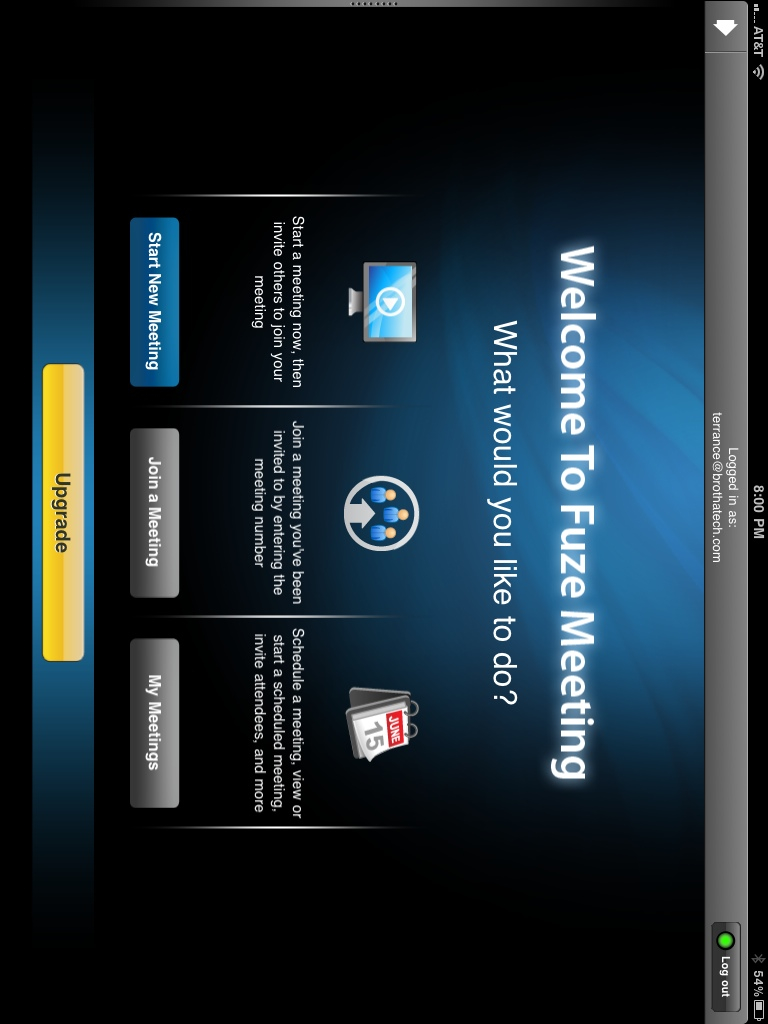
Conducting a video conference or meeting no longer requires a sophisticated conference room Audio/Video setup. As more business professionals, entrepreneurs and small business owners are going mobile, the need to conduct meetings, conferences and presentations on their mobile devices is a necessity.

That’s where the Fuze Meeting app comes in. Fuze Meeting gives you the ability to take the meeting with you. With Fuze you can:

– Run your sales meeting from home or on the road
– Start a technical support session, make someone a presenter and have them share their mac or PC screen for remote troubleshooting
– Start and manage your next team conference call
– Use it to remotely control slides and other content in your board room!

Other features include VoIP integration, in-app instant messenger, a laser pointer functionality, pinch and zoom features, and cloud integration (Can somebody say Dropbox?). Fuze Meeting app will work on the Apple iPhone 4, Android, iPad, laptops and desktops with web cameras. So no matter what device your attendees pick as their weapon of choice, your mobile meeting, powered by Fuze, has you covered.

There are other mobile meeting apps out there that can tackle a similar task. What will set Fuze Meeting apart is the fact that your iPad or Android Tablet will add HD video conferencing in 720p. So if you do have conference attendees with high-powered video setups, your tablet device will have no problem displaying their video feed on your device in high quality.

Fuze is available for the iPad as a free download in iTunes (OS 3.2 and up). If you need more than two participants for your meetings, an in-app upgrade is available.

As more people ditch their desktops and maybe even laptops for a more mobile way to operate their business, look to applications like Fuze to get folks out of the office while keeping them connected.

http://www.youtube.com/watch?v=0OkC2IRZc-4&feature=player_embedded

Google Docs Gets Mobile Editing Capabilities

Google Docs is a great web application that allows to you to create, save, and share documents with other users and other devices. If you are on the go and needed access to your documents via your mobile device, you can sign into your Google Docs account and have your document available to you.

…But that’s all you could do. Google has decided to step up its game and add read and write capabilities to Google Docs for Android and iOS Devices (iPhone, iPod Touch & iPad). So now, if you happen across a typing error in a document or a wrong figure in a spreadsheet and can’t wait until you get back to the office to make the change, you can now tweak you document and still keep to your busy schedule. This is especially helpful if you collaborate with other members of your organization and you need to make “mission-critical” changes (I’ve always wanted to say “mission-critical”) sooner than later.

This also points out another solid feature of Google Docs. Editing documents, whether using a desktop, laptop, OR now a mobile device, can be done in real-time. So users who have access to your document see changes as you make them and you can see their changes within seconds on your mobile device. And added bonus if you are an Android user is that you can use Android’s voice transcription to add text to your document as well. So you can save some time and speak text directly into your document.

Android OS 2.2 “Froyo” users and iOS 3.0 and up devices should start seeing the “edit” button at the upper-left side of a document they are in within the next couple of days. To check out Google Docs on your mobile device, visit docs.google.com.

Get it Booked – The First Time with Tungle.me Scheduling

Trying to schedule meetings with partners & team members, clients, and other groups can be a task. Everybody seems to be using different calendar formats/platforms on different devices in different timezones. Funny name aside, Tungle.me looks to bridge the gap to make scheduling easier for everybody involved.

It doesn’t matter if you are using Outlook, Yahoo, Google, iPhone, BlackBerry, etc. As long as your calendar is electronic, Tungle will allow you and your contacts see your available/busy times, propose multiple meeting times, and create group scheduling pages to make booking time consistent for all of your scheduling needs. Without having to sign up, visitors can propose multiple meeting times to ensure the best match to your schedule. Tungle time even takes care of the replies, timezones, and confirmations so you’re not switching back and forth between Tungle and your email client.

If you’re a mobile champ, Tungle.me is available for iPhone and BlackBerry so you can take your schedule with you. Meetings booked through Tungle, regardless of what device you use, will automagically be synchronized with your calendars at work, at home, or on the go.

Whether you use your calendar in an enterprise or education environment to meet/collaborate with fellow employees or partners, or as an entreprenuer looking to schedule time with clients and/or customers, Tungle.me can take the hassle out of booking time to meet. Tungle.me is free to sign up and free to use.