Struggling With Your Typing? Pick Up SwiftKey X for 10 Cents

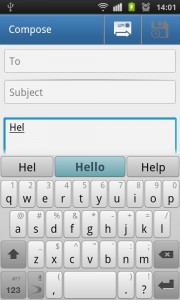
To celebrate their 10 billionth app download, Google is offering some of their hottest apps for a dime this week. While they’re mostly games, art and music apps (all worth pickup up as well, including the brand new Android port of the popular game Minecraft), one app in particular stands out as a great deal for the mobile professional: SwiftKey X.

While I’ve always found typing on Apple devices to be a breeze, Android keyboards are a crapshoot. While the Gingerbread keyboard was a huge improvement on the phone side, and the Ice Cream Sandwich one even better, plenty of users want real predictive text that can help them write sentences not simply complete words.

SwiftKey X isn’t perfect and won’t completely change your life if you’re struggling with your phone, but with over 23,000 five star reviews in the Android marketplace it’s clearly a welcome addition to a lot of user’s mobile arsenals. For a mere 10 cents, you owe it to yourself to try.


LINK: Purchase SwiftKeyX from the Android Marketplace.

TripIt Travel App Lands on Kindle Fire

One of my concerns for the new Amazon Kindle Fire is (or was) “will it have enough apps?” Reason being, the Android platform is kind of fragmented across all of the different device manufacturers and carriers who use the platform to add their own spin on a mobile products. Throw in Amazon, who not only completely strips Android down to its nuts and bolts to create its own tablet, but also create another Android app store for consumers (and developers) to scratch their heads at, and you’ve got a recipe for distaster.

From the looks of it, the Amazon Kindle Fire is pretty hot device, and as a result, hasn’t have any problems proving its worth to consumers looking for a more fiscally responsible tablet instead of ponying up a BMW car note for an iPad. Plus they’ve found plenty of mobile app developers looking to been seen on as many devices as possible.

Case in point, I wrote last week about the Documents To Go app being available on the Fire, possibly making you more productive on a tablet that was primarily designed to browse and consume content from the Amazon ecosystem. I just got word that the popular TripIt travel app is landing on the Fire, giving users more control over their travel plans as well. Read More

Could Going Social Save Your Life? Benefits of Social Media that You Might Not Think About

David Egger is Lead Marketing Manager for AT&T’s IRU (Individual Responsibility User) Mobility Programs. You can find more blog content from David and other experts on emerging technologies and mobile application on the AT&T Networking Exchange Blog. AT&T has sponsored the following blog post.


I’ve spent just about my entire life being the fat kid. Numerous crash diets, exercise regimens and scams have been tried over the years from the plausible to the ridiculous. I remember in 9th grade I tried eating nothing but sugar free jello for three weeks. That didn’t work out. In college I tried Atkins, and while I lost a bit of weight, the SAE house with its chicken wings, Marvin’s Garlic Cheeseburgers and school lunch pizza was far from conducive for a strict diet like that. Then I went on the road as an Account Executive for Apple’s Higher Education team, living out of Hampton Inns and on delivered pizza. Suddenly, I was 27 years old and 350 pounds.

I knew it was my fault, I just never had the willpower or motivation to make the real change happen. Everyone has felt this way about one thing or another, whether it’s losing weight, building a new website or mobile app for your business, or just needing to make a load of sales calls.

So there I was, 27, about to finish my MBA and so big that I was pushing the limits of Men’s Wearhouse’s big and tall department. Then I discovered RunKeeper, a mobile app and website that lets you easily track your physical activities. Read More

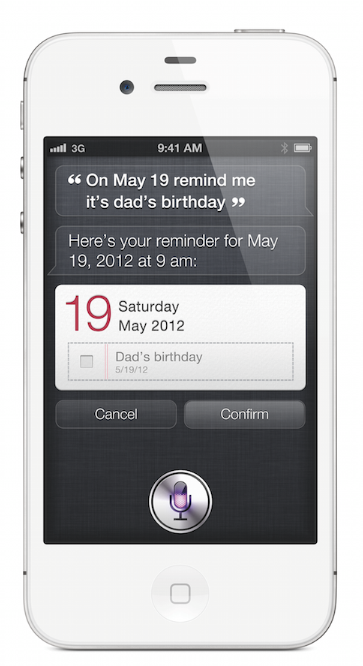
REVEALED: The Hardware-based Explanation for Why Siri is an iPhone 4S Exclusive

Ever since the iPhone 4S was released, fans of the Apple line of smartphones have been asking why their original iPhone 4 or even their 3GS (both of which run the latest iOS 5) doesn’t support Apple’s newest innovation which brings a personal assistant to your phone. After all, if the only differences in terms of upgrades between the iPhone 4 and the new 4S were incremental upgrades like an improved camera and the new world phone capabilities then what could possibly be preventing the iPhone 4 from running the software? Some clever engineers even hacked together a non-responsive version of Siri for the iPhone 4, although since Apple blocks any device except the iPhone 4S from communicating with their servers, it didn’t actually function.

So what is it that makes the iPhone 4S special? Turns out there’s another new piece of tech in the latest from our friends in Cupertino. Read More

Get an Advantage: Premier Opt-In Advantage Email from AT&T

Hate when you miss a deal that could have saved your business a bundle? AT&T Premier has a solution (when it comes to your wireless needs): heads-up email on upcoming special offers, new smartphones, exclusive packages, and more.

Subscribe to Premier Opt-In Advantage email and you’ll be one of the first to know when you can save on tools that’ll keep you connected, productive, and entertained. (Like BlackBerry® smartphones. Have you seen the latest affordable models?) You can even tailor your subscription to your interests and needs.

Take a second and subscribe today. You’ll thank yourself later.

This message brought to you by our blog sponsor, AT&T

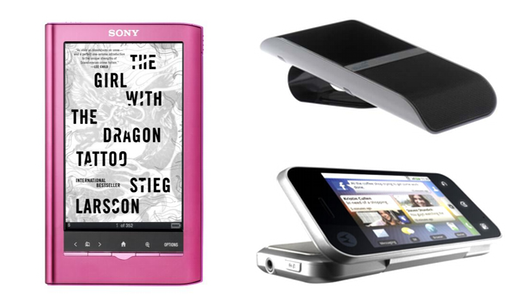
Ultimate SBGM Contest: Win a Sony eReader Pocket Edition PRS350, BlueAnt S4 headset, or an AT&T Smartphone

Getting free gadgets is what makes the web so much fun, right? That’s why we’ve got an endless treasure chest of things we’re putting in your stocking this holiday season.

This time around, we’ve got three killer items we’re giving away: the PRS350 Pocket Edition eReader from Sony, a BlueAnt S4 headset, and the AT&T Motorola Backflip Smartphone. Head over past the break to find out how to enter. Read More

The Future of Television is Here, and it’s an iPad App: Free Streaming Bloomberg Television Hits the App Store

A lot of people might be looking at the title of this post and thinking that I’m being hyperbolic. I’m not. A huge new app hit the App Store for iPad today, called Bloomberg TV+. Unlike every other TV app out there, from the heavy-hitters of broadcast like NBC and FOX to streaming channels like Hulu and HBO Go, Bloomberg’s television app for the iPad let’s you watch Bloomberg TV live. For free. No strings attached. Literally the same experience as if you tuned into their cable station, but with added features like a live stock ticker, a list of upcoming shows, on demand viewing of previously aired full-length programs, and most impressively a sidebar that’s updated live that includes a list of guests and companies mentioned on air.

It gets better. The quality, for one, is amazing. Read More

Been waiting to buy a new MacBook Pro? Today Could Be Your Day – Upgrades Across the Line

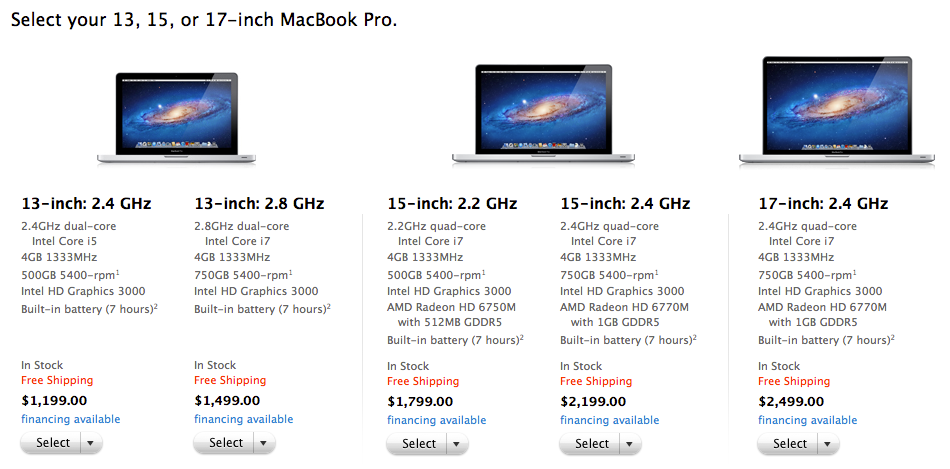
While no major changes have been made to Apple’s professional line of laptops, the MacBook Pro, Apple quietly upgraded the entire line of products today to introduce some small changes—bigger hard drives, faster processors and some better graphics cards. Minimum hard drive sizes are now 500 GB across the line, and processor speeds have been bumped up: you now get a 2.4GHz dual-core Intel Core i5 on the lowest-end 13″ model at $1,199, and 2.8GHz i7 on the upgraded model at $1,499. Graphics on the high-end 15″ and 17″ models have been bumped up from the AMD Radeon HD 6750M to the newer HD 6770M model, which should provide a nice boost to anyone doing heavy graphics and video work, or even those just looking to eke out a few more FPS in their favorite games.

As Apple’s laptop upgrade schedule is never a public matter, you never know when the laptop you just bought is going to become last year’s model. Which is why if you’ve been interested in a new Mac, now is the best time to buy a new MacBook Pro.

The Pantech Crossover is the Perfect Entry Level Smartphone

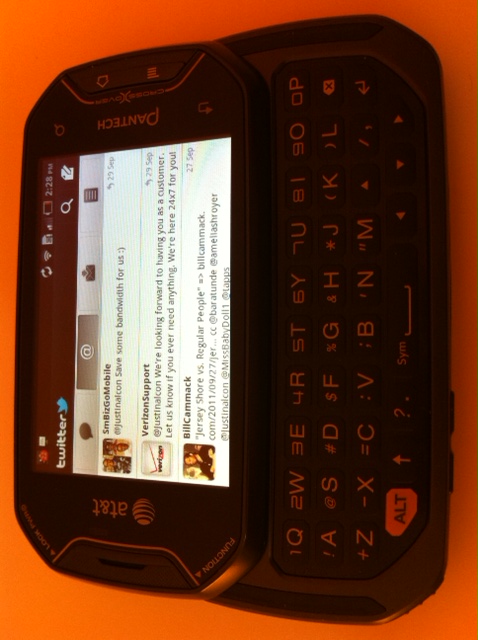
I recently had the pleasure of using the Pantech Crossover for a week,  and I have to say that I’m impressed.  I have been a smartphone user for a REALLY long time (I don’t want to say how long for fear of sounding like a bigger nerd than I already do).  I feel like I’ve basically seen it all when it comes to handheld devices.  And yet, this small Android device with a real keyboard was still able to surprise me.  As comfortable as I feel with smart phones generally, I realized I hadn’t used one with a proper keyboard since my T-Mobile Sidekick.  While the form was foreign to me, I was impressed at how easily I was able to begin using the Crossover due to its intuitive design and responsive interface. Read More

A Second Monitor For Your Laptop Could Be the Ultimate Mobile Accessory

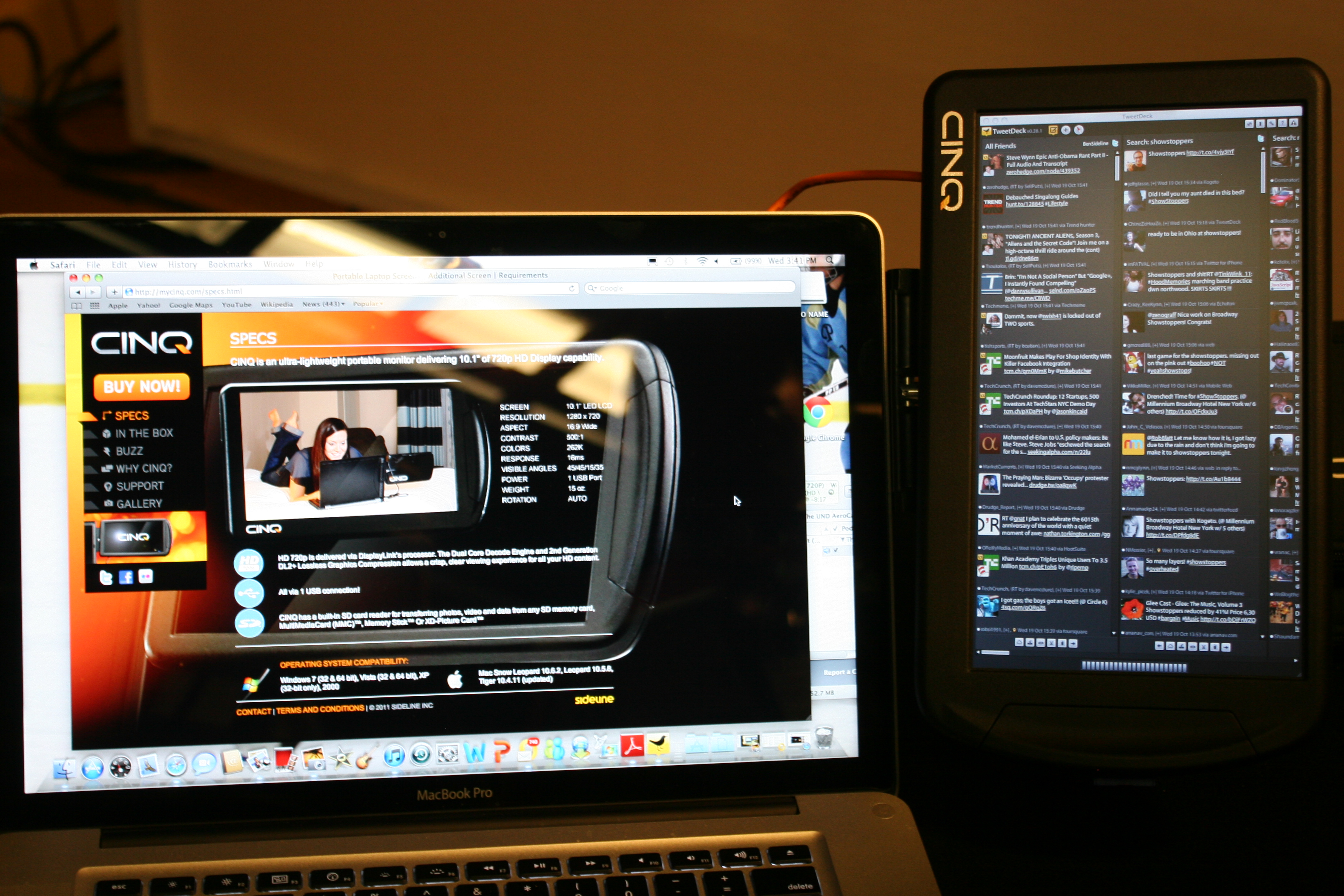
It’s easy to forget that the backbone of mobile productivity is still the laptop computer. While we’re increasingly able to do more with our smartphones and tablets (and with some, including Apple head Tim Cook predicting that the tablet market may someday eclipse the PC market), the fact is that most of us can’t yet do everything from our iPads. While dual monitor set-ups are popular at the office and at home, they’re not exactly the easiest thing to make mobile. Sure, Lenovo tried a dual-screen laptop back in 2008, but those barely made a dent in the market. After all, you don’t need a second monitor all the time, so why not have one as an optional accessory instead?

That is exactly the line of thinking behind the new CINQ monitor, a 720p HD second monitor that works over USB. That’s right, no matter what kinds of video out options you have on your laptop, you simply plug this baby into a USB port on your machine and you’re suddenly running on two screens. You can easily place on the table next to your laptop or even attach to the side of your existing laptop screen with the included mount. Billed as the “ultimate laptop accessory”, the CINQ is a 10.1″ 1280×720 monitor that will work on virtually any kind of computer. Because it encloses a video card (rather than sapping your current video card to power the display), the CINQ external monitor is virtually guaranteed to work on PC and Mac, as well as on laptops, netbooks, ultrabooks, and even desktops. Read More