Hire a Gopher with TaskRabbit and get help Getting Things Done

It’s a known fact that as a small business owner or entrepreneur, you are twice as busy at making your endeavor great as merely clocking in and out of a 9-5 gig everyday. In addition to taking care of business at ungodly hours of the day, you still have to do your regular home and family stuff. You probably can’t afford a full-time assistant and you can’t add extra hours in the day to run back and forth to your local office supply store.

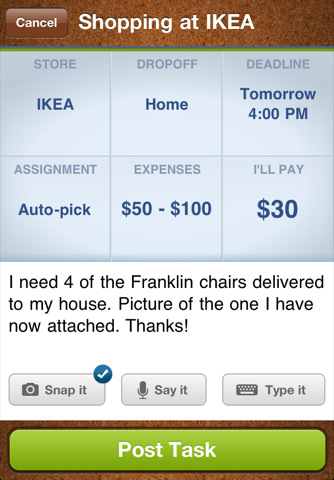
TaskRabbit is a new service/mobile app that let’s you post a task, and have “TaskRabbits” bid on how much they will do the task for. You can check out TaskRabbit’s profiles and pick the one that best matches. You can save your payment information with your profile and securely pay when they are done with the tasks. Read More

Kashoo Online Accounting Adds iPad App for Mobile Accounting

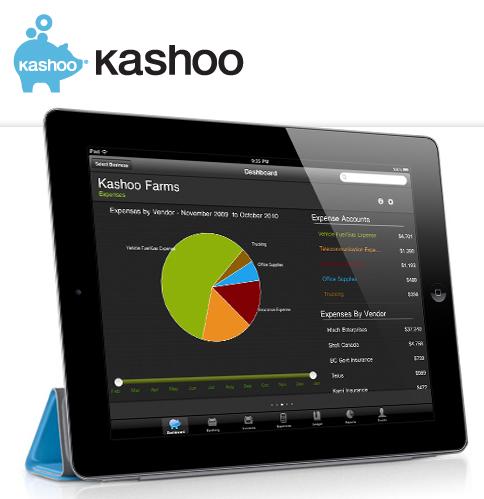
To be honest, The Kashoo Online Accounting service isn’t too much different than a Quickbooks Online, InDinerio or Outright for small businesses. With all of these services, you can set up an account fairly quickly and manage your money using the following features:

– Manage income/expenses
– Create and send invoices
– View financial reports
– Manage customer information

…and more without installing software on your computer. Read More

Google Voice Spam Filtering Stops Telemarketers In Their Tracks

One of the cool (and free) little services I use for my business is Google Voice. My GV number is what I use as my “official” business number…but I set it up to ring to my smartphone. That way, I don’t have to give out my personal number for business, and I don’t have to worry about missing a call since my phone is always with me…always.

Now SkyNet Google has added global spam filtering that let’s you stop telemarketers from reaching you if they happen to find your GV number. If your number was recycled by Google, this setting will stop folks that hassled the person that owned the number before you as well. By enabling the feature, Google will catch already recognized spam by Google (or other users).

Simply log on to your GV account online, click the “Voice Settings” cog in the upper right corner, go to the “Calls” tab and click the “Global Spam Filtering” check box. All spam recognized by the system will skip your inbox and go straight to the spam folder.

Since a Google Voice number is still a phone number, telemarketers will still try to sell you windows, siding, free vacations (if you SUFFER through a timeshare presentation) and everything else under the sun. At least now you have a weapon to push those persistent so and so’s to your spam folder.

[via Google Mobile]

Got2B Wireless does business mobile literally

We write a lot about business on-the-go around here (it’s kinda our raison d’être), but today we’re talking about a product that takes this idea quite literally.  The product : Got2B Wireless.  The silly name aside, this product means serious business and I really think it has legs.  Got2B Wireless allows us to do business tasks while we drive.  Are you yawning?  Well, what if I told you that you can conduct business using only your voice and ears, so you can keep your hands on the wheel and eyes on the road – without having a secretary or assistant on the other end of the line.

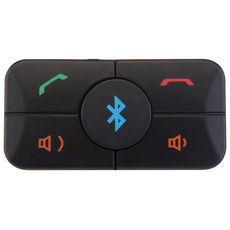
Got2B wireless connects to just about any smart phone via bluetooth, working just like a wireless headset.  The button can be mounted into the dash of your car seamlessly. Car companies like Hyundai are considering making it a standard option that will compete with products like GM’s onstar.  So, what can you do with this little button? First off, you can send a text message with your voice, which helps get around those important-yet-inconvenient (at times) “texting while driving” laws.  You can also have your email messages read aloud as audio, so that you keep your eyes on the road and still get that important update on the way to your meeting.  You can search through contacts and call them, update your facebook status, send out tweets and manage your calendar. And, you can do all this while still driving safely and legally in all 50 states.

Texting and emailing while driving is really, really unsafe.  Got2B Wireless can actually make you safer, and not just through voice productivity tools.  It also allows you to contact emergency services if needed. It can read turn by turn directions and look up general information for you.  These are must-haves for anyone who does a lot of driving for business.  The product costs about a hundred dollars, and the service is 50 bucks a year after that – which is a lot cheaper than keeping a sales assistant by the phone, or getting a ticket! So what are you waiting for? Check out Got2B Wireless today!

OfficeMax Releases Impress Mobile Print Center Application

As much as I hate to say it, sometimes you MUST print something out. For those times when all you have on you is your smartphone, OfficeMax’s new mobile printing center solution may just get you out of those “we only want print” jams.

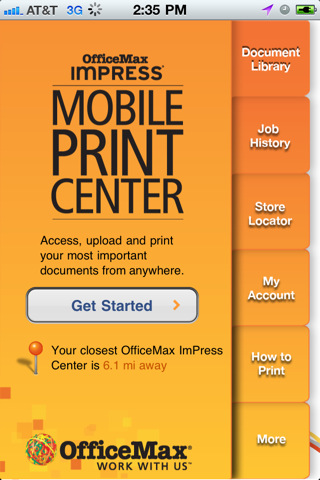
The ImPress Mobile Print Center lets Android and iPhone users access, upload and print your documents fron anywhere. They can be PDF’s, images, emails…whatever your device can store, ImPress Mobile Print promises to be able to print. In addition to files stored on your device, you can also send GoogleDocs files stored in the cloud to an ImPress Print Center for printing. You can submit a new print job or access previous jobs for reprints, etc.

First and foremost, the Mobile Print Center helps users locate the nearest OfficeMax with directions to that location from your current location using your phone’s native map app. Once you’ve found a location, you can add a file to your document library, customize your print settings, enter your contact info, review and confirm your orders details (cost will be outlined during this portion) and quickly and securely pay for and pick up your printed file at the desired location.

So if you’re dealing with colleagues, clients/customers who haven’t quite adopted the whole paperless thing yet, you can rest assured that the free OfficeMax ImPress Mobile Print Center has your back just in case you need to quickly print out document hard-copies on the go.

[Android Market Link]

[Apple iTunes Link]

Box.net and GoogleApps – Complete Online Content Management

On the online content sharing/collaboration side, Box.net was one of the first cloud services that everyday consumers could use. Its services still make online collaboration a viable option for small business owners looking to move to the cloud. On the “everything else” side, there isn’t a bigger name than Google and its popular GoogleApps services that gives users access to online document editing, calendar and email organization, and more.

Add them together and you get the ability to move your entire business/IT structure to the cloud. Now with GoogleApps document editing integration into Box.net functionality, now you can stay in one application from start-to-finish content creation, collaboration, and management. You can upload and share files amongst colleagues and clients, edit documents with version control, and synchronize documents across most of your devices. No need to switch between Box.net for collaboration and sharing, Google Docs for document editing, Gmail for communication, and Google Calendar for time management. It can all be done in the Box.net platform.

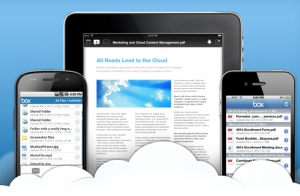
Box.net also gives users mobile access so you can access, share and collaborate on files anywhere. Share folders in a tap, exchange feedback or save files for offline access. Box.net apps are available for iPhone, iPad, Android and via the Box.net mobile site.

A regular Box.net subscription of one user is free, but to take advantage of the new Google Apps integration and add up to three users on one account, it will cost you $15 per month. Both services on their own are ideal for any small business owner looking to use their time and resources more efficiently. Together, well, don’t take my word for it, visit Box.net and sign up for a free trial and let us know what you think in the comments section.

http://www.youtube.com/watch?v=H_KnRwoKbJs&feature=player_embedded#

Google Sites Adds Automatic Mobile Rendering

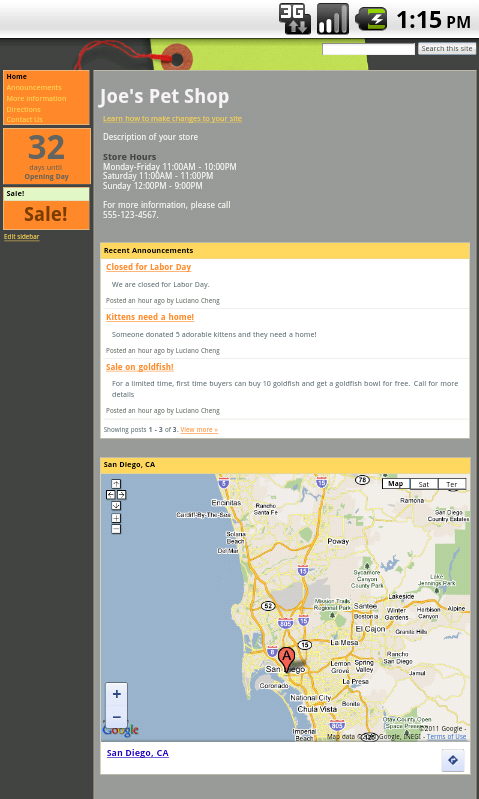
Before

Using the uber-powerful Google Apps service, small business owners can manage email, contacts, calendars, documents, and add-on additional business management tools/apps/services that can essentially handle ALL of your business needs. One service that may be under-valued is the ability to create a full-blown website for your business in a matter of minutes (maybe just a tad longer) using Google Sites. Maybe the addition of automatic mobile rendering of Google Sites may entice more small biz owners to create a Google site and also knock-out your site’s ability to be visually appealing on mobile devices in one fell swoop.

As fast as it takes users to create a Google site, it is as equally as fast to make your site mobile. A new option in the general settings named “Automatically adjust site for mobile phones” adjusts your site on the fly whenever it’s viewed by Apple  (OS 3.0+) and Android (OS 2.2+) devices.

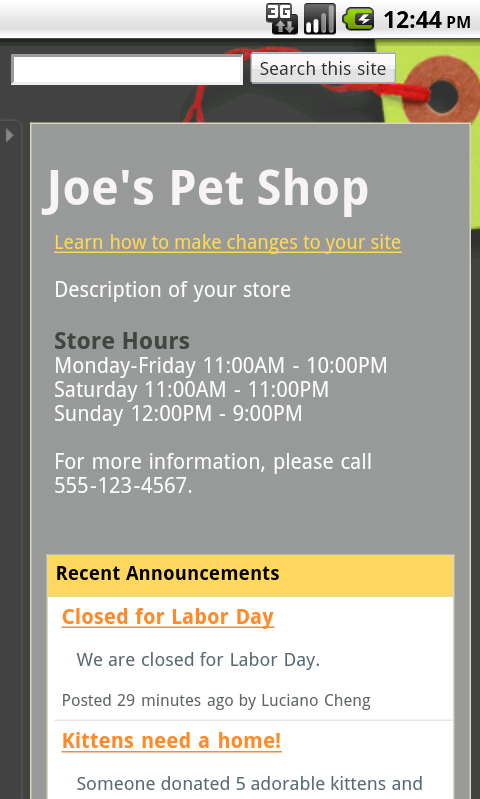
After

Activate the above option, and several portions of your site (header, site width, sidebars, etc.) will be formatted to look all nice on iPhones and Androids. Additional modifications you can make include hiding or enabling “View Site as Desktop” option, “Sign-in” or “Print Page” link. You can view your changes and tweak them on the go as well by visiting http://sites.google.com from any iOS or Android device.

Now with the new Google Sites mobile rendering feature, there is NO EXCUSE for your business, no matter how small, to NOT have 1) A website 2) a mobile-friendly website.

Evernote Lands on Windows Phone 7

That’s right – The note/voice memo taking, task conquering, web clipping, all-in-one productivity app finally gets a native version for Windows Phone 7 (WP7). There are so many use-cases for the Evernote app. Now WP7 users can explore all the ways Evernote can be used for personal/business tasks.

I am a fan of the WP7 user interface – It’s just beautiful. The Evernote app for WP7 exploits that beauty and lets you save and find your ideas and memories any time, anywhere. All of the features that Android, BlackBerry, and iOS users are accustomed to make an appearance, in addition to some cool Microsoft-specific features that can only be found on the WP7 version like note mapping that uses Microsoft Bing mapping technology to to show you where your notes were created. To allow the app to save your location, go to the Location panel in the Settings menu and check off the options. Then, you can view you notes on a map.

For those users who want to share some of your ideas captured in Evernote, Facebook sharing is built-in as well. Simply connect your account and the Facebook post option is prominently displayed as one of the three note options for every note. Hopefully, Evernote will add Twitter and maybe Tumblr sharing as well in future updates for even greater social networking capabilities.

So if you’re one of the brave ones and stepped into the new mobile platform realm via WP7, visit the Evernote blog to learn more. If you’ve been waiting on Evernote to come to WP7, you can jump over to the WP7 Marketplace (be patient if it isn’t there), and download your copy…and let us know what you think in the comments section.

Three Productivity Updates to Google Sync for iPhone and iPad

Adding Google email accounts, contacts, and calendars to their iDevice is one of the first things Google software addicts do when they get their shiny new Apple hardware. Google recognizes that a huge chunk on their mobile customer base carry Apple gadgets, so they have updated some of their Google Sync features to further enhance the Google experience on the iPhone and iPad.

Now you can search through ALL of your emails versus just the range of messages you selected to sync on your device. Before, you had to access the mobile-friendly Gmail site to search all of your mail (live or archived) on your account.

You can also accept, decline, and edit calendar appointments directly from your device. Now I can turn off all of those email notifications to alert me somebody sends a calendar appointment!

Finally, “Send Mail as” works in any account you have set up on your device. In other words, if you manage multiple accounts from your device (I personally manage 5), without physically switching accounts, you can select from which account you want to send or reply to a message. For example, if somebody sends me a message to my personal account, I can [passive-aggressively] send them a reply from the right account by tapping the “From” field and selecting that address.

The new features work for both Gmail and for all the small businesses (myself included) using Google Apps accounts. Google Sync is a must-have if you live by Google software AND by Apple hardware. Visit the Google Mobile Site to learn how to setup Google Sync on your iDevice.

[via: Google Mobile Blog]

Step your Team Collaboration up With Flowr

If your business involves working with a group of people remotely in different locations/parts of the world on a regular basis, collaboration may be the one aspect that gives you the most issues. The back-and-forth emails are simply not “cutting the mustard”. So if you’re looking for a more uniform way to work with your group, the Flowr web-based collaboration service may give you the tools you need to effectively communicate with your team and keep everyone in sync.

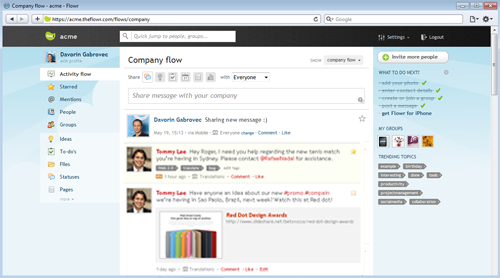
Flowr is indeed web-based, so there is no need for you or your team to worry about system requirements (have network access, will travel). With Flowr, you can share files, exchange ideas, ask questions, post tasks and collaborate with your team in a private and secure network that you and up to four colleagues can use for free with 100mb of space. to work with.

Communications between team members show up in the main screen like wall posts on Facebook. Adding links, sharing files, and addressing message to particular members is reminiscent of how you handle these same tasks on other popular social networking sites. In other word

s, the learning curve is shallow if not non-existent. The updates are real-time, and you can add tags to updates for easy reference later. Additional features include:
  • Team profiles/group directory
  • Upcoming event tracking
  • Custom Flowr themes
  • Sharing rights to specify recipients
  • Bookmarklet for easy sharing web content
  • Built- in analytics

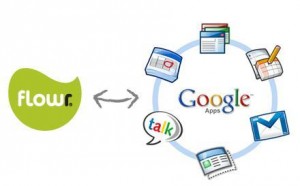
If you already depend on Google Apps for a huge chunk of your teams communications/organization, Flowr can integrate with your account the popular Google Calendar/Google Docs services so you can keep your scheduling and documents at home while using Flowr to organize it all.

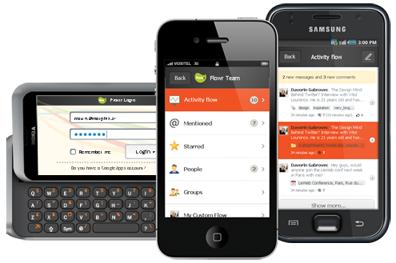
Finally, Flowr offers an iOS and Android app, in addition to a mobile-friendly HTML5 site for access from all other mobile platforms to get your “collab on” while on the go.

Flowr is free for up to five members and 100mb of storage space, while the Premium plan is $60/month but adds up to 15 users, additional features, and priority support. So stop the uber-long and hard to search email threads and check out Flowr for your team collaboration needs.