Citrix Enteriprise Client Available on WebOS Tablet at Launch

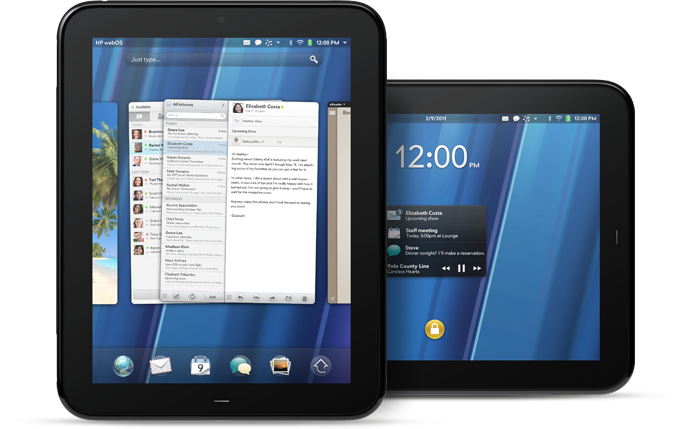
Just to further point out that HP Palm is ready to put some “umph” into launching its first WebOS tablet since HP bought Palm last year, it was recently announced that the popular Citrix Receiver will be available on the HP TouchPad when it is released to the public.

From the Citrix Blog:

Citrix Receiver is a lightweight software client that will turn any webOS device into a powerful business tool by providing secure Enterprise access business desktops and any Windows, Web or SaaS application. The immediate benefit for webOS consumers is that Citrix will make webOS devices enterprise-ready by securely delivering access to the existing ecosystem of Windows based apps: Citrix Receiver will instantly enable new webOS devices for the enterprise!

That means with little hassle, companies can safely integrate webOS devices with the all of the IT polices and standards that will give end-users access business desktops, apps and docs that Citrix claims will “make you productive from anywhere on any device.”

Currently, the Citrix Reciever is a free app available on just about any mobile device/platorm (now including WebOS Tablets) and has reached over two million downloads. Their is also a free demo that you can use to see if there is room in your operation for virtual computing.
BlackBerry PlayBook Will Support Android Apps?

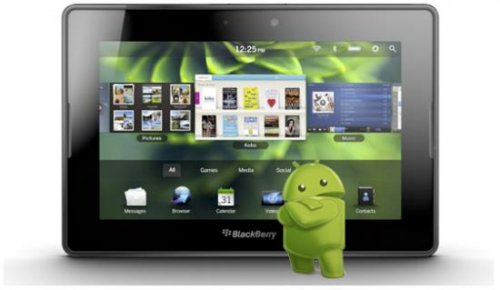
Word on the street is that RIM plans to give PlayBook users access to the rapidly-growing Android app library, but the apps reportedly will be developed internally and run on the BlackBerry OS.

Now this news if just rumor for now, but in my opinion, it would be a strange, weird, but smart move for RIM. If you ask me, apps are what make today’s mobile OS shine. If a platform doesn’t have the support of the developer community, it will have a hard time getting enough steam to make an impact. And let’s face it, BlackBerry app development is hanging in at Number 3 behind Apple (iOS) and Google (Android). If HP Palm can revive WebOS in the next couple of months, BlackBerry will fall even further behind.

With a great deal of effort behind the BlackBerry PlayBook, it would behoove RIM to get as many apps on it as possible, or at least offer accessibility to a larger library of apps found on Android devices.

But what do you think? Should RIM focus solely on improving their own developer relations, or should it jump on the juggernaut that is the Android app library?

via: Bloomberg

My HP Palm Tablet Has a First Name…

…It’s T.o.u.c.h.Pad

(lame, but you got it).

HP plans to announce several WebOS-powered devices at a special event later today. Word on the street is that two smartphones and its long-awaited tablet will be announced.

PreCentral sent some folks over to cover the event, and while standing too close the “huddle” (I still have football on the brain), they overheard some rehearsals wherein the HP TouchPad name was mentioned (previously code-named Topaz). They were also able to get the scoop on some dimensions (1.5 pounds and 13mm thick), which mirrors the Apple iPad, but were “detained” before they could overhear any more goodies…When I say detained, they were probably just told to leave the area, but my way sounds better.

With all of the iPad 2 and Android Tablet news running ramped, will there be room for HP Palm to get some shine on their new tablet device? Even though the WebOS platform was well received and I think will be on par with the other platforms wrapped up in a tablet We will just have wait and for an official announcement.

Android Market is now Online

And I quote:

“Personally, I think Google’s first order of business would be to greatly improve its own Marketplace on the web and give people the option to buy and “push” apps directly to their phones, but that’s just me.”

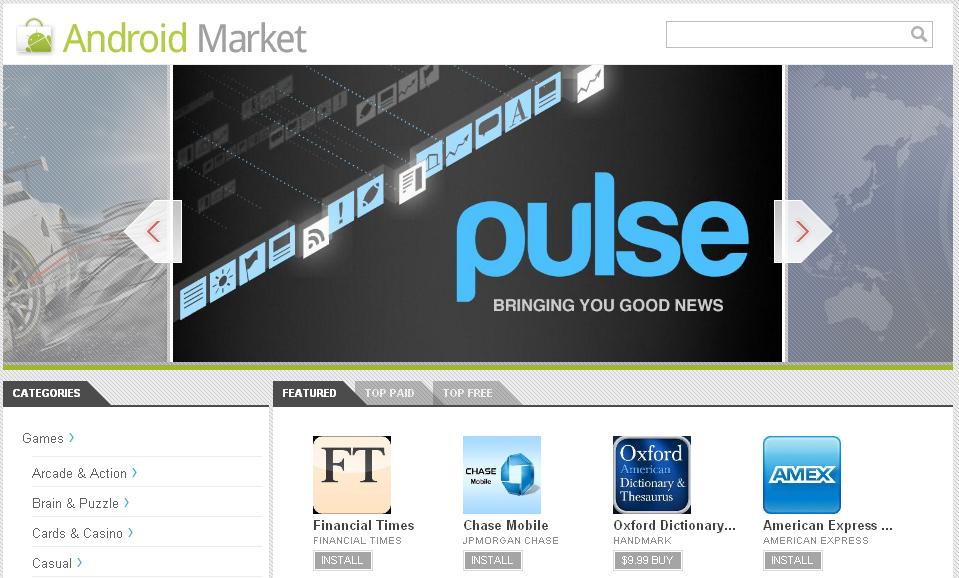
That was me yesterday taking shots at the shotty Android Market site in the “Google Apps Labs is hiring” post. Well Google stepped their game up and expanded their Android Market site that lets visitors browse apps, read reviews, and install apps directly their Android device.

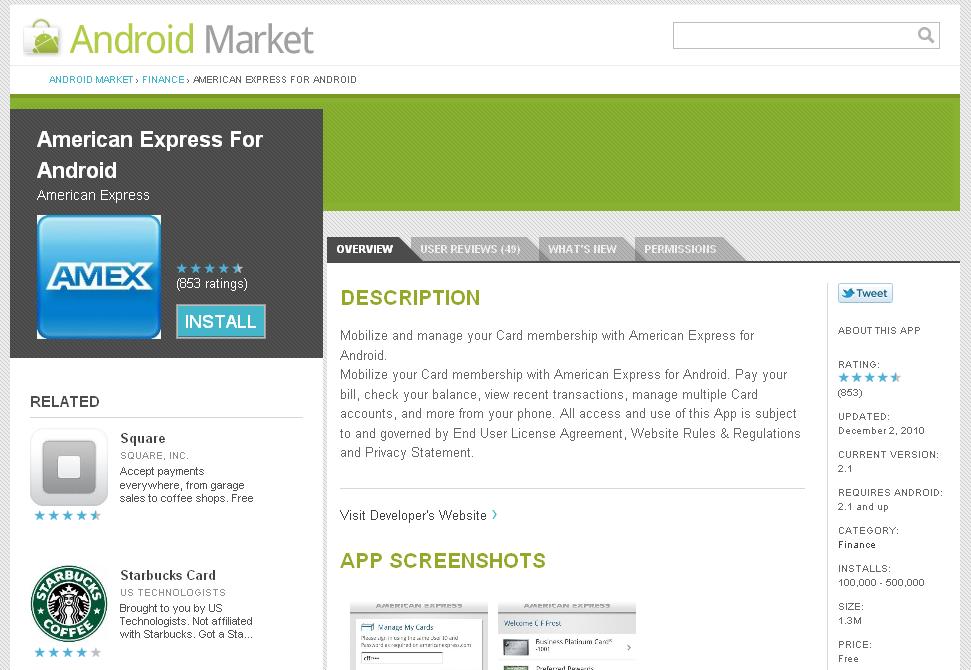
So now, instead of squinting at your Android device to decide whether or not to install a particular app (even with the huge screens like the HTC Evo), now you can search apps (keyword search, categories, featured, top paid, top free), view app descriptions, read user submitted reviews, check compatibility, and more from the comfort of you much larger laptop screen or desktop monitors.

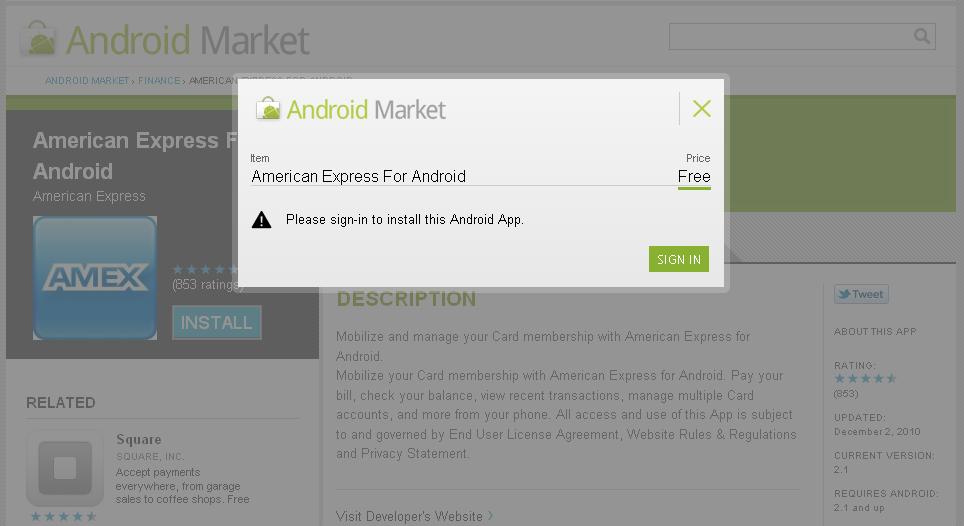
Signing in to your Android Market account gives you the ability to view your download history and buy and download apps directly to your smartphone. All apps also offer QR Code so you can scan the app and start a download to your phone as well.

Nothing fancy (they could work on the design work a little), but beggers can’t be choosers, so as an initial attempt at providing Android users a “real” online home to find apps to download, the new Android Market site is looking pretty good.

Check it out and let us know what you think in the comments section.

Google “Apps Lab” is hiring

Image Courtesy of The Android BlogIn an attempt to close the “app gap” between Android and iOS, Google has recently announced plans to hire “dozens” of software engineers, product managers, user-interface experts and “others who have ideas for mobile apps.”

Currently, there are over 100,00 mobile apps in the Android Market with less than two-dozen of those apps developed in house by Google devs. Furthermore, most of those apps are Google-branded apps (Maps, YouTube, GMail, etc.). So this is a pretty big step by Google at improving their reach and closing the app gap with Apple. Google is also courting 3rd Party devs with incentives like getting their apps pre-installed on many Android phones.

Side Note: Personally, I think Google’s first order of business would be to greatly improve its own Marketplace on the web and give people the option to buy and “push” apps directly to their phones, but that’s just me.

So, if you’ve been thinking about getting into the mobile app development game, or have an idea for an app and want to pitch it to a notable company or a big-time development house…

What bigger name than Skynet Google?

TimeDroid: Freshbooks Time Tracking App for Android

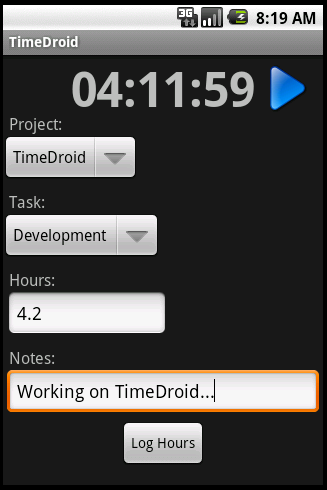
FreshBooks lives up to its tag line “Painless billing” by providing a very easy to use online invoicing, time tracking and expense management service (ask me how I know). Freshbooks has an iPhone app that allows you to create, edit, and send FreshBooks invoices from your iPhone.

My girl DigitalFanGirl via her “31 Days of Android App Goodness” series, hipped me to another Freshbooks app specifically for tracking time spent on projects via your Android mobile device. The app is called TimeDroid and if you are a fan of Freshbooks, you will appreciate the simplicity of being able to record time spent on projects from a device as handy as easily accessible as a smartphone, especially if you are working on a project and the only electronic device on your person your trusty Android (who actually writes anything down anymore?). Now you can record your time no matter where you are…cause it’s not like you are leaving your house without your smartphone (ask me how I know)

TimeDroid for Android devices is a free download from the Android Market on your device or scan the QR Code with your smartphone.

TimeDroid QR Code

BlackBerry Playbook will have “Balance” Service Too

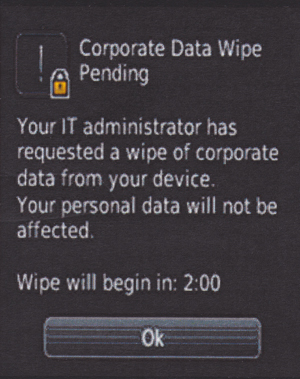
It has been recently announced that Blackberry is currently testing a service for BES (BlackBerry Enterprise Service) called BlackBerry Balance that will allow IT departments to control corporate data on a BlackBerry smartphone issued to an employee without touching the employee’s personal data also stored on the device. I personally think this is a move (and a good one) by BlackBerry to maintain its dominance in the enterprise arena by allowing the use of just one device for work and play.

BlackBerry Balance Corporate Data Wipe Screen

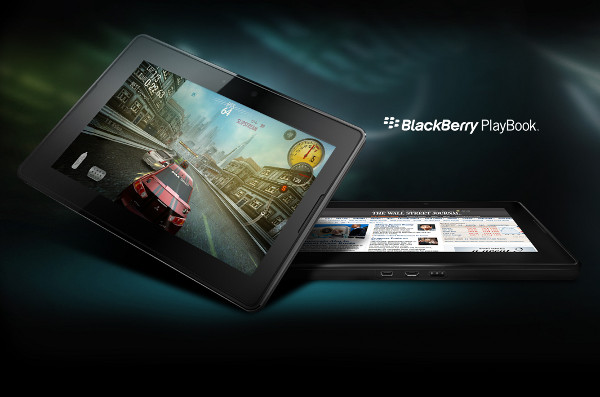
To up the ante, it has also been announced that the BlackBerry Balance service will be available for the upcoming BlackBerry PlayBook tablet device as well. Since the PlayBook has been touted as business device, it makes since to provide users with a way to get extended use from the device while outside of the office.

BlackBerry Balance for smartphones (and tablets) doesn’t have a firm launch date, but word on the street is that you will be able to carry two BlackBerry devices in one within the next few months.

Mobilize SharePoint with Moprise for iPhone

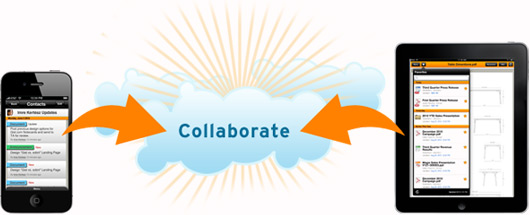
Moprise Cloud Collaboration

Microsoft SharePoint is one of the giants in intranet file/content sharing, collaboration, and management. Moprise wants to get you from behind your desk and give you access to your SharePoint content no matter where you are.

Moprise, which I am assuming is a mash-up of “mobile” and “enterprise” (which would make perfect sense) is a mobile collaboration cloud-based solution that enables workgroups and enterprise users to securely access, share, and collaborate on any SharePoint business content from their mobile device.

Moprise can take what your company or group already does:

– social networking
– group content creation and management
– presentation sharing, project management
– integrated voice and video
– calendaring, scheduling

…and adds value by giving it that “cloud” flavor that frees users from feeling left out if they are not at their desks. Speaking of freedom, Moprise also offers an iPad version, with Android currently in the works.

Moprise offers a free (‘Lite’ is what cool kids are calling it these days) version where you can just access content. Beefed up paid versions with more options and more users start at $5 bucks a month. The iPhone and iPad apps are a free download from the iTunes App Store.

The ability for users to access, edit, and share QUICKLY in order to make fast and confident business decisions while on the go is what Moprise wants to capitalize on. Try it out and let us know what you think in the comments section.

Pay For That Latte With Your Smartphone and the Starbucks App

This one goes out to all my small biz owners who constantly set up small satellite offices at their local Starbucks (in addition to being on a first name basis with all the staff).

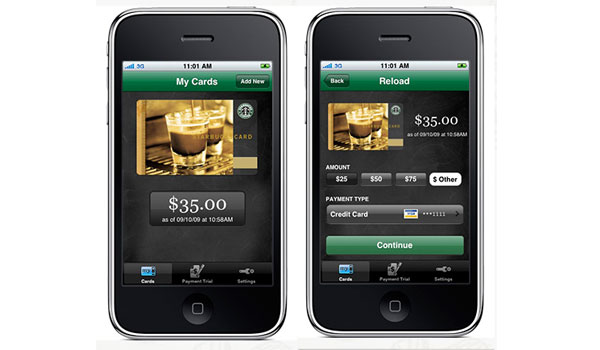
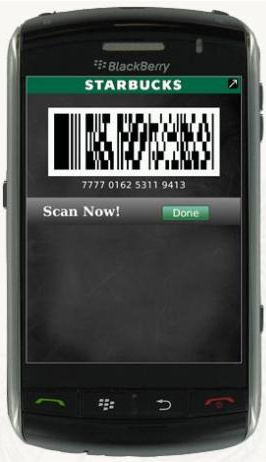
The Starbucks app for BlackBerry and iPhone now lets you pay for your premium coffee using your smartphone (I drink hot chocolate in the winter and smoothies in the summer…but this is not about me). After you’ve created a Starbucks account, downloaded the Starbucks app, and linked your account; you can simply show a 2D bar code for the cashier Java Specialist to scan to pay for your moca something-or-the-other. The payment doesn’t pull directly from a credit card, but the app itself acts as a Starbucks Card that you add monies to in order to use…Which shouldn’t be a problem for the Starbucks faithful. If you’re cool with it, you can even save your credit card info to make it easier to reload your virtual card.

This feature of the app started off as a trial in local (you guessed it) Seattle Starbucks stores, but now is ready for a nationwide shine. In addition to paying for merchandise, the Starbucks app lets you check your card balance, monitor your Starbucks reward points and see nearby Starbucks locations on a map or list. If you get a physical Starbucks card as a gift you can still pay by smartphone by adding the gift card’s number and security code to your account.

To download for iPhone, visit the Starbucks Card Mobile app in iTunes. To get it for BlackBerry, visit the Starbucks Card Mobile App for BlackBerry site or text “GO” to 70845 from your smartphone.

Word on the Street: AT&T to get a 3G BlackBerry PlayBook

The much anticipated tablet device by BlackBerry is starting to see the light of day as it now has an unofficial launch date of “sometime before the end of the first quarter in 2011”. That device will be WiFi only, followed by a WiMax (4G) version of the device sometime this summer.

According to CIO.com, a source has obtained a document stating that the WiFi version is still on track to be released before the end of March this year. Additionally a 3G version of the BB PlayBook will be released late March/early April.

Of course all of the is rumor and neither RIM or AT&T has confirmed anything. But maybe (just maybe) the BlackBerry faithful can take a page out of the Verizon iPhone faithful who literally spoke (or blogged) the magical device into existence, and produce enough fanfare to coax RIM and AT&T into releasing the BB PlayBook on the AT&T network.

What do you think? Is there enough demand to bring about a AT&T 3G BlackBerry Playbook, or would it make more sense to just wait (just a little longer) for a 4G version?