CONTEST: Win a Wireless Powermat charging station (with two receivers!)

The response to our last contest was great, so we’re doing it again!  This time, we’re giving away a Wireless Powermat charging station and 2 charging receivers: one for iPhone 3G & one for Blackberry Bold.  Did you read Terrance’s post yesterday about Portable Power for your Mobile Devices? You don’t have to feel anxious about running out of battery power – just make sure you have some kind of system in place! This contest couldn’t be easier to enter.  For a chance to win a Wireless Powermat charging solution, we just need you to do two things:

1. Like our page on Facebook by clicking on the link, making sure you’re signed into Facebook, and then clicking the ‘Like’ button on that page.

2. Share a link to this contest on Facebook.  The easiest way to do this is to use the ‘Like’ button above the picture on this page or to visit this link and hit the ‘Share’ button.

That’s it!  The names of all qualified entrants will be put into a list at noon on Sunday, April 17th and one winner will be chosen by the random number generator over at Random.org. And don’t forget, if you want the latest updates on Small Business tech news, gadgets, and apps to follow us on twitter!
Choose a FREE Mobile Internet Solution on AT&T Premier

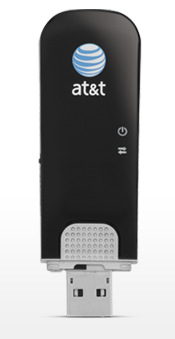
Sure, Wi-Fi is great, but it isn’t everywhere. What if you need a guarantee that anywhere you go, you can get your computer online? The AT&T USBConnect Shockwave 4G connects to your laptop and allows you to work virtually anywhere.  Or, you can connect up to five Wi-Fi-enabled devices with the AT&T Mobile Hotspot MiFi® 2372.

Both are FREE for a limited time:  Check it out!

(2-yr. agreem’t on min. $50/mo. DataConnect plan req’d. 4G in ltd. areas. Add’l restr. apply. This message brought to you by our sponsor, AT&T)

Portable Power for Your Moble Devices

I don’t know about you, but I break out in hives and develop a slight twitch when my mobile device’s battery indicator drops below 15%. My symptoms really get bad when I am nowhere near a power outlet and/or don’t have my laptop bag filled to brim with cables ready to power each and every device I own.

For those times when plugging in to charge a mobile device is NOT an option, portable power is the answer. The arena is relatively new, but is a must as more and more people depend on mobile devices to get them through the day. So I am going to feature three different options that will wake you up from a mobile battery drain nightmare.

Read More

Not-So Odd Couple: WiFi-Only iPad 2 and iPhone 4 Hotspot

The iPad 2 offers a 3G version that lets you tackle any web/network task without being dependent on an external wireless network or hotspot connection. Anywhere you can receive a 3G signal, your 3G iPad 2 will connect.

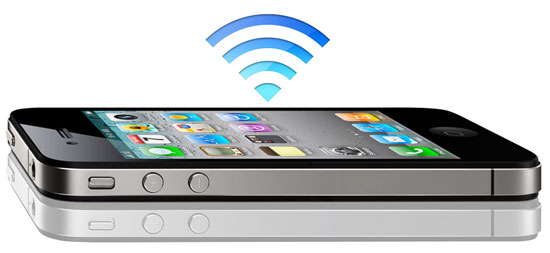
So if you’re mulling over which version of the iPad 2 to get: WiFi or WiFi + 3G, while you constantly call your local Apple retailer to check their stock (let me answer that for you…they don’t have any), allow me to give you a tip if you own an iPhone 4 with iOS 4.3 installed – use your iPhone 4 as a wireless hotspot for your iPad 2.

Let’s check out the pros and cons.

Read More

Rumor: Windows Phone Mango

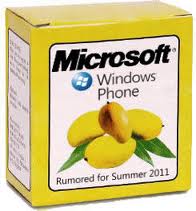
Although the fine folks over at Boy Genius Report (where I first heard this rumor) believe that it is a stretch at best, Paul at Windows Phone Secrets reports that he has glimpsed Microsoft’s upcoming “Mango” update for Windows Phone 7. During a video walk through of a NoDo update. Around 2 minutes and 48 seconds into the video, the cameraman pans to a second Windows Phone 7 device for a few seconds. This second phone has a feature never seen in current builds of Microsoft’s mobile operating system: Inside the main menu, there’s a clearly visible search button.

Is this Mango? My sources are not sure, and neither am I, but we do know that it’s an option that’s not currently available in the latest NoDo update.So Microsoft either has another minor update in store, or someone spotted Mango. Microsoft is expected to launch Mango later this year, and it should include Internet Explorer 9, the faster Trident 5 rendering engine, HTML 5 support, Silverlight, and gestures. A release date is not yet known, but a set of features like that will go a long way toward cutting into Android and iOS’ ever increasing market share.

Add a Schmap to a Tweet to Get Traffic to your Business or Event

If you’re a small business, you should be on at least ONE of the many social networking sites…It’s FREE MARKETING AND PROMOTION for Pete’s sake!

My favorite site is Twitter for social media business marketing – word spreads FAST, and there’s nothing like a little word of mouth wildfire to bring attention and traffic to your business or event. Many apps/services like Foursquare, Yelp, Gowalla, etc. cater to local businesses in hopes they will actually start to pay attention to their social media patrons.

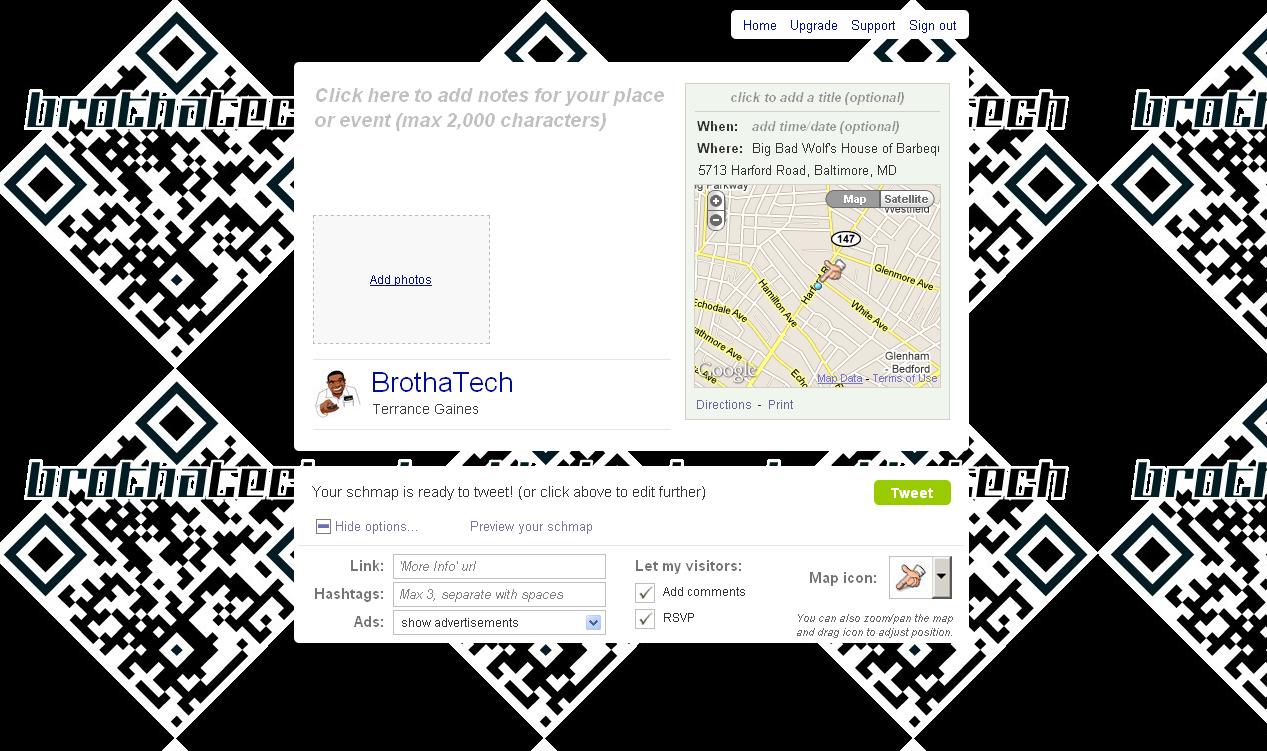
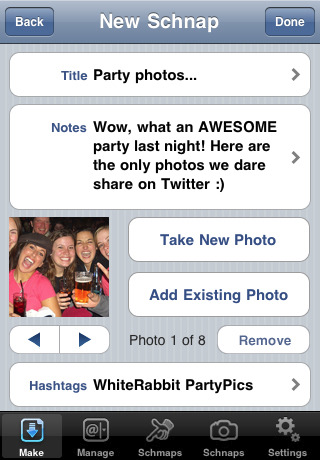
A cool service I found is schmaps/schnaps and it enables you to add maps and pictures to Tweets to drive attention/traffic to your business or event. Instead of creating yet ANOTHER social media account, schmaps integrates with Twitter and immediately gives you options to add an address or venue name and one image (schmap), or import multiple images from your computer or via Flickr to a tweet (schnap).

So instead of tweeting “Doing BIG things over @ Big Things Bar & Grill on 3rd & Pratt St.” You can actually create a schmap by adding a map complete with an image/flyer of your location or event and a map indicating exactly where it’s located to your tweet. If you want show your Twitter followers what a good time folks are having at your event, you can add up to 8 images to a tweet to create a schnap.

In both cases, a schmap.it url is created and added to your tweet, so users can click (or tap if they are mobile) to see your additional information.

Additional features include:

  • Adding additional links, Hashtags, or your own ads
  • Preview your schmap/schnap before sending
  • Allow visitors to add comments or RSVP on your schmap.it site

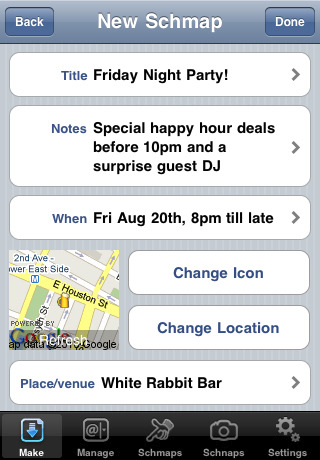
Schmaps also offers a free iPhone app that lets you create, edit, and manage schmaps/schnaps from your mobile device.

As far as cost, All of the above is free to use. A $9.95 monthly upgrade to Schmaps PRO will add a TON of additional features, including metrics tracking, turning off schmaps ads in tweets, permanent tweet scheduling, and more.

Don’t be afraid, social media sites are safe to use for business marketing and promoting. With FREE services like Schmaps, you’re just being silly it would behoove you to get on board and take advantage of all the additional avenues to bring business to your doorsteps.

Vimeo for iPhone

Yesterday, Vimeo announced the launch of their official iPhone app. Preliminary tests indicate that it’s not shabby, and its especially impressive considering that this release is the first iteration of this product.  The app is all things video; watching, recording, editing and even delivering video to Vimeo’s site. Although the app isn’t perfect, Vimeo for iPhone is a solid offering.

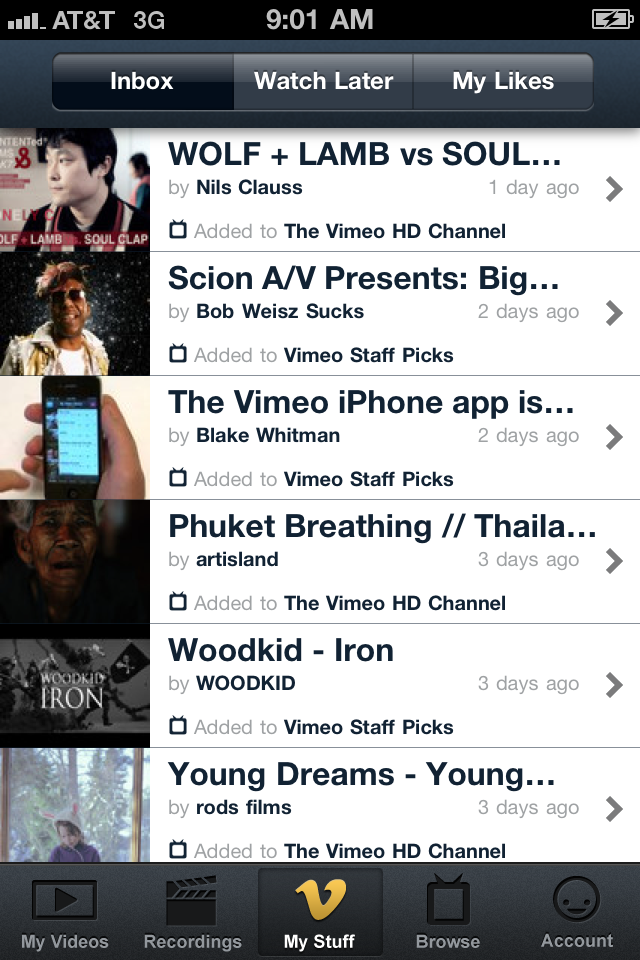
The Vimeo for iPhone app is portrait-oriented; unless you’re shooting or viewing video, it wants to be vertical. When I first logged into the app, the default category presented is ‘My Stuff’, which is essentially a list of videos made by folks that I follow on Vimeo.  Across the top of the screen we find buttons allowing me to quickly check my video inbox (default view), buttons for things that I like and other buttons for things I’ve saved to watch later.  Across the bottom of the screen, there are additional buttons for the other functions of the app including options to “like” your own videos/recordings, browsing and account maintenance features. The videos you’ve uploaded to Vimeo can be viewed as a  list or as thumbnails, and sorted by date or by number of views. The search function returns real-time results, which is a search feature that we’ve all come to know and love.

Video-sharing is key to any modern social marketing campaign, and the Vimeo community is one of the most vibrant on the modern web.  If you make or share online video for your business, or even just for fun, this app is a must-have.

http://www.youtube.com/watch?v=Q7kUx0sbug0

SignMyPad App for iPad: eSign and Send PDF’s – No Printing Required

Normally when I do app reviews, I try to stay unbiased, cite the facts and point out how it can help you and your business. I will have to break character and say if you breathe air through your lungs, and get tired of downloading, signing, scanning, uploading and emailing (or faxing, if you live in the 90’s) PDF documents, and of course own an iPad

You need to download the SignMyPad app for iPad now.

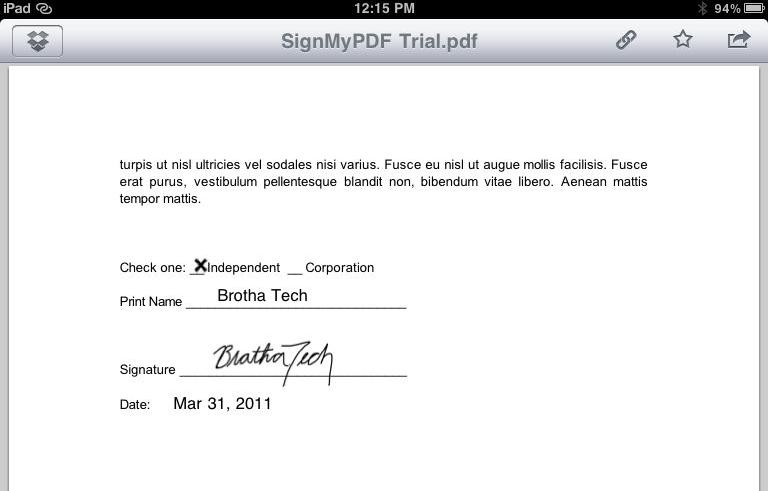
Simply put, the SignMyPad app will enable you to load a PDF though iTunes document sharing, from an email, or on the web by entering its url. You can simply sign and date the PDF then upload it back to iTunes to share with your computer, or send it via email… All without touching a single piece of paper!

Read More

The E-Reader Explosion: Choosing the Right E-Reader

Mario Armstrong appeared on the TODAY show this morning to help you decide which E-Reader is right for you. Mario takes a look at the Amazon Kindle, the Sony E-Reader, The Barnes and Noble Nook Color, and the Pandigital Novel Color Multimedia E-Reader. Take a look at the video below!

Visit msnbc.com for breaking news, world news, and news about the economy